
Construction Word templates
Streamline your construction documentation with our comprehensive collection of professional Word templates designed specifically for contractors, builders, project managers, and construction companies. From detailed project proposals and construction contracts to invoices, safety reports, and bid documents, these templates provide the structure and professionalism your business needs to operate efficiently.
Each template is fully editable in Microsoft Word, allowing you to customize content, add your company branding, insert logos, and modify layouts to match your specific project requirements. Whether you're managing residential renovations, commercial builds, or large-scale infrastructure projects, these templates save hours of formatting time while ensuring consistent, polished documentation across all your construction activities.
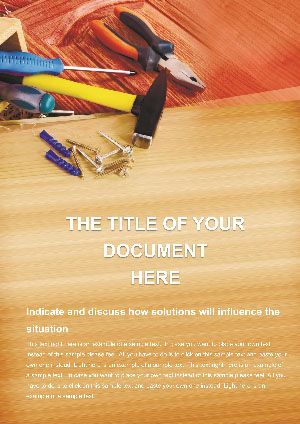 (453)
(453) Plumbing Tools Word Template for Catalogs | ImagineLayoutID: #WT01130$8.00
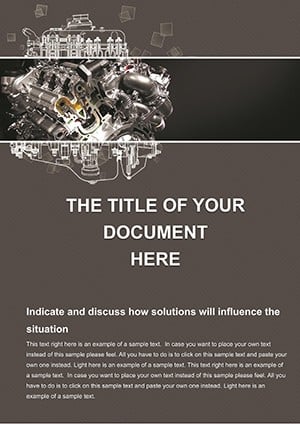 (840)
(840) Rev Your Documentation with the Designer Engine Word TemplateID: #WT01039$12.00
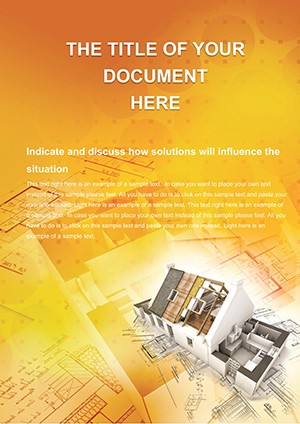 (359)
Easy Edit Professional House Plans Word Template | ImagineLayoutID: #WT00869$8.00
(359)
Easy Edit Professional House Plans Word Template | ImagineLayoutID: #WT00869$8.00 (1016)
 City Book Background Word Template: Urban Creative DocsID: #WT00830$10.00
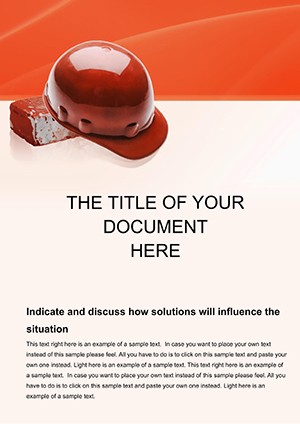 (1155)
Personal Protective Equipment Word Document Template DesignID: #WT00672$12.00
(1155)
Personal Protective Equipment Word Document Template DesignID: #WT00672$12.00 (579)
Color Repair: Vibrant Design Word TemplatesID: #WT00655$12.00
(579)
Color Repair: Vibrant Design Word TemplatesID: #WT00655$12.00 (220)
(220) Choose Your Color Word Template: Infuse Vibrancy into Your Design DocumentsID: #WT00653$14.00
 (603)
Color Scheme Word Template - Fully Editable | Instant Download | ImagineLayoutID: #WT00652$5.00
(603)
Color Scheme Word Template - Fully Editable | Instant Download | ImagineLayoutID: #WT00652$5.00 (931)
Tool Repair Word Template: Keep Your Construction Gear in Top ShapeID: #WT00650$10.00
(931)
Tool Repair Word Template: Keep Your Construction Gear in Top ShapeID: #WT00650$10.00 (950)
Tape Measure Word Template: Precision Planning for Construction MasteryID: #WT00649$14.00
(950)
Tape Measure Word Template: Precision Planning for Construction MasteryID: #WT00649$14.00 (472)
Apartment Repair Word Template: Efficient Fixes for Rental PropertiesID: #WT00648$14.00
(472)
Apartment Repair Word Template: Efficient Fixes for Rental PropertiesID: #WT00648$14.00 (469)
Yellow Paint Word Template: Bright Ideas for Construction ColorworkID: #WT00647$10.00
(469)
Yellow Paint Word Template: Bright Ideas for Construction ColorworkID: #WT00647$10.00 (624)
Construction Tools Word TemplateID: #WT00646$12.00
(624)
Construction Tools Word TemplateID: #WT00646$12.00 (483)
Repair Construction Word TemplateID: #WT00645$12.00
(483)
Repair Construction Word TemplateID: #WT00645$12.00 (596)
Style and Design Word TemplateID: #WT00643$12.00
(596)
Style and Design Word TemplateID: #WT00643$12.00 (431)
Interior Design Word TemplateID: #WT00642$10.00
(431)
Interior Design Word TemplateID: #WT00642$10.00 (61)
Architecture Planning Word Template: Design Your Vision with PrecisionID: #WT00405$12.00
(61)
Architecture Planning Word Template: Design Your Vision with PrecisionID: #WT00405$12.00 (777)
Geometrical Drawing Word Template for ProsID: #WT00390$10.00
(777)
Geometrical Drawing Word Template for ProsID: #WT00390$10.00 (344)
New Architecture Projects Word Template: Design Documents That InspireID: #WT00346$10.00
(344)
New Architecture Projects Word Template: Design Documents That InspireID: #WT00346$10.00 (654)
Architecture Projects Word Template: Pro DesignsID: #WT00330$10.00
(654)
Architecture Projects Word Template: Pro DesignsID: #WT00330$10.00 (98)
Technical Drawing Word TemplateID: #WT00313$10.00
(98)
Technical Drawing Word TemplateID: #WT00313$10.00 (1012)
Rules for Drawing Word Template: Draft Precision in Every LineID: #WT00276$14.00
(1012)
Rules for Drawing Word Template: Draft Precision in Every LineID: #WT00276$14.00 (27)
Paints Word Template: Color Your Ideas into RealityID: #WT00256$14.00
(27)
Paints Word Template: Color Your Ideas into RealityID: #WT00256$14.00 (270)
Ruler for Drawing Word Template: Blueprint Your VisionsID: #WT00252$12.00
(270)
Ruler for Drawing Word Template: Blueprint Your VisionsID: #WT00252$12.00 (842)
Architectural Drawing Plan Word TemplateID: #WT00210$14.00
(842)
Architectural Drawing Plan Word TemplateID: #WT00210$14.00 (154)
Paint Colors Word Template: Color Your Ideas into RealityID: #WT00178$12.00
(154)
Paint Colors Word Template: Color Your Ideas into RealityID: #WT00178$12.00 (214)
Business Project Plan Word Template: Your Blueprint for Launch SuccessID: #WT00084$10.00
(214)
Business Project Plan Word Template: Your Blueprint for Launch SuccessID: #WT00084$10.00 (1117)
Construction World Word Template: Innovative LayoutsID: #WT00064$10.00
(1117)
Construction World Word Template: Innovative LayoutsID: #WT00064$10.00 (676)
Building Construction Word Template: Blueprinting BrillianceID: #WT00022$10.00
(676)
Building Construction Word Template: Blueprinting BrillianceID: #WT00022$10.00
Why Construction-Specific Word Templates Matter
Generic document templates lack the specialized sections, terminology, and legal considerations essential to construction projects. Our industry-specific templates include pre-formatted fields for project specifications, material lists, labor estimates, milestone schedules, payment terms, liability clauses, and compliance requirements that construction professionals encounter daily.
Using standardized templates reduces errors, ensures you never forget critical contractual elements, and presents a professional image that builds client confidence. Well-structured documents also facilitate smoother communication with subcontractors, suppliers, architects, and regulatory authorities - minimizing misunderstandings that lead to costly delays or disputes.
Comprehensive Document Types for Every Construction Need
Our collection covers the complete spectrum of construction documentation:
- Project Proposals - Detailed bid documents with scope of work, timeline, budget breakdown, and company qualifications
- Construction Contracts - Legally sound agreements covering terms, conditions, payment schedules, and dispute resolution
- Invoices & Billing Statements - Professional payment requests with itemized costs, materials, labor, and progress billing
- Change Order Forms - Documentation for project modifications, additional work, and cost adjustments
- Safety Reports & Incident Logs - OSHA-compliant templates for workplace safety documentation
- Daily Progress Reports - Site activity tracking including weather, workforce, materials received, and work completed
- Inspection Checklists - Quality control forms for different construction phases and trades
- Subcontractor Agreements - Specialized contracts for hiring and managing subcontracted work
- Material Requisition Forms - Organized ordering documents for construction supplies and equipment
- Project Closeout Documents - Final documentation including punch lists, warranties, and completion certificates
Real-World Applications Across Construction Sectors
These templates serve diverse construction professionals effectively. General contractors use comprehensive proposal templates to win competitive bids by presenting detailed, professional submissions that clearly communicate value and capability. Specialized tradespeople - electricians, plumbers, HVAC technicians - customize invoice templates to reflect their specific services while maintaining professional standards.
Project managers rely on daily report templates to maintain consistent communication with stakeholders, creating historical records that prove invaluable when questions arise about project timeline or decisions made on-site. Construction company owners implement standardized contract templates across all projects, ensuring legal protection and consistent terms regardless of which team member handles client interactions.
Residential remodelers benefit from change order templates that clearly document scope modifications - protecting both contractor and homeowner from misunderstandings about additional work and associated costs. Commercial builders use safety report templates to maintain rigorous compliance documentation, reducing liability exposure and demonstrating commitment to workplace safety during audits or inspections.
Customization Strategies for Maximum Effectiveness
Begin by establishing your company's template library with core documents branded to your business. Insert your logo in the header, add your company name, license numbers, contact information, and standard footer text across all templates. This branding consistency reinforces professionalism and makes your documents instantly recognizable.
Create document versions for different project types. A residential remodeling contract requires different clauses than a commercial construction agreement. Customize payment term sections to reflect your standard practices - whether you use milestone billing, progress payments, or percentage-of-completion methods. Add specific warranty language that accurately represents your company's commitments.
For proposals and estimates, develop a library of standard scope-of-work descriptions for common project elements. This allows you to quickly assemble comprehensive proposals by combining relevant pre-written sections rather than starting from scratch each time. Include photography placeholders for project renderings or previous work examples that strengthen your proposals.
Legal Considerations and Compliance
While our templates provide solid structural foundations, construction contracts and agreements should be reviewed by legal professionals familiar with construction law in your jurisdiction. Building codes, licensing requirements, lien laws, and liability standards vary significantly by location. Use these templates as starting points, then work with your attorney to add jurisdiction-specific clauses and ensure full compliance.
Pay particular attention to indemnification clauses, warranty limitations, dispute resolution procedures, and termination conditions. These sections require careful consideration of your risk tolerance and business practices. Insurance requirements should reflect actual coverage levels and should be coordinated with your insurance provider to ensure contractual obligations match your policy terms.
Efficiency Through Template Systems
Implement a document management system where templates are stored in clearly labeled folders with version control. When you improve a template based on lessons learned, save it as the new master version and archive the old one. This prevents team members from using outdated forms while preserving historical documents for reference.
Train all team members who create client-facing documents on proper template usage. Establish clear guidelines about which sections can be modified and which should remain standard. For example, payment terms and dispute resolution clauses might be standardized across all contracts, while scope-of-work sections are fully customizable to each project.
Consider creating quick-reference guides that accompany complex templates like comprehensive construction contracts. These guides can remind users to verify specific details like project addresses, insurance certificate dates, permit numbers, and other easily overlooked but critical information.
Integration with Project Management Workflows
Modern construction businesses often use specialized software for estimating, scheduling, and project management. These Word templates complement digital tools by providing formatted output for client presentation. Export cost estimates from your estimating software, then paste them into professional proposal templates that include company branding, project narratives, and value propositions that software alone cannot provide.
Use templates to create standardized reports that can be generated quickly at key project milestones. Weekly progress reports maintain client communication and create accountability. Monthly billing statements with detailed breakdowns reduce payment disputes. Project closeout documents ensure smooth handoffs and satisfied clients who become referral sources.
Building Client Confidence Through Documentation
Professional documentation directly impacts how clients perceive your construction business. Detailed, well-organized proposals demonstrate thoroughness and attention to detail - qualities clients want to see in their contractor. Clear contracts reduce client anxiety by explicitly stating what to expect throughout the project.
Consistent documentation also facilitates growth. As your business expands and you hire project managers or office staff, standardized templates ensure everyone produces documents meeting your quality standards. New employees can quickly learn your processes when templates provide clear structures they simply need to populate with project-specific information.
Digital Document Delivery Best Practices
While Word templates are editable, final documents sent to clients should typically be converted to PDF format to prevent accidental modifications and ensure formatting appears identical regardless of the recipient's software. Use meaningful file names that include project names or addresses and document types - this helps both you and your clients organize project files effectively.
For contracts requiring signatures, consider integrating electronic signature platforms like DocuSign or Adobe Sign. These services accept PDF uploads and streamline the signing process while creating legally binding, timestamped agreements. Many construction professionals find that electronic signatures accelerate project starts by eliminating delays associated with printing, mailing, and scanning paper contracts.
Frequently Asked Questions
Are these construction Word templates legally binding?
The templates provide professional document structures with common construction industry clauses, but they should be reviewed and customized by a qualified attorney familiar with construction law in your jurisdiction. Legal requirements vary by location, project type, and specific circumstances, so professional legal review ensures your documents provide appropriate protection.
Can I add my company logo to these templates?
Yes, all templates are fully editable in Microsoft Word. You can easily insert your company logo in the header or footer, add your business name, address, license numbers, and contact information. Customizing templates with your branding creates professional, consistent documentation across all your construction projects.
What Microsoft Word version do I need?
The templates are compatible with Microsoft Word 2013 and later versions, including Microsoft 365 (formerly Office 365). They also work with Word for Mac. Most templates use standard formatting features that maintain compatibility across versions, though some advanced design elements may appear slightly different in older Word versions.
Do these templates work for both residential and commercial construction?
Yes, the collection includes templates suitable for residential, commercial, and industrial construction projects. You can customize each template to match your specific project type by adjusting scope descriptions, timelines, and contract terms. Some templates are specifically designed for particular sectors, while others are adaptable to any construction type.
How do I convert the final document to PDF for sending to clients?
In Microsoft Word, go to File > Save As and select PDF from the file type dropdown menu. This creates a non-editable PDF version perfect for client distribution. PDFs ensure your formatting remains intact regardless of what software your client uses to open the document, and they prevent accidental modifications to contracts or proposals.
Can I save customized versions as my own templates?
Absolutely. After customizing a template with your branding and standard language, save it as a Word template file (.dotx) or as a regular document in your template library. This allows you to reuse your customized version for future projects without repeating the setup work, significantly improving efficiency as you create new project documents.


