
Cars - Transportation Business Cards
Formerly known as cars transportation business cards - this collection now covers automotive business card templates for professionals across the full transportation spectrum: dealership managers, service advisors, fleet coordinators, aviation ground staff, freight logistics reps, and taxi or ride-share operators.
The card you hand over after a service visit or a supplier meeting is doing specific work: it carries your contact details, reinforces the firm's visual identity, and has to read clearly in a workshop, a parking lot, or a conference hall. These templates are structured around information clarity - strong contrast, a clean typographic hierarchy, and print-safe layouts so the file goes straight from your screen to the press without a round of technical corrections.
Choose the layout that fits how your business introduces itself in the field.
 (944)
(944) Aviation Business Card Template: Commercial Aircraft Edition for Sky-High ImpressionsID: #BC01278$8.00
 (893)
(893) Sleek Car Test Drive Business Card Template: Accelerate Your Automotive ConnectionsID: #BC01230$8.00
 (502)
(502) High Speed Business Cards Template: Accelerate Your Professional DriveID: #BC01144$8.00
 (1116)
Professional Truck & Goods Business Card TemplateID: #BC01046$8.00
(1116)
Professional Truck & Goods Business Card TemplateID: #BC01046$8.00 (1115)
Taxi Service Business Card templateID: #BC01022$3.00
(1115)
Taxi Service Business Card templateID: #BC01022$3.00 (962)
Dynamic Speed Cars Business Card TemplateID: #BC01006$8.00
(962)
Dynamic Speed Cars Business Card TemplateID: #BC01006$8.00 (401)
Luxury Car and City Business Card Template: Urban Elegance for Ambitious ProsID: #BC01002$8.00
(401)
Luxury Car and City Business Card Template: Urban Elegance for Ambitious ProsID: #BC01002$8.00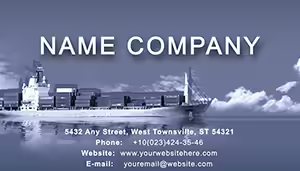 (1089)
Cargo Liner Transportation Business CardsID: #BC00976$10.00
(1089)
Cargo Liner Transportation Business CardsID: #BC00976$10.00 (581)
(581) Dynamic Speedometer Business Card Template for AutosID: #BC00974$10.00
 (605)
Modern Subway Business Card Template for Transport ProsID: #BC00973$12.00
(605)
Modern Subway Business Card Template for Transport ProsID: #BC00973$12.00 (630)
Stylish Flight Direction Business Card Template for Travel ProsID: #BC00912$12.00
(630)
Stylish Flight Direction Business Card Template for Travel ProsID: #BC00912$12.00 (117)
Airliner and Earth Business Card Template: Navigate Global ConnectionsID: #BC00886$12.00
(117)
Airliner and Earth Business Card Template: Navigate Global ConnectionsID: #BC00886$12.00 (991)
Aerostat Business Card TemplateID: #BC00884$10.00
(991)
Aerostat Business Card TemplateID: #BC00884$10.00 (86)
Dream World Business Card Template: Bubble Up Your AspirationsID: #BC00866$12.00
(86)
Dream World Business Card Template: Bubble Up Your AspirationsID: #BC00866$12.00 (874)
Destinations Business Card Template: Jet-Set Your Professional IdentityID: #BC00860$12.00
(874)
Destinations Business Card Template: Jet-Set Your Professional IdentityID: #BC00860$12.00 (689)
Airlines Business Card Template: Elevate Your Professional AltitudeID: #BC00842$12.00
(689)
Airlines Business Card Template: Elevate Your Professional AltitudeID: #BC00842$12.00 (306)
Modern International Flights Business CardID: #BC00825$12.00
(306)
Modern International Flights Business CardID: #BC00825$12.00 (883)
Cruise Ships Business Card TemplateID: #BC00608$10.00
(883)
Cruise Ships Business Card TemplateID: #BC00608$10.00 (1025)
Business Aircraft Business Card Template: Propel Your Aviation Network to New HeightsID: #BC00585$10.00
(1025)
Business Aircraft Business Card Template: Propel Your Aviation Network to New HeightsID: #BC00585$10.00 (25)
Freight Shipping Business Card TemplateID: #BC00582$10.00
(25)
Freight Shipping Business Card TemplateID: #BC00582$10.00 (140)
Airport Terminal Business Card Template: Elevate Your Aviation BrandingID: #BC00166$12.00
(140)
Airport Terminal Business Card Template: Elevate Your Aviation BrandingID: #BC00166$12.00 (67)
Car Parts Business Card Template: Drive Your Auto Brand ForwardID: #BC00154$12.00
(67)
Car Parts Business Card Template: Drive Your Auto Brand ForwardID: #BC00154$12.00
Why Card Readability Is a Different Problem in the Automotive Sector
Most business card advice focuses on visual appeal. In automotive and transportation contexts, the priority is different: the card is often read in poor lighting, held with grease-marked hands, or scanned quickly at a busy trade event. A layout that looks striking on screen but uses low-contrast typography or a tight text grid fails the moment it leaves the office. These templates are designed with that real-world condition in mind - name and phone number in the first visual tier, secondary details in a supporting layer, and enough white space that the card remains legible at arm's length.
Four Field Moments Where These Layouts Worked
An auto repair shop owner who relies almost entirely on word-of-mouth referrals redesigned his cards using the Professional Truck and Goods template. He placed a stack at the service desk and handed them personally to customers at vehicle pickup. Three months later, tracking where new customer inquiries came from, he found that a quarter of new bookings mentioned receiving a card from an existing customer - up from roughly eight percent before the redesign.
A dealership sales manager distributing cards at a regional motor expo used the Sleek Car Test Drive template. The car silhouette graphic communicated the business without requiring a conversation opener, which mattered in a hall where visitors were moving quickly between stands. By the end of the two-day event she had handed out twice the cards she brought and made follow-up arrangements with contacts she might otherwise have lost in the crowd.
A logistics coordinator meeting a new freight partner at a supply chain conference used the Cargo Liner Transportation Business Card. The card design immediately flagged the firm's focus without ambiguity - no decorative elements competing with the core message. The partner's procurement lead remembered the card by name when placing a follow-up call two weeks later, which shortened the introduction phase of the supplier conversation.
An aviation ground services manager used the Aviation Business Card Commercial Aircraft template when meeting airline operations staff at an airport operations summit. The visual immediately placed the firm's specialty, and the clean contact hierarchy meant representatives could pass cards to colleagues without adding a note explaining what the company does.
The Setup Work These Templates Eliminate
Designing a business card from a blank PowerPoint or Keynote file means setting canvas dimensions, adding bleed, placing crop marks, building text boxes to exact positions, and checking that nothing sits in the danger zone at the trim edge. Most of this is pure technical configuration - it has nothing to do with the message on the card. For a service manager who needs 200 cards before Thursday's trade event, that overhead is the difference between finishing the job and sending to print on time and missing the window entirely.
Every template here has that configuration done. Open the file in PowerPoint or Keynote, replace the placeholder text with your firm's details, swap the logo, adjust the color to match your brand guide, and export the PDF. The printer receives a file with crop marks and 0.125-inch bleed already in place.
One Thing to Check Before Exporting to Print
A detail that catches many first-time print buyers: icon elements in business card templates - particularly small vehicle silhouettes or service symbols - often look correct on screen but appear misaligned or too fine when printed at 3.5 by 2 inches. This is a resolution and stroke-weight issue. In PowerPoint, select any icon shape and check its line weight in the Shape Format panel. If the stroke is set below 0.75 points, increase it slightly before exporting. In Keynote, the equivalent is in the Style panel under Stroke. A small adjustment here prevents thin graphics from appearing faint or broken at the actual card dimensions.
Editing Across Vehicle Types and Sub-Sectors
This collection spans road transport, aviation, maritime, and public transit - each with its own visual language. When choosing a template, match the primary graphic to the sector your business actually operates in. A taxi service card with a taxi icon reads immediately to a passenger; a logistics card with a freight truck signals the right audience to a procurement manager. Don't try to make an aviation template work for a trucking firm by hiding the aircraft graphic - it creates a layout that communicates nothing clearly.
In PowerPoint, vector graphics in these templates resize without quality loss. If you need to repurpose the card visual in a larger format - a vehicle door sticker or a conference pull-up banner using the same design language - scale from the PPTX source rather than the exported PDF to retain full quality.
Download the template that matches your next event or client meeting.
How This Collection Relates to Others on the Site
If your firm operates across multiple sectors or you need a more neutral corporate aesthetic, the professional business card templates offer sector-agnostic layouts that work across any industry. For construction-focused businesses - contractors, project managers, site supervisors - the construction business card templates use site-specific visual language closer to that sector's conventions. And if your branding extends to printed event materials like leaflets or trifold handouts, the brochure templates follow the same editing and print-setup logic so you can maintain a consistent visual identity across every printed piece.
Frequently Asked Questions
What file formats are included and how do I edit the vehicle or transport graphics?
Each download includes a native Keynote file, a PPTX version compatible with PowerPoint 2016 and Microsoft 365, and a print-ready PDF. The vehicle and transport graphics - silhouettes, icons, and illustrations - are built as editable vector shapes rather than embedded images. That means you can recolor them to match your brand palette, resize them without any loss of print quality, and in most cases remove or replace elements by ungrouping the shape cluster in PowerPoint's Format tab or Keynote's Arrange panel. If you need to preserve the original layout while working on a variation, duplicate the slide before ungrouping any grouped elements.
Do these templates include print bleed and are they compatible with commercial print services?
Yes. Every template in this collection ships with a 0.125-inch bleed on all four sides and crop marks already placed. When you export the final file as a PDF - using File - Export To - PDF in Keynote with crop marks enabled, or File - Export - Create PDF/XPS in PowerPoint - the resulting file is ready to send directly to any commercial print service that handles standard 3.5 by 2 inch business card stock. If your print provider uses a specific upload specification, confirm their bleed tolerance; the 0.125-inch standard here is the most widely accepted and will work with the majority of digital and offset card printers.
Can I adapt a template designed for one transport type - say, aviation - to work for a road freight company?
Technically yes, but practically it requires replacing the core graphic element, which determines how much work is involved. Aviation templates use aircraft silhouettes that are tightly integrated into the layout composition - replacing them with a truck vector usually means adjusting surrounding spacing as well. The better approach is to choose a template whose primary visual already matches your sector. The collection includes dedicated layouts for freight and trucking (Professional Truck and Goods), aviation (Aviation Business Card Commercial Aircraft), maritime cargo (Cargo Liner Transportation), and automotive (Sleek Car Test Drive, Dynamic Speed Cars). Matching the template to your sector means the composition works without reconstruction.
Is the license valid for commercial use, including cards distributed by my service team in the field?
Yes. The license covers commercial use including cards printed and distributed by any member of the purchasing organization - service advisors, sales staff, drivers, logistics reps, or any other role. There is no per-person or per-print limit. The restriction is on redistributing the original template files themselves: you cannot resell the unmodified source files or share them with firms outside your organization. Edited and printed card stock, slide mockups presented to clients, and design variations created from the template are all fully covered.
How do I check that the icon graphics will print correctly before sending to the press?
Export a single-page PDF of one card and view it at 100% zoom in any PDF reader. At that scale, the card appears close to its actual printed size. Check that thin stroke lines - particularly on vehicle silhouettes, speedometer dials, or route map graphics - are clearly visible and not appearing as broken or near-invisible. If any stroke looks too fine on screen, select the shape in PowerPoint's Format Shape panel or Keynote's Style panel and increase the line weight to at least 0.75 points. Re-export and check again. This step takes two minutes and reliably prevents the most common print quality issue with icon-heavy business card layouts.


