Orange Black Grains Word Template - Bold Abstract Docs
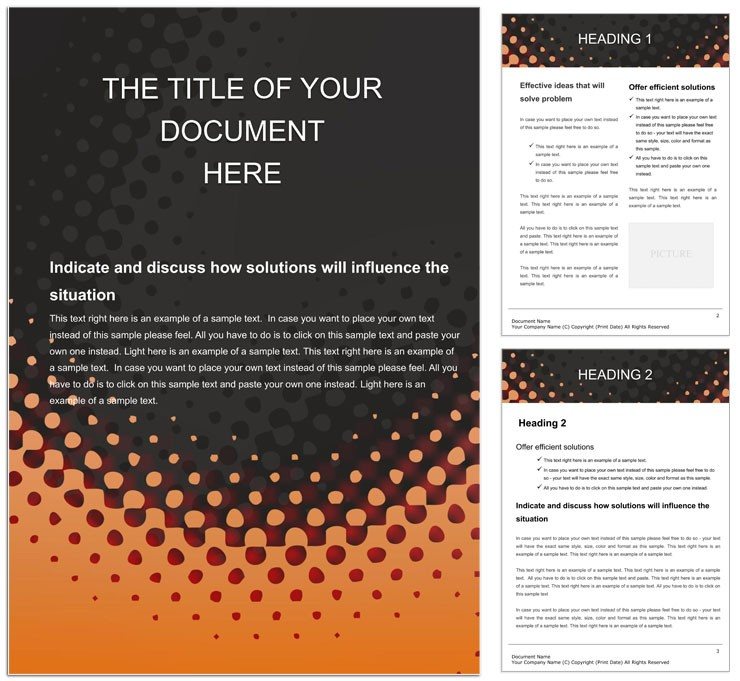
Type: Word templates template
Category: Neutral - Abstract
Sources Available: .dot, .dotx, .jpg
Product ID: WT00782
Files and Print Specs Included
3 items ship in one download: a .dot legacy template, a .dotx modern template, and a .jpg preview. The .dotx is the primary working file, ready for Microsoft Word 2016 and newer on both Windows and macOS. Opening it generates a fresh untitled document with every style pre-loaded - heading levels, paragraph spacing, and the orange-and-black grain background all locked in position.
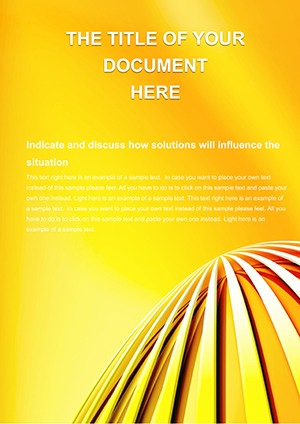
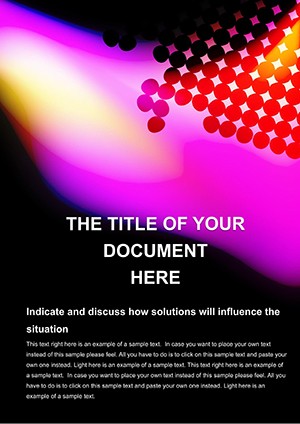
The layout is built around a single high-contrast visual decision: warm ochre-orange grain particles scattered across a deep obsidian-black base. That palette creates an immediate focal point at the top of each section without requiring color accents in the body text - the typography balance works because the page-level contrast does the heavy lifting. The grain texture itself functions as a layout structure element: denser grain clusters near section headers signal transitions, while the sparser mid-page areas keep the reading zone visually clean. White-space margins are kept wide enough to prevent the dark background from feeling claustrophobic around body copy.
Buyers receive editable text placeholders pre-styled for H1 through H3, paragraph body copy, and list items. Both formats are included to cover the full range of Word use cases: .dotx for creating new documents, and .dot for attaching the grain aesthetic to an already-drafted document without disrupting its existing content.
Technical Specifications
| Specification | Details |
|---|---|
| Product ID | WT00782 - quote this ID when contacting support |
| File Formats | .dot, .dotx, .jpg - both template formats included for new and existing document workflows |
| Software Compatibility | Microsoft Word 2016+ on Windows and macOS; .dotx format also syncs with Google Docs for collaborative editing |
| Background Style | Ochre-orange grain particles on obsidian-black base; grain density and opacity adjustable via Design tab |
| Color Mode | Not specified - optimized for screen and digital delivery; CMYK conversion required before offset printing |
| Resolution / DPI | Not specified - grain rendered as Word shape objects; scales without pixelation in PDF export |
| Keywords | abstract, black belt, color - cross-industry abstract category |
| Price | $5.00 - one-time purchase, no subscription |
Typical Use Cases by Project Type
A brand strategist at a creative agency used the orange-black grain layout to package a competitive analysis report for a retail client. The high-contrast page structure gave the 35-page document a distinctive visual identity that separated it from the client`s usual white-page deliverables, and the dense grain header zones acted as natural separators between the market-sizing section, the competitor profiles, and the recommendations. The printed version drew immediate attention in a multi-agency pitch review.
A graduate student in design theory formatted a 50-page thesis on tactile aesthetics using the grain texture as both a visual theme and a structural device. The abstract ochre-on-black palette echoed the subject matter without being literal, and the wide body-text margins made dense academic paragraphs easier to read on screen. The document passed the university`s formatting requirements on first submission.
A sales director at a manufacturing firm drafted an executive briefing on market expansion using the template`s section contrast to separate financial projections from narrative context. The bold layout communicated urgency without requiring additional design work. The .dotx format allowed the director to drop in Excel-linked data tables from existing workbooks without the background layer shifting.
Download and start editing immediately.
Adapting the Layout to Your Brand - Word 2016+ Workflow
- Open the .dotx file - double-click to create a new document; all grain background shapes and paragraph styles load automatically.
- Replace placeholder text - click any text placeholder and type or paste; heading and body styles apply without manual re-assignment.
- Adjust grain density - go to Design > Page Color > Fill Effects to reduce background opacity if the contrast feels too intense for the intended print medium.
- Update colors via Swatches - go to Design > Colors > Customize Colors; the ochre orange and obsidian black are mapped to theme accent slots, so changing them updates every instance in one operation.
- Export - save as .docx for collaborative editing or export to PDF via File > Export; the grain texture renders fully in both formats at standard page sizes.
Editing difficulty is low. Standard Word editing skills cover every step. No graphic design software is required. A complete document is ready in 20 to 30 minutes depending on content length.
Why This Template, Not a Blank Document
Replicating the orange-black grain aesthetic from a blank Word file requires sourcing or creating a grain texture image, positioning it as a page background without it printing as an empty grey box, defining heading styles that remain legible against the dark field, and testing the whole setup in both Word and a PDF viewer. That process takes three to five hours. Mistakes include grain images that tile incorrectly at non-standard paper sizes, and white heading text that reverts to black on print because the print settings override document background colors.
Starting from this template eliminates every one of those steps. The grain is already positioned. The heading contrast is already calibrated. The PDF export works on the first attempt.
Pro Insight: The WT00782 palette centers on a warm ochre-orange (approximately #D4700A range) against a deep obsidian black (near #0C0C0C). On screen, this combination produces a high-contrast, visually distinctive result. On uncoated stock, the ochre orange shifts toward a muted amber under standard CMYK ink limits - the screen orange requires conversion to roughly C0 M55 Y95 K0 in CMYK, and the obsidian black needs a rich black build (C60 M40 Y40 K100) to avoid appearing as a flat grey. On coated stock, the conversion is more faithful. Always run a print proof before a production press run on dark-background documents, because ink absorption differences between coated and uncoated paper affect the grain texture`s visibility at the page edges. The inclusion of both .dot and .dotx formats confirms the template was tested for multi-version compatibility - a decision made for practical cross-organization use, not just for format completeness.
Browse the Neutral - Abstract Word templates collection for more high-contrast and texture-based document backgrounds. For a digital encoding aesthetic in a similar dark-field format, the Digital Encoding Word Template uses grid patterns and glitch headers on a comparable dark base. When the project calls for an energetic, attention-commanding layout in a completely different color register, the Blue Flash Word Template delivers high-contrast electric tones for bold document headers.
Download and start editing immediately.
Which software versions are needed to open and edit this template?
The template runs on Microsoft Word 2016 and all newer versions for Windows and macOS, including Microsoft 365. The .dotx format uses standard paragraph and heading style definitions that load without compatibility warnings in these versions. Google Docs can import the .dotx file for collaborative editing, and most paragraph styles transfer - the grain background converts to a drawing object that remains adjustable. For exact visual fidelity, complete all final editing in the Word desktop application before exporting to PDF.
What is the refund policy for this template?
ImagineLayout offers refunds for digital products in specific situations. A download failure can be reported within 14 days of purchase for a full review. A serious template defect that prevents normal use must be reported within 72 hours of purchase, with the order number and a description of the issue included. Refunds are not available once the file has been downloaded and used for an extended period without a reported problem, or when no reason is provided with the request. Approved refunds are returned via the original payment method and take 7-10 days to process plus any additional time required by the bank.
Is the template suitable for professional offset printing?
The template is designed for digital screen use and standard office printing. The page background and bleed settings are not specified on the product page, which means bleed margins and CMYK color conversion must be added manually before submitting to a professional print service. The ochre-orange and obsidian-black palette requires CMYK conversion - the orange shifts toward amber on uncoated stock, and the black needs a rich black ink mix to avoid printing grey. Request a physical proof before a full press run. For digital PDF distribution or laser printing, export directly from Word to PDF without any conversion step.
What license applies to this template and its outputs?
Purchase grants a personal and commercial use license. Documents created from this template - reports, proposals, printed handouts, and PDFs - can be distributed without restriction. The source .dot and .dotx files are for the buyer`s internal editing use only; they may not be resold as template products, redistributed as downloadable files, or shared publicly in original or modified form. The license covers unlimited document production for the individual or organization that purchased the file.
How do I change the orange and black colors to match my brand?
Open the .dotx in Word 2016 or newer and navigate to Design > Colors > Customize Colors. The ochre orange and obsidian black are assigned to named theme accent slots, so updating those two slots changes every background element and styled heading across the entire document simultaneously. For individual heading or body text adjustments, select the text and use the Font Color tool in the Home tab to apply a specific hex or RGB value. Save the modified color set as a named theme for reuse across other documents.
Are fonts embedded in the file, or do they need to be installed separately?
The template uses system fonts available in standard Microsoft Word installations - no additional font downloads or installations are required on Windows or macOS. The heading and body paragraph styles reference fonts from the standard Office font library, which means the layout renders identically on any machine with Word 2016 or newer. If you open the file on a system with a non-standard font configuration, Word will substitute a compatible font automatically and the layout structure will remain intact.