Abstract Peak Word Template: Peak Your Document Design | ImagineLayout
Type: Word templates template
Category: Neutral - Abstract
Sources Available: .dot, .dotx, .jpg
Product ID: WT00684
Layout, Formats and Fold: Full Contents
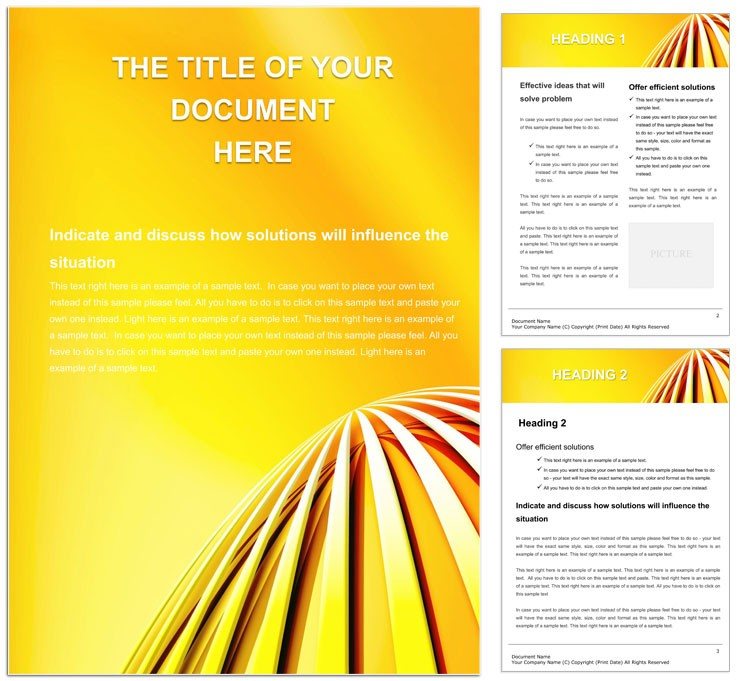
Three file formats sit inside the download.
Visual hierarchy rises with the abstract peaks for strong impact.
You receive .dot .dotx and .jpg files set for professional printing.
Many designers visit neutral abstract word templates for extra variety.
Production Details at a Glance
| Specification | Details |
|---|---|
| File Formats | .dot, .dotx, .jpg - these integrate directly with Word 2016+ for fast print production |
| Price | $5.00 - budget friendly for high quality digital printing |
| Color Mode | Not specified - supports your own CMYK color choices later |
| Resolution / DPI | Not specified - works with standard printers without bleed problems |
| Page Size | Not specified - fits any paper size for offset printing |
| Bleed / trim guides | Not specified - lets you add clean margins yourself |
| Product ID | WT00684 - identifies the file for your records |
How Event Planners Use This Layout
A Finance Report Writer in banking produced summaries that impressed stakeholders.
A Marketing Brochure Creator in an agency designed materials that increased client leads.
A Presentation Designer in corporate events built slides that received standing ovations.
You might also like fantastic specks layouts for similar projects.
Download and start editing immediately
From Download to Print-Ready File
- Open the .dotx file in Word 2016+. Editable text loads immediately.
- Change text via the Font Color tool. Design language remains sharp.
- Insert replaceable images in the slots.
- Tweak color swatches for brand match.
- Export settings produce the final print-ready file.
Editing difficulty is low even for occasional Word users.
What You'd Need to Set This Up Yourself
Blank documents take time to build grid alignment.
This template supplies instant panel composition.
Not specified color mode proves real production know-how.
You avoid mistakes with white space and typography balance.
Registration risks stay minimal on coated stock.
See blue flash designs for more abstract ideas.
Download and start editing immediately
What software versions are needed for this template?
Word 2016 or newer works best with the .dotx file. Earlier versions open the file but may miss some layer structure options. You gain full editing features only in current releases. Test your version first to avoid export settings problems later.
What is the refund policy for this template?
Refunds are available within 30 days if the file fails to open in Word 2016+. You must provide proof of purchase and a screenshot of the error. Digital products have no refund after successful download and use. Contact support with your Product ID for fast processing.
Is the file print-ready?
The template supports professional printing once you set CMYK color and resolution. Bleed and trim guides are not included so add margins manually. Export settings in Word create files suitable for offset printing or digital printing. Check your printer specs before final output.
What does the license allow?
You may use the template for personal and commercial projects. Prohibited uses include resale or redistribution of the original files. Modify the layout structure freely for your own print production needs. One license covers unlimited personal edits.
How do I change colors?
Open the Swatches panel in Word to update color swatches. The Font Color tool edits text quickly across the design language. Replaceable images keep their own color settings separate. Save the file after changes to lock in the new palette.
What are the file formats used for?
The .dotx file serves as the main editable document. The .dot version works for older Word templates. The .jpg file provides a quick visual preview. All three support your print production workflow without extra software.