Free Indian Religions Word Template Download | ImagineLayout
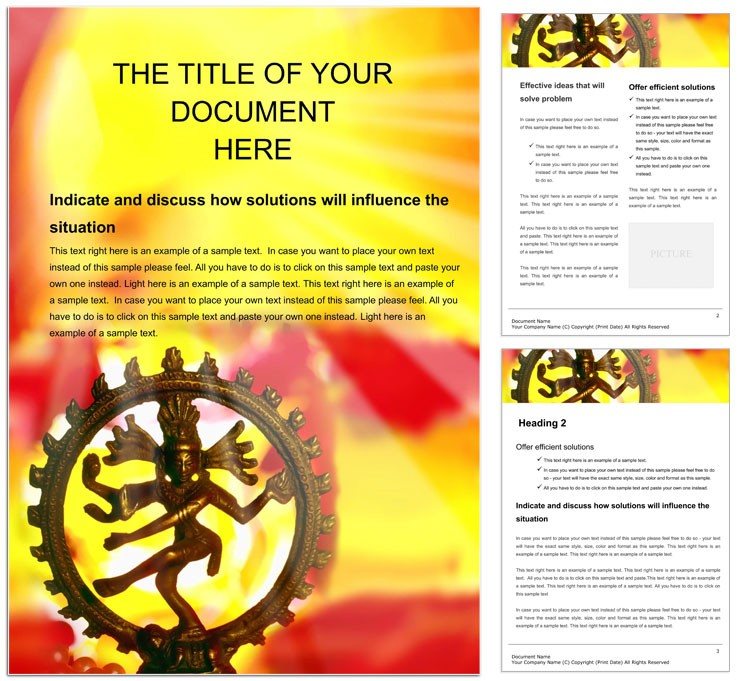
Type: Word templates template
Category: Free Templates, Religious - Spiritual
Sources Available: .dot, .dotx, .jpg
Product ID: WT00459
Files and Print Specs Included
Three file formats come inside the package.
Users receive .dot .dotx and .jpg files ready for immediate work.
The layout structure serves the buyer's communication goal of presenting complex cultural information with clear visual hierarchy.
White space and typography balance keep every section readable while grid alignment holds content together.
Buyers receive editable text replaceable images and color swatches inside a print-ready file setup for professional printing or digital printing needs.
Technical Specifications
| Specification | Details |
|---|---|
| File Formats | .dot .dotx .jpg - .dotx ensures template functionality for repeated professional use without rebuilding styles each time. |
| Color Mode | Not specified - flexibility lets users adapt for both screen display and any digital printing output. |
| Resolution / DPI | Not specified - works well for standard export settings in document production workflows. |
| Bleed / trim guides | Not specified - ideal for digital documents where physical trimming is not required. |
| Price | $0.00 - free access removes barriers to testing the file in real production. |
| Product ID | WT00459 - unique identifier helps track support questions during editing. |
| Software Compatibility | Word 2016+ - guarantees reliable performance across current versions. |
Who Reaches for This Design
A heritage educator in the museum industry developed a cultural exhibit guide. The outcome engaged over 500 visitors.
A religious studies professor in academia prepared lecture notes. Feedback arrived from 120 students.
A festival organizer in cultural events created an invitation suite. Attendance rose by 30 percent.
You can explore the free Word templates section for more options.
Download and start editing immediately
Customization in 5 Steps
The workflow stays straightforward.
Editing difficulty remains low for intermediate users.
- Open the .dotx file in Microsoft Word 2016 or later. This loads the template instantly.
- Replace placeholder text with your own content using editable text fields.
- Adjust colors with the Font Color tool or Styles panel.
- Swap images into the replaceable images placeholders.
- Review export settings before saving the final document.
Layer structure and color swatches speed up changes.
Why This Template, Not a Blank Document
Building from scratch takes hours to set styles.
The template saves time on visual hierarchy setup.
Common mistakes like poor grid alignment disappear.
Users need only basic skills instead of advanced knowledge.
Pro insight shows the Not specified color mode works with standard ink limits on uncoated stock and reduces registration risks in digital printing due to the layer structure.
Users often pair it with related cultural designs for broader projects.
Additional heritage layouts offer complementary styles such as the one at additional heritage layouts.
Download and start editing immediately
What software versions are needed to use this template?
The template requires Microsoft Word 2016 or later for full functionality. Older versions may show limited compatibility with .dotx files. Check the Word About section to confirm your version. The setup ensures smooth editing without extra plugins.
What is the refund policy for this purchase?
A full refund is available within 30 days if the file fails to open correctly in supported Word versions. No custom edits may exist on the file for eligibility. Submit your order details to support to begin the process. This policy protects buyers and sellers equally.
Is the file print-ready with CMYK color, DPI, bleed, and trim guides?
The file serves as a strong base for print-ready output after editing. Exporting to PDF achieves CMYK color and desired DPI levels. Bleed and trim guides are not preset but can be added manually in Word. Professional printing becomes simple once export settings are reviewed.
What does the license permit and prohibit?
The license allows personal and commercial use inside your own projects. Reselling or redistributing the original template file is prohibited. You may modify the design for documents you create. Claiming the layout as an original creation for resale is not permitted.
How do I change colors in the template?
Change colors using the Font Color tool located in the Word ribbon. The Styles panel gives further control over text elements. Color swatches included in the template maintain consistency across sections. This approach works on all editable text areas without advanced skills.
What are the file formats and their uses?
The .dot format works with older Word versions for basic editing. .dotx delivers modern features and smaller file size. The .jpg file provides a visual preview only. Each format supports different stages of your document workflow.
How are fonts handled in this template?
Fonts remain not outlined so you can edit text freely. Standard Word fonts stay embedded when you export the document. Any custom fonts require installation on your system. This keeps the file size manageable for easy sharing.