Pill Manufacturing Chemistry Word Template Guide | ImagineLayout
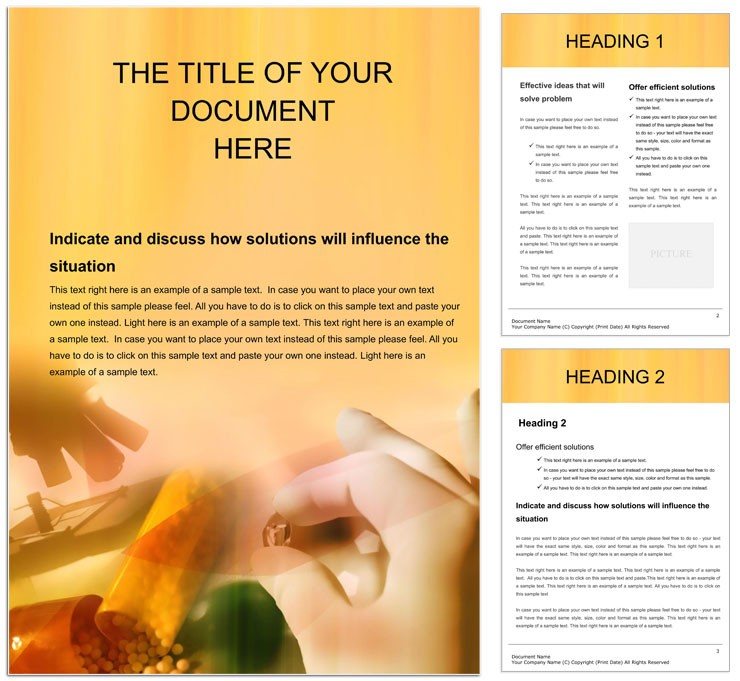
Type: Word templates template
Category: Medicine - Pharma, Industry - Production
Sources Available: .dot, .dotx, .jpg
Product ID: WT00363
X Pages, Y Formats: What You Get
3 file formats ship in the download - .dot, .dotx, and .jpg - covering current Word environments, legacy installations, and a static preview file. The .dotx is the production editing file for Word 2016 and later; the .dot opens in earlier versions; the .jpg allows a visual review before any editing begins. A single $8.00 purchase delivers all three.
The layout structure is built around a sequential documentation logic that mirrors standard pharmaceutical manufacturing workflows: raw material input at the document's head, followed by synthesis and process sections, and concluding with quality and compliance records at the tail. The specific layout decision that signals production experience is the inclusion of gridded formula tables pre-configured for molecular weight, purity percentage, and yield columns - a structure that matches the data fields a pharmaceutical QA specialist or regulatory affairs lead encounters daily, rather than the generic two-column table a blank Word document would produce.
The buyer receives a pre-structured editable framework with formula tables, process flowchart placeholders, and reference appendix sections for citations, safety data, and batch records. Color mode, resolution, and bleed settings are not specified on the product page. Regulatory submissions to bodies such as the FDA typically require PDF export from Word; confirm specific formatting requirements with the relevant authority before final document assembly.
File Formats and Print Specs
| Specification | Details |
|---|---|
| Product ID | WT00363 - include in all support requests for rapid case identification |
| File Formats | .dot, .dotx, .jpg - .dotx for active editing; .dot for legacy Word; .jpg for preview only |
| Software Required | Microsoft Word 2016+ (Windows, Mac, Linux via compatible suites); Word for Mac supported |
| Categories | Medicine - Pharma and Industry - Production - covers lab reports through manufacturing SOPs |
| Price | $8.00 - immediate download after checkout, no subscription required |
| Color Mode | Not specified - Word defaults to RGB; verify CMYK requirements with print or regulatory vendor |
| Resolution / DPI | Not specified - confirm with your output vendor for any diagram or chart print requirements |
| Bleed / Trim Guides | Not specified - not typically required for regulatory document submissions |
From Download to Print-Ready File
The .dotx file uses the Microsoft Word workflow throughout. Editing difficulty is low for document writing and table population; intermediate for users inserting chemical equations via Word's Equation Editor or linking external data from Excel.
- Open the .dotx in Word 2016+. A new document generates from the template - the source file remains unchanged.
- Fill in the objectives and scope section on the introduction page. State the compound, batch size, and regulatory context clearly in the first two paragraphs.
- Populate the formula tables with molecular weight, purity, and yield data. Use Word's Equation Editor (Insert > Equation) for stoichiometry expressions where inline formulas are required.
- Insert process flowchart content into the diagram placeholders using Insert > SmartArt or paste an exported diagram from your lab software as an image.
- Hyperlink safety data references in the appendix section: select text, press Ctrl+K, and paste the URL of the external safety data sheet.
- Apply brand colors via Design > Colors; use the Font Color tool for text and Table Design > Shading for section headers. Password-protect sensitive formula sections via Review > Protect Document if needed.
- Export to PDF via File > Save As > PDF. For regulatory submissions, select PDF/A format for long-term archiving compliance.
Typical Use Cases by Project Type
A pharmaceutical QA specialist at a contract manufacturing organization assembles a batch record deviation report after a tableting line excursion. Rather than rebuilding the deviation table structure from a blank document - a step that typically adds 60-90 minutes to an already time-sensitive process - the specialist opens the .dotx, populates the pre-built root-cause analysis section, and exports a structured PDF for the quality review board within the required response window.
A regulatory affairs lead at a specialty pharmaceutical company prepares a CMC (Chemistry, Manufacturing, and Controls) module section for an IND filing. The template's sequential layout - raw material specs, synthesis steps, and final assay records - maps directly onto the section structure the FDA expects, reducing the time spent organizing content into a compliant narrative.
An R&D scientist at a university pharmaceutical sciences department documents a novel sustained-release coating experiment. The formula table section handles the excipient weight calculations, the process flowchart placeholder accommodates the granulation and coating steps, and the appendix section organizes the HPLC data citations - all within a single print-ready file that meets the department's submission format for internal review.
Download and start editing immediately
Compared to Starting From Zero
Building a pharmaceutical manufacturing document from a blank Word file requires designing tables with the correct column structure for regulatory data fields, setting up multi-level heading styles that survive collaborative editing and track-changes, and creating appendix numbering that links automatically to in-text citations. A regulatory-experienced writer typically spends 2-4 hours on these formatting mechanics before the scientific content can begin.
Common mistakes when building from scratch include formula tables that break mid-row at page turns (making audit review difficult), heading levels that collapse when a second author edits the document, and appendix numbering that desynchronizes when sections are reordered. A purpose-built pharmaceutical template eliminates these formatting failure points from the start.
Pro Insight: Color mode is not specified for this template. Pharmaceutical documentation rarely goes to offset printing, but it does go to high-volume laser printers and PDF archives where color accuracy matters for diagram legibility. Chemical structure diagrams and process flowcharts that use color-coded paths - common in granulation and coating workflows - can lose differentiation when printed in grayscale on standard office equipment. Before finalizing, review the document in grayscale preview (Print > Properties > Grayscale) to confirm that color-coded process steps remain distinguishable. For related pharmaceutical documentation layouts, browse the full Medicine - Pharma Word templates collection. The Pharmaceutical Treatments Word Template covers downstream treatment documentation that typically accompanies manufacturing records. For broader pharma narrative and drug-focused reporting, the Medicine Pharmaceutics Word Template provides a complementary layout structure.
Download and start editing immediately
Which software versions are required to edit this pharmaceutical manufacturing template?
The .dotx file opens in Microsoft Word 2016 and all later versions, including Microsoft 365 on Windows, Mac, and through compatible suites on Linux. Word 2016+ is the recommended environment for full table fidelity and Equation Editor support. The .dot file extends compatibility to older Word installations. Word for Mac is explicitly supported per the product page. Equation Editor functionality - used for stoichiometry expressions - is available natively in Word 2016+ without any additional installation. For collaborative editing, OneDrive or SharePoint storage enables co-authoring with simultaneous multi-user access.
What refund conditions apply if there is a problem with this template?
ImagineLayout's refund policy covers three situations: the product could not be downloaded (contact support within 14 days of purchase); the template has a serious defect preventing normal use (notify within 72 hours with order number and a detailed description); or the product does not match its listing description (reviewed case-by-case). Refunds will not be processed if the file was downloaded and actively used for an extended period, if no explanation is provided, or if Terms of Service are violated. Once approved, refunds are processed within 7-10 business days to the original payment method.
Is the file print-ready with CMYK color, correct DPI, and bleed guides for regulatory printing?
Color mode, DPI, and bleed are not specified on the product page. Word documents default to RGB color mode. For regulatory agency submissions, the relevant authority (such as the FDA for IND filings) specifies its own PDF formatting requirements, which typically do not include bleed settings but do require specific PDF/A archiving standards. For print runs on laser or digital printing equipment, RGB output from Word's PDF export is generally acceptable. If the document includes color-coded process flowcharts intended for professional printing, consult your print vendor about CMYK conversion before final export.
What does the license permit for pharmaceutical company and academic use?
The license permits use for creating pharmaceutical documentation, research reports, regulatory submissions, and academic papers across multiple projects under a single purchase. Both commercial (pharmaceutical company, CRO, CMO) and non-commercial (university research, student submissions) uses are covered. What is not permitted is distributing, reselling, or sharing the original .dot or .dotx template file itself with external parties or on template distribution platforms. Documents and reports you produce from the template may be submitted, published, or shared freely as finished outputs.
How do you change colors and adjust section branding in this template?
All color changes in a Word .dotx file use the Design ribbon tools - there is no Swatches panel as in Illustrator or InDesign. To change document-wide colors, go to Design > Colors > Customize Colors and define your organization's palette; this updates heading and accent colors across all pages simultaneously. For individual table section colors, select the row or cell and use Table Design > Shading. For bolded section headers or emphasized text, use Font Color in the Home ribbon. To protect sensitive formula sections from accidental editing while keeping other sections open, go to Review > Protect Document and restrict editing by section.
Are fonts embedded, and what is the .jpg file used for?
Fonts in Word .dotx and .dot files are not embedded by default. Word links to fonts installed on the local system. When a collaborator opens the file on a machine without matching fonts, Word substitutes alternatives automatically, which can alter table column alignment and paragraph spacing in scientifically formatted documents. To prevent this, enable font embedding via File > Options > Save > Embed fonts in the file before sharing with co-authors or submitting for review. The .jpg file is a non-editable static preview intended for evaluating the template visually before purchase and is not usable as a working document.