This category contains letterhead templates designed for law cases and legal documentation needs.
It serves litigators, law firm partners, clerks, and administrative staff who handle official correspondence on a daily basis.
Use these templates instead of blank Word documents when you need to project authority and ensure every page aligns with firm standards during high-stakes filings or client updates.
Consider a litigation partner preparing discovery materials for a complex merger case: the templates provide aligned headers for case numbers and footers for confidentiality notices, saving hours of manual formatting while keeping every document court-ready.
Browse the collection below and select the design that fits your next set of case documents.



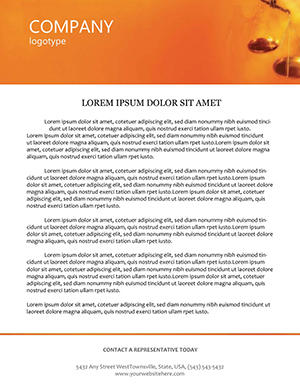

In a mid-size litigation firm in New York, partners rely on these letterheads for discovery requests and settlement offers. The pre-aligned docket fields allow quick insertion of case identifiers without reformatting margins each time. Clerks in appellate courts use them for briefs submitted to judges, where the linear borders and seal placeholders meet strict filing guidelines. Corporate counsel at multinational companies apply the templates for internal legal memos distributed to executive teams during compliance reviews. Solo practitioners in family law practices customize them for client intake letters, adding firm logos and contact details once and reusing across hundreds of cases. Each scenario highlights how the templates support time-sensitive legal workflows where consistency directly impacts perceived credibility.
These four examples show the templates in action across different legal roles and situations, always solving the problem of mismatched or unprofessional stationery that could undermine case strength.
Starting with a blank Word document requires manually setting margins, inserting headers, and aligning footers for every new file. The process often leads to inconsistent spacing across pages and missed opportunities for confidentiality watermarks. Default shapes offer basic rectangles but lack the precise bleed-free borders needed for printed legal stationery. Templates in this category deliver pre-configured stylesheets that automatically apply firm details on every page. Users avoid repeated trial-and-error adjustments that consume billable hours. The result is documents that look uniform whether printed or shared digitally, unlike blank files that demand constant oversight to maintain standards.
This structured approach eliminates the common errors that occur when legal teams build from scratch under tight deadlines.
Always begin by updating the master styles for your firm name, address, and logo before inserting case-specific information. Test print the first page on your office stationery stock to confirm alignment with perforations or letterhead paper weight. Save each customized version as a new .docx file rather than overwriting the original template. For multi-page documents, enable the different first page option in header settings to keep the docket number visible only on page one. Review the final PDF export for any hidden formatting marks that could appear in court submissions. These steps ensure every output meets both practical and professional expectations in legal environments.
Following this advice keeps workflows efficient and outputs reliable across repeated use.
In Microsoft Word, access the Page Setup dialog and set the header distance from top to exactly 0.5 inches while locking the footer at 0.75 inches. This positioning keeps docket numbers and confidentiality stamps within standard court margins on all printers. Apply the setting once in the template and it carries forward to every new document created from it. Combine with section breaks for cases requiring different footers on exhibits. The adjustment takes under one minute but prevents misalignment issues that otherwise require last-minute corrections before filing.
This tip addresses the most common technical challenge users face with legal stationery.
Competitor collections often provide generic stationery with decorative elements that do not align with legal filing requirements. Our versions include specific placeholders for docket numbers and seal areas tested against common court formats. The designs prioritize readability on both screen and paper without unnecessary graphics that could distract during review. Support materials focus on real legal scenarios rather than creative marketing uses. Users receive files optimized for repeated editing without style corruption, setting this collection apart for daily practice demands.
The focus remains on functional accuracy that supports case work rather than visual flair alone.
After purchase or free selection, the file appears in your account dashboard as a direct .docx download link. Click the link to save it to your device. No additional software or registration steps are required beyond your existing ImagineLayout account. The process completes in seconds and works on both desktop and mobile browsers. Once saved, open the file in Microsoft Word to begin customization.
All files are built and tested in Word 2016 and newer, including Microsoft 365. Users on Word 2010 or 2013 may experience minor style shifts but core layout and text fields remain intact. For best results, update to the latest version available through your license. The templates avoid advanced features that older versions cannot process. Compatibility extends to both Windows and Mac editions of the software.
Yes, every element including colors, fonts, and logo placeholders is fully editable using standard Word tools. Select the header area to change fill colors or insert your firm emblem via the Pictures menu. Text fields support any font installed on your system. Changes apply instantly across all pages without breaking the layout. The files include style sets that let you switch entire color schemes with one click from the Design tab.
Each template comes with a standard commercial license allowing use by your entire legal team within one organization. You may create unlimited documents from the file for client work or internal needs. Redistribution or resale of the template itself is not permitted. The license remains valid indefinitely after purchase. Contact support if your firm requires a multi-site agreement for multiple offices.
Copyright © 2009-2026 ImagineLayout All rights reserved.


