Professional Gauge Charts PowerPoint Template

Type: PowerPoint Charts template
Category: Pie, Illustrations
Sources Available: .pptx
Product ID: PC01099
Template incl.: 25 editable slides
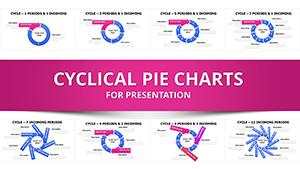
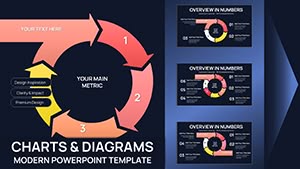
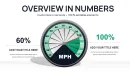
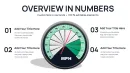
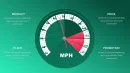
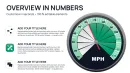
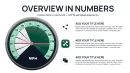
When presenting performance indicators to leadership, nothing communicates status faster than a well-designed gauge chart. As a senior designer building investor and executive decks weekly, I turn to gauge layouts to convey target achievement, capacity levels, and risk thresholds instantly. This professional gauge chart PowerPoint template delivers specialized slides that transform single-value metrics into intuitive, speedometer-style visuals that resonate in high-pressure settings.
The focused designs emphasize immediate readability, making them ideal for dashboard summaries, progress updates, and operational reviews where quick comprehension drives decisions.
Dynamic Gauge Designs for Instant Metric Communication
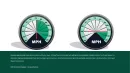
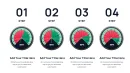
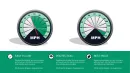
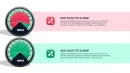
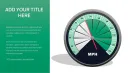
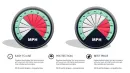
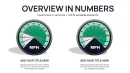
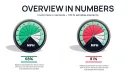
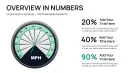
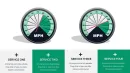
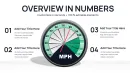
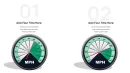
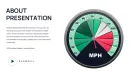
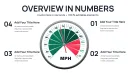
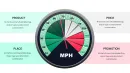
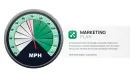
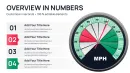
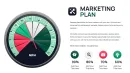
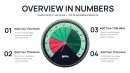
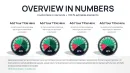
The template features a range of gauge configurations: single prominent gauges for primary KPIs, multi-gauge panels for comparative tracking, and combined layouts with supporting text or icons. Each gauge includes customizable arcs, needle positions, color-coded zones (green for on-target, yellow for caution, red for concern), and clear value labels.
Layouts incorporate threshold markers and percentage indicators, allowing precise representation of progress toward goals or utilization rates. Supporting elements like title placeholders and explanatory notes ensure context without overwhelming the core visual.
Practical Editing and Enhancement Options
- Fully adjustable color zones and needle angles via simple PowerPoint shapes
- Multiple gauge styles from classic speedometer to modern semi-circle
- Optional animated needle movement for engaging reveals
- Easy value updates through direct text or data point editing
Strategic Deployment in Performance-Focused Briefings
Sales directors use prominent gauge slides to display quota attainment during revenue meetings, instantly showing team standings. Risk management teams present exposure levels with color-coded gauges that highlight areas needing attention.
Operations managers track capacity utilization in real-time reviews, while HR leaders visualize employee engagement scores for leadership discussions.
Effortless Incorporation into Existing Processes
Built for PowerPoint 2016 and newer versions with excellent compatibility for Keynote and Google Slides imports, the template requires no specialized skills. Adjust gauge ranges, input current values, and align colors to branding quickly.
The straightforward design ensures rapid deployment even under tight timelines.
Actual Client Applications That Delivered Results
In a manufacturing client’s monthly review, multi-gauge panels monitored production targets across lines, enabling immediate resource reallocation discussions. For a healthcare network, patient satisfaction gauges provided leadership with clear service quality snapshots.
Startups presenting to investors have used single-gauge highlights to emphasize key milestones like user acquisition targets achieved.
Clear Benefits Over Basic Alternatives
| Element | This Gauge Template | Standard PowerPoint Gauges | Manual Creation |
|---|---|---|---|
| Visual Accuracy | Precise arc and needle calibration | Rough approximations | Time-intensive alignment |
| Status Communication | Intuitive color zones and markers | Limited visual cues | Inconsistent indicators |
| Professional Finish | Clean, modern styling ready for executives | Basic appearance | Variable quality |
| Editing Speed | Direct value changes with instant results | Laborious adjustments | Extensive rebuilding |
Sector-Specific Gauge Implementations
- Finance: Credit risk levels, compliance adherence rates, liquidity ratios
- Technology: Server load capacity, deployment success rates, security posture
- Healthcare: Bed occupancy, treatment efficacy measures, staff workload
- Sales: Pipeline health, quota attainment, customer retention scores
- Operations: Equipment efficiency, inventory turnover, safety incident rates
Enhance your metric presentations with gauge charts that communicate status instantly and professionally.
Frequently Asked Questions
How do I adjust the gauge value and range?
Select the needle or value text, then edit directly or modify the underlying shape properties to set new minimum, maximum, and current levels.
Can I change the color zones on the gauges?
Yes, each zone is a separate editable shape - simply recolor to match your desired thresholds or branding guidelines.
Are animated needle movements included?
Optional animations are pre-configured for smooth needle sweeps during presentations, fully adjustable or removable.
Can multiple gauges fit on one slide?
Dedicated multi-gauge layouts are included, perfectly balanced for comparative KPI tracking on a single view.
Will the gauges display correctly in Google Slides?
The core shapes import accurately, with static gauges working perfectly and animations requiring minor recreation if needed.