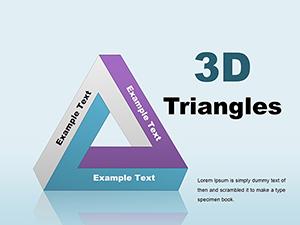
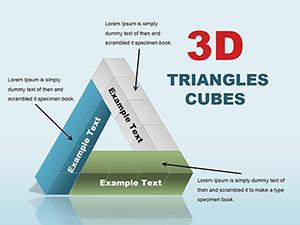
Editable 3D Cubes Charts PowerPoint Template

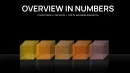

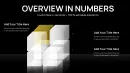
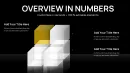

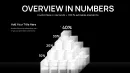
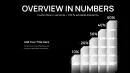



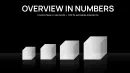


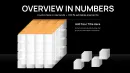



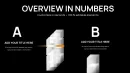

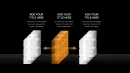
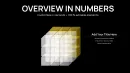
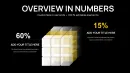
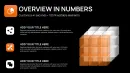


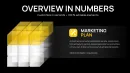
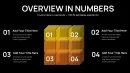
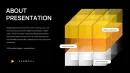
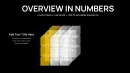

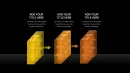

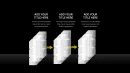

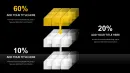
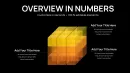
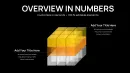

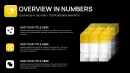
When you need to present layered data with clarity and visual authority, the Editable 3D Cubes Charts PowerPoint Template delivers professional-grade 3D cube charts that bring depth and structure to your narrative. This PowerPoint 3D cubes charts template places the primary keyword front and center because users searching for advanced volumetric chart solutions should know this template is built exactly for that purpose. Whether you`re an analyst preparing a capital allocation review, a consultant illustrating multi-dimensional strategies, or an educator explaining complex hierarchies, this template turns abstract figures into tangible structures that stakeholders understand instantly.
Inside this 41-slide PPTX, every cube is a visual container of information: scalable, brandable, and immediately editable, making the 3D cube charts template not only visually compelling but also functionally indispensable in high-stakes settings. As a senior presentation designer, I`ve repeatedly seen how using volumetric visuals like these accelerates buy-in from executives and investors alike - complexity becomes clarity, and data becomes decision-ready.
Key Features of This PowerPoint 3D Cubes Charts Template
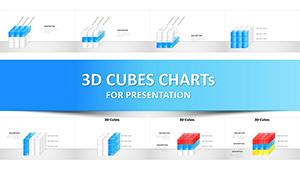
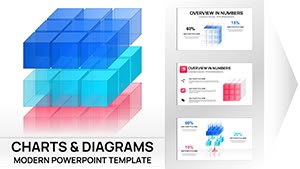
- 41 Editable 3D slides: Pre-built layouts with volumetric cubes that portray relationships, scales, and hierarchies without manual modeling.
- Adjustable 3D formatting: Modify bevels, lighting, and rotation within PowerPoint to align with your design goals.
- Native PPTX file: No plugins required - works in PowerPoint 2016+ and imports into Google Slides with preserved 3D.
- Scalable proportional cubes: Reflect data magnitude by adjusting cube height, width, and depth.
- Multiple layout categories: Anchor cubes, vertical build sequences, grid comparisons, exploded views, and perspective control slides included.
Slide-Level Breakdown
Anchor Cube Slides
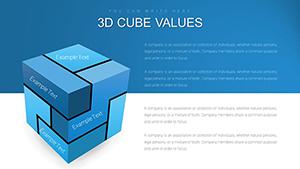
These slides center a dominant cube representing a core insight or KPI, with smaller supporting cubes orbiting to contextualize contributors or submetrics. Ideal for executive summaries where one guiding statistic drives the narrative.
Vertical Build Sequences
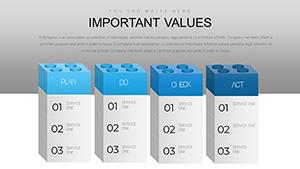
Progressive stacks of cubes illustrate phases, timelines, or cumulative totals. This is perfect when presenting infrastructure layers, resource accumulation, or service rollouts in a logical vertical progression.
Comparative Grid Formations
Grid arrangements with cube volumes set proportional to values let you compare business units, product lines, or market segments side by side with immediate volumetric cues instead of flat bars. It`s a powerful way to show imbalance or dominance at a glance.
Deconstructed Views
Exploded cube assemblies break down complex systems into components, supporting detailed analysis without losing the connection to the whole. Use these when drilling into structures like organizational frameworks or layered risk models.
Perspective Control Slides
Pre-rotated scenes allow you to foreground one cube while keeping context visible - useful during investor pitches where you want to emphasize a target segment without losing strategic backdrop.
Professional Use Cases
- Board Meetings: Use volumetric cubes to present portfolio allocations or budget distribution, enabling quick strategic decisions.
- Investor Decks: Highlight growth vectors by scaling cubes to revenue potential or market share, creating memorable visuals that support funding asks.
- Consulting Engagements: Walk clients through multi-factor frameworks with deconstructed views showing causal relationships.
- Education & Training: Explain layered concepts such as market segmentation or phased methodologies with tangible 3D visuals.
- Corporate Reporting: Replace flat tables with 3D structures that help executives visualize year-over-year changes or cross-department comparisons.
Workflow Integration & Customization
This editable 3D cubes charts PowerPoint template is designed to fit into your existing processes. Simply select the layout closest to your structure, replace placeholder content with your data, adjust cube proportions, and apply your brand palette. The template`s native PPTX format ensures compatibility with modern presentation workflows, including remote collaboration platforms that support PowerPoint file sharing and cloud editing.
Because everything is built with standard PowerPoint tools, changes propagate cleanly across duplicated slides, cutting setup time and reducing revision cycles. Animation sequencing - such as building cubes in step - is fully supported via PowerPoint`s animation pane, letting you craft dynamic storytelling moments without external tools.
Real-World Scenario: Capital Allocation Review
In a recent capital allocation review for a diversified firm, grid formations of 3D cubes were used to model investment across strategic pillars. The visual weight of each cube immediately communicated imbalances in allocation, steering the conversation toward rebalancing without hours buried in spreadsheets. By layering perspective control slides, presenters guided the board from high-level overview to component details, maintaining narrative focus throughout.
Comparison Table
| Aspect | This 3D Cubes Template | Default PowerPoint Charts | Building from Scratch |
|---|---|---|---|
| Volumetric Realism | Pre-optimized 3D lighting & depth | Basic shapes, manual effects | Requires hours of manual work |
| Layout Variety | 41 targeted configurations | Limited built-in chart types | No pre-built layouts |
| Customization Speed | Minutes to brand & scale | Moderate manual edits | Days of modeling |
| Executive Impact | High - volumetric cues | Moderate - flat visuals | Varies by creator skill |
Who Should Use This Template?
- Finance Teams: Portfolio and risk visualization.
- Technology Leaders: Infrastructure stack depiction and capacity planning.
- Healthcare Strategists: Population segmentation and phased rollouts.
- Management Consultants: Multi-dimensional frameworks and client workshops.
- Marketing Directors: Omnichannel performance grids and competitive landscapes.
Frequently Asked Questions
Can I adjust cube rotation and perspective?
Yes - you can select any cube or group and use the Shape Format > 3D Rotation panel to choose presets or enter custom X, Y, Z values for precise perspective control. This allows you to highlight specific data points while keeping the overall structure clear.
Can I apply my company brand colors?
Absolutely - every face of each cube is fully editable. You can change fills, gradients, and textures, and adjust 3D material and lighting settings to match your brand palette and presentation style.
Will the 3D effects work in Google Slides?
Yes - importing the .pptx file into Google Slides preserves most 3D formatting. Minor adjustments to rotation or depth may be required to maintain perfect visual alignment, but the overall design remains intact.
Are animations possible with these cubes?
Yes - you can use PowerPoint`s Animation pane to create entrance, exit, and sequencing effects for individual cubes or cube groups. This enables dynamic storytelling and engaging presentations for executives or clients.
Is this template compatible with older PowerPoint versions?
The template is fully compatible with PowerPoint 2016 and later. While some advanced 3D effects may not render identically in very old versions, core layouts, cube structures, and editability are fully supported.