Process Flowchart PowerPoint Template









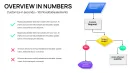
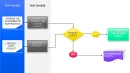
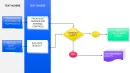
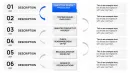
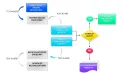
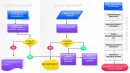

In high-stakes boardrooms or operational reviews, I've seen executives lose focus when presented with dense text slides outlining complex workflows. That's why I rely on dedicated process flowchart templates like this one to turn intricate sequences into intuitive visuals that guide decisions effortlessly.
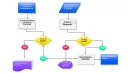
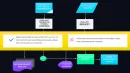
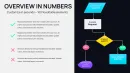
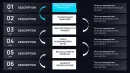
This process flowchart PowerPoint template delivers clean, structured diagrams that highlight each stage of a workflow with precision. Designed for professionals who need to communicate operational efficiencies, project timelines, or system interactions without overwhelming the audience. The layouts emphasize logical progression, making it easier for stakeholders to identify bottlenecks and opportunities at a glance.
With fully editable elements, you can adapt these flowcharts to your specific industry needs, ensuring your presentations reflect real-world accuracy and professionalism.
Exploring the Core Layouts in This Process Flowchart Template
Each slide in this template focuses on a distinct aspect of workflow visualization to build a cohesive narrative.
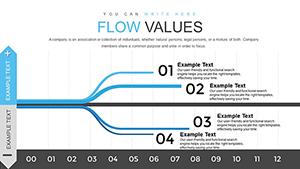
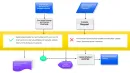
- Linear process maps: Straightforward horizontal or vertical flows ideal for sequential steps, such as onboarding procedures or manufacturing sequences.
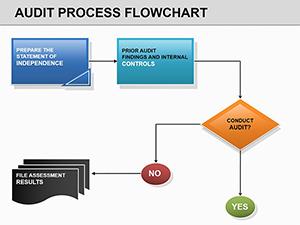
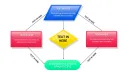
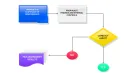
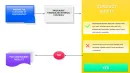
- Decision-inclusive diagrams: Incorporate diamond shapes for yes/no branches, perfect for illustrating approval gateways or risk mitigation paths.
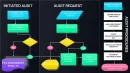
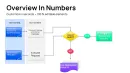
- Swimlane variations: Divide responsibilities across departments with clear lanes, helping teams understand cross-functional handoffs in projects.
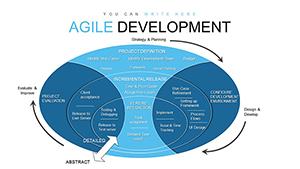
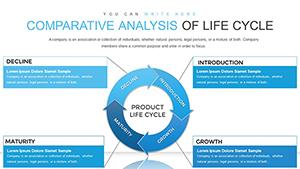
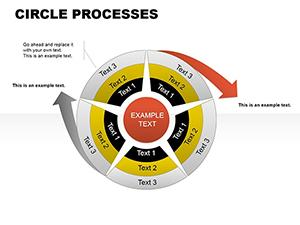
- Cyclic flows: Closed loops to depict ongoing cycles like feedback mechanisms or continuous improvement processes.
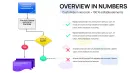
Icons and connectors are pre-placed for quick customization - swap colors to match your brand, adjust text for context, or add data points directly into shapes.
Real-World Applications for Process Flowcharts in Professional Settings
During quarterly operations meetings with enterprise clients, I use these flowchart layouts to outline supply chain optimizations, showing how adjustments reduce delays.
In consulting engagements, they excel at mapping client business processes during discovery phases, revealing inefficiencies that inform strategic recommendations.
Educators and trainers find them invaluable for breaking down procedural training, while government teams leverage them for policy implementation overviews to ensure alignment across agencies.
Startups pitching to investors often deploy simplified versions to demonstrate product development roadmaps, building confidence in execution capabilities.
Seamless Integration into Your Presentation Workflow
This template slots directly into existing decks, compatible with PowerPoint 2016 and later versions, as well as adaptable for Keynote or Google Slides imports.
Editing is straightforward: select shapes, update text, or recolor elements in minutes, saving hours compared to manual diagram creation.
The consistent design language ensures your entire presentation maintains a polished look, even when combining with other slides.
Practical Scenarios from Client Decks I've Built
For a manufacturing client, we mapped production lines with swimlane flowcharts to pinpoint downtime causes during executive reviews.
In a healthcare consulting project, decision-branch diagrams clarified patient intake protocols for hospital administrators.
A tech startup used cyclic flows to illustrate iterative development sprints in their seed funding pitch.
Corporate training sessions benefited from linear maps detailing compliance procedures for new hires.
Advantages Over Standard Approaches
| Aspect | This Process Flowchart Template | Default PowerPoint Tools | Building from Scratch |
|---|---|---|---|
| Time to Create | Minutes for customization | Hours aligning shapes manually | Days for consistent design |
| Visual Clarity | Pre-optimized connectors and spacing | Basic shapes, often cluttered | Inconsistent styling risks |
| Professional Polish | Clean, modern aesthetics | Generic appearance | Variable quality |
| Adaptability | Fully editable layers | Limited smart features | High effort for changes |
Ready to streamline your workflow visualizations? Download this process flowchart PowerPoint template today and elevate your next presentation.
Industry-Specific Use Cases for Process Flowcharts
In finance, map transaction approval chains to ensure regulatory adherence.
Technology teams visualize software deployment pipelines for smoother releases.
Healthcare professionals diagram patient care pathways to improve outcomes.
Educational institutions outline curriculum development sequences.
Marketing departments chart campaign execution steps for team coordination.
Consultants depict change management processes during organizational transformations.
Frequently Asked Questions
How do I customize the connectors in these process flowchart slides?
Connectors are smart shapes that automatically adjust when you move elements. Select a connector, change its style or color via the Format tab, or add elbows for complex routing - all without breaking the flow.
Can this template handle cross-functional process maps?
Yes, dedicated swimlane layouts allow you to assign rows or columns to departments, making responsibility divisions crystal clear in multi-team workflows.
Is it compatible with Google Slides?
While native to PowerPoint, upload the .pptx file to Google Slides for editing; most elements translate well, with minor adjustments for full functionality.
What types of decision points are included?
Pre-built diamond shapes for decisions, with sample yes/no arrows, ready for your specific criteria like budget thresholds or compliance checks.
How many variations of flowchart layouts are there?
Multiple distinct slides cover linear, branched, swimlane, and cyclic formats to suit different process complexities.