 Click to zoom
Fintech Secure Payment PowerPoint Template - Fully Editable Safepay Slides | Instant Download | ImagineLayout
| Format | .pptx |
| Slides | 3 unique layouts |
| Aspect ratio | 16:9 |
| Compatibility | PowerPoint |
| Animated | No |
| Language | English |
| License | Commercial |
| File size | — |
| Version | v1.0 |
| Last updated | March 2026 |
What's inside
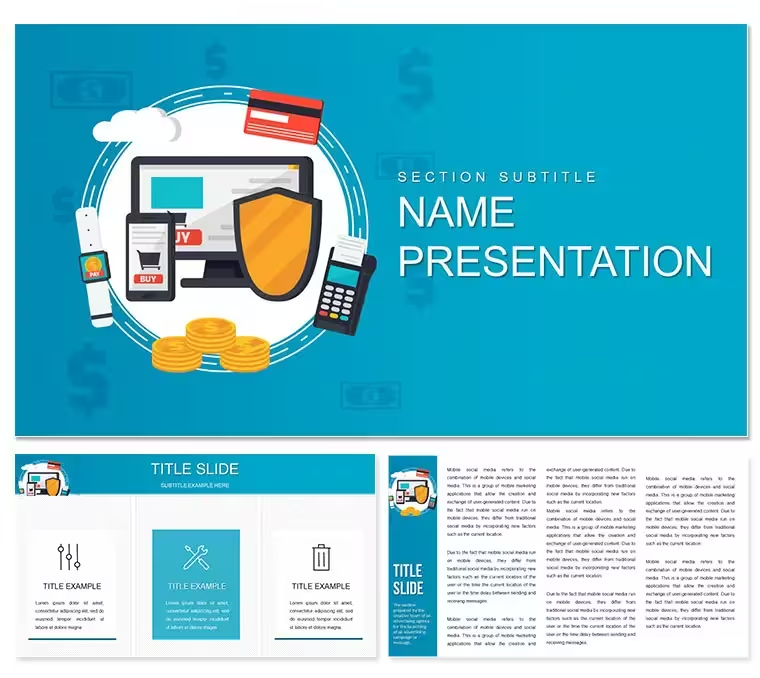
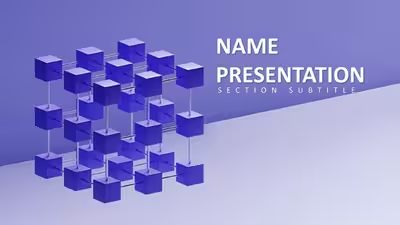
Create professional fintech presentations with the Safepay PowerPoint Template. 28 editable diagrams focused on secure payment flows for e-commerce and fintech professionals. Includes 7 color schemes, PPTX format, and instant download for immediate use in investor pitches or client demos.
What's Included
The Safepay PowerPoint Template provides 28 diagram variations centered on secure payment processes, lock icons, transaction flows, and fintech security elements. All diagrams come in 7 coordinated color schemes optimized for tech and finance branding. Delivery includes the full PPTX file, POTX template, and JPG previews. Category listing confirms placement under Internet - E-Commerce PowerPoint templates. Product ID 12293.
Unlike related retail POS or general money-earning templates on the page, this set specifically emphasizes "Safepay" security visuals with encrypted lock symbols and shielded transaction paths that differentiate it for fintech audiences.
Key Features
FeatureBenefit28 Payment DiagramsCover checkout, authorization, fraud detection, and wallet flows7 Color SchemesTech blues, greens, and corporate neutralsSecure Lock IconsPre-built vector shields and padlocksPPTX CompatibilityWorks on PowerPoint 2010+ Windows/MacAnimation ReadyTransaction steps build sequentiallyCommercial LicenseUse in client fintech decksProfessional Use Cases
A product manager at a European fintech startup used the Safepay diagrams during a Series A pitch to illustrate the three-layer security architecture. Updating the flow arrows with real transaction volumes convinced investors of the platform's robustness, leading to a $4.2M funding round closed two weeks later. A compliance officer at an online marketplace employed the fraud-detection counter diagrams in an internal audit presentation, replacing placeholder metrics with Q4 chargeback rates to secure additional budget for AI monitoring tools.
How to Customize
Unzip the download, open the PPTX, and select any lock icon or flow arrow. Change colors via the Shape Fill tool or apply one of the 7 schemes globally. Replace text in payment step boxes with your own process names. Add your logo to the master slide for branded decks in seconds.
Why Choose This Template
Designing secure payment visuals from scratch requires hours of icon creation and alignment. This template provides bank-grade visual language ready in minutes, with the Safepay focus ensuring immediate recognition in fintech circles. Page related templates cover general revenue or POS systems but lack the security-centric Safepay emphasis.
Does it work with Mac PowerPoint?Yes, full compatibility with PowerPoint for Mac 2016 and newer. All diagrams render identically to Windows version with no layout shifts.
Can I use for client projects?Commercial license explicitly allows use in paid client work. Deliver the finished presentation decks without restriction.
How do I update the payment flow steps?Click any text placeholder in the flow boxes and type new steps. Shapes automatically resize. Duplicate entire diagrams to create custom sequences.
Are animations included?Yes, entry animations on locks and flow arrows are pre-applied and can be adjusted or removed via the Animations pane.
Refund policy details?7-day full refund if the Safepay visuals do not fit your fintech presentation needs.
Good for
- Project roadmaps and sprint plans
- Product launch timelines
- Quarterly or annual review decks
- Company history and milestone summaries
Licence
reviews
Used the encrypted lock symbols and shielded transaction paths for a series A pitch, the investor loved the three-layer security visual.
The fraud-detection counter diagrams were useful, but the flow arrows for transaction authorization were hard to edit without breaking the layout.
Just needed a quick visual for an e-commerce security policy, the lock icons were easy to drop in.
The checkout flow charts saved me hours of work for the compliance audit, the Q4 chargeback rates fit right in.
Good for a fintech demo, but the file was corrupted the first time I downloaded it.
FAQ
Will it work in Google Slides?
Are fonts embedded?
Can I use this for client work?
What's the refund policy?
Do you update the template after purchase?
Similar templates
See all PowerPoint Templates →
All 1 slides