4x6 Global Knowledge Postcard Template | ImagineLayout
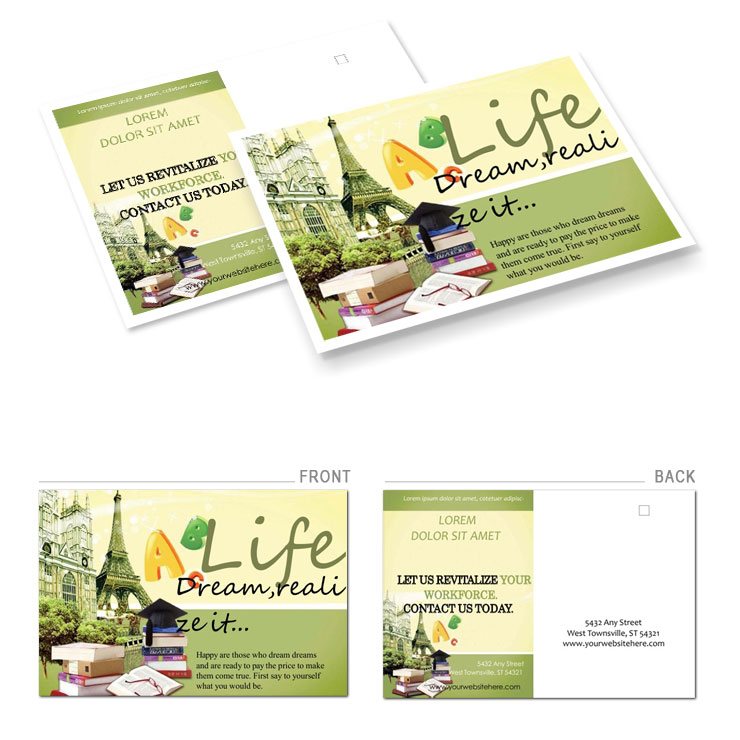
Type: Postcards template
Category: Art & Entertainment
Sources Available: .ait, .dotx, .indt, .jpg
Page size: 4x6
Product ID: BP00854
Files and Print Specs Included
4x6 page size plus four file formats define the download.
Panel composition serves communication goals through strong visual hierarchy.
Buyers receive the exact .ait .dotx .indt and .jpg files plus production details for offset printing.
Grid alignment supports typography balance in every layout structure.
White space and layer structure make changes fast.
Print Specifications
Page size stands at 4x6 inches.
File formats include .ait .dotx .indt .jpg.
| Specification | Details |
|---|---|
| Page Size | 4x6 inches - standard for mailing with trim consideration |
| File Formats | .ait .dotx .indt .jpg - supports multiple workflows |
| Color Mode | Not specified - flexible for CMYK color conversion |
| Resolution / DPI | Not specified - suitable for digital printing |
| Bleed / Trim Guides | Not specified - check with printer for offset printing |
| Price | $8.00 - affordable entry to print-ready file |
Production context notes guide safe export settings.
How Event Planners Use This Layout
Event planners in tourism industry achieve higher engagement rates with targeted mailings.
Marketing directors in education sector improve response rates using the panel composition.
Travel agents in hospitality boost bookings through clear visual hierarchy.
Download and start editing immediately
Explore more options in the Art & Entertainment category.
Customization in 5 Steps
Illustrator and InDesign Workflow
- Open file in Illustrator CC 2018+ or InDesign CS6+.
- Replaceable images updated via layer structure.
- Editable text modified in swatches panel.
- Export settings adjusted for professional printing.
- Check grid alignment before final output.
Word Workflow
- Open .dotx in Word 2016+.
- Update content with font color tool.
- Adjust white space for typography balance.
- Save as print-ready file.
Editing difficulty remains low for users with basic skills.
Why This Template, Not a Blank Document
Building from scratch takes hours while this saves time and avoids common mistakes.
Required skills drop because layer structure and color swatches speed edits.
Pro insight shows Not specified color mode paired with multi-format support signals practical production experience.
This reduces ink limit issues on coated stock and registration risks during offset printing.
See similar designs at other postcard templates.
Complementary layouts appear in related postcard options.
What software versions are needed?
The template works with Illustrator CC 2018+ for .ait files and InDesign CS6+ for .indt files. Word 2016+ handles the .dotx version without issues. Users open the chosen format directly. Layer structure and export settings simplify the entire process for print-ready file creation.
What is the refund policy?
Refunds are available within 14 days if the file does not open in supported software. Users must provide proof of purchase and attempt to open the files first. The policy excludes custom edits after download. Full details appear in the account dashboard after purchase.
Is the file print-ready?
The download provides a print-ready file suitable for professional printing and offset printing. CMYK color preparation is recommended even when mode shows Not specified. Bleed and trim guides require verification with the printer. Users check resolution before sending to digital printing services.
What does the license permit?
The license allows personal and commercial use for one project. Users may not resell the file formats or distribute copies. Editable text and replaceable images stay under the original ownership. Prohibited uses include mass redistribution or claiming the design as original work.
How do I change colors?
Open the swatches panel in Illustrator or InDesign to adjust color swatches quickly. Word users rely on the font color tool for text changes. Layer structure keeps every element separate for easy updates. Export settings preserve the new palette for professional printing.
What are the file formats used for?
.ait and .indt files support vector work in design software. The .dotx version works directly in Word for quick edits. .jpg serves as a preview for client approval. All formats support print-ready file needs and export settings.