Conceptual Plan Keynote Charts - Editable | ImagineLayout




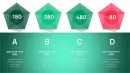




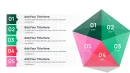

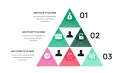
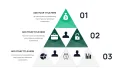
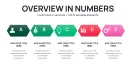
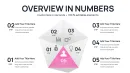
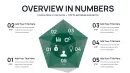
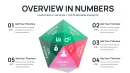
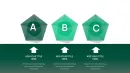
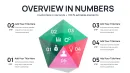



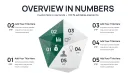
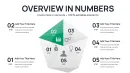
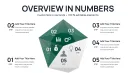
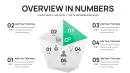
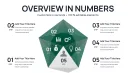


What is a Keynote chart template? A Keynote chart template is a .key file with pre-designed charts and diagrams for Apple Keynote that support business presentation needs through editable shapes and layouts.
29 Slides in .key Format: What You Get
29 editable slides arrive in one .key file ready for immediate use.
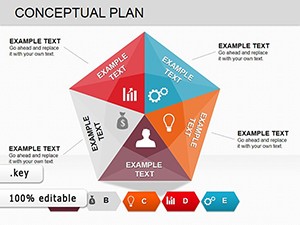
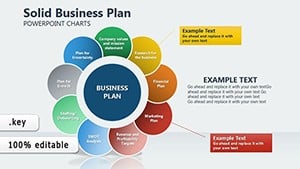
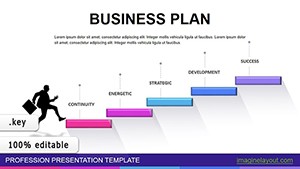
Conceptual plan layouts combine with strategic framework slides to map priorities and dependencies across multiple diagrams that integrate seamlessly.
Compared to single-chart layouts this set maintains visual hierarchy and flow direction across executive briefings while the package supports integration with pyramids Keynote chart collections for expanded coverage.
Editing Capabilities at a Glance
| Feature | Details |
|---|---|
| Slides / diagrams included | 29 fully editable charts focused on conceptual plans and strategic frameworks |
| Editable shapes | diagram segments resize and recolor independently without breaking alignment |
| Text placeholders | labels update without unlocking grouped elements or affecting layout composition |
| Color theme adjustments | compatible with Keynote slide master palette for global changes across all 29 slides |
| Diagram connectors | arrows and lines adjustable in direction weight and style for precise flow direction |
| File formats | .key for direct editing in Apple Keynote |
| Aspect ratio | 16:9 optimized for modern presentation screens |
Real-World Strategy Scenarios
A management consultant prepared an investor deck for a board briefing.
Before four hours went into aligning manual diagrams with inconsistent zone segmentation.
After the template cut deck preparation from three hours to 45 minutes with all conceptual plan charts consistent across the full set.
Download and start editing immediately
From Download to Final Deck
Editing difficulty Moderate.
- Step 1 - Open the .key file in Keynote 12 or later (1 minute)
- Step 2 - Replace placeholder text and update labels on all 29 slides (5 minutes)
- Step 3 - Adjust color theme through the slide master for global changes (3 minutes)
- Step 4 - Modify diagram connectors and zone fills for your specific strategy (4 minutes)
- Step 5 - Review and export as PDF or keep in Keynote for the presentation (2 minutes)
Building From Scratch vs. Starting Here
Building equivalent strategic framework charts from scratch demands advanced Keynote skills and consumes over three hours per set.
Common problems include mismatched information spacing and poor layout composition that disrupt audience focus during strategy meetings.
- Inconsistent visual hierarchy across slides
- Time lost on manual connector alignment
- Difficulty maintaining color contrast for priority zones
Zone segmentation in conceptual plan charts communicates magnitude without requiring a legend.
A high-priority block reads as visually heavier before the audience reads the label - that pre-attentive encoding matters in live board settings where attention shifts between discussion and slide.
Professionals seeking dynamic layout alternatives can review comparable dynamic layouts while those needing piece-together style options explore alternative conceptual plan layouts.
Download and start editing immediately
Which Keynote versions support this template?
The template works in Keynote 12 and later on macOS. Older versions may experience compatibility issues with advanced shape layers and diagram connectors. Always test the file in your installed version before any strategy meeting. Update to the latest release if full editing capabilities are required for color theme adjustments.
How do I change the color scheme via slide master?
Open the .key file and select View then Slide Master. Modify the theme colors in the master slide palette for global application across all 29 charts. Individual overrides remain possible by selecting specific shapes and setting custom hex values. This approach saves repeated manual edits and ensures consistent color contrast throughout the strategic framework slides.
What license does this template come with?
The license permits use in internal company presentations and paid client work. Redistribution or resale of the original .key file remains prohibited. Multiple team members may use the file under the same purchase when working on shared projects. Contact support for any clarification on commercial usage rights.
What are the differences between free and paid versions?
The paid version at $18 includes the complete 29-slide .key file with all conceptual plan charts. No free tier appears listed on the page. The full paid package delivers editable shapes connectors and slide master support. Purchasing unlocks immediate download and unrestricted editing for your next executive presentation.
What is the refund policy?
Refunds are available within 14 days of purchase if the file fails to open in your version of Keynote. Contact support with proof of incompatibility before requesting. The policy excludes cases of user editing errors after successful download. Full terms appear on the purchase confirmation page.
How do I update chart data in this template?
Double-click any chart segment or label to access the data editor in Keynote. Replace numbers and text directly while the layout composition stays intact. Connectors and zone fills update automatically after data changes. Save the file after each edit to preserve information spacing for your strategy meeting.
How do I export for specific destinations?
Choose File then Export To and select PDF for distribution or PowerPoint for cross-platform sharing. Keep the native .key format for further edits in Apple Keynote. Animation settings transfer during export when applied to individual slides. Test the exported file in the target viewer before any board briefing.