Marketing Mix Keynote Charts - Fully Editable | ImagineLayout



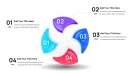
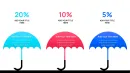
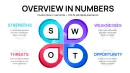
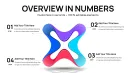







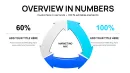
Type: Keynote Charts template
Category: Matrix, Business Models
Sources Available: .key
Product ID: KC01108
Template incl.: 47 editable slides
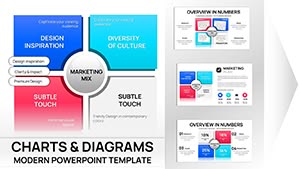
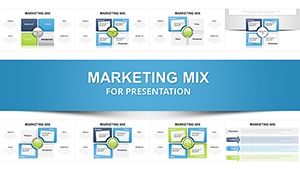
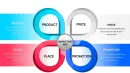
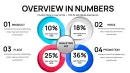
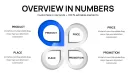
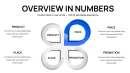
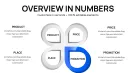
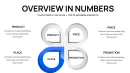
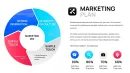
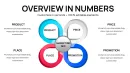
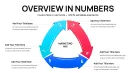
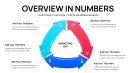
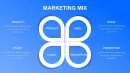
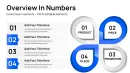
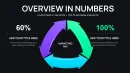
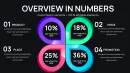
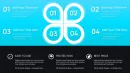
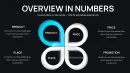
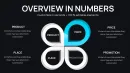
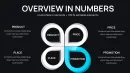
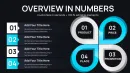
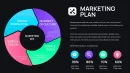
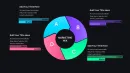
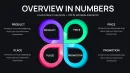
What is a Marketing Mix Keynote Chart? It is a specialized data visualization tool used within Apple Keynote to map out the 4Ps, 7Ps, and 4Cs of marketing strategy. These diagrams use vector shapes to represent the relationships between product, price, place, and promotion.
47 Slides, Keynote Format: What You Get
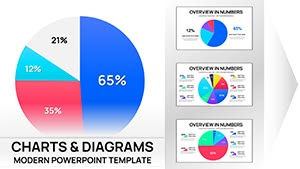
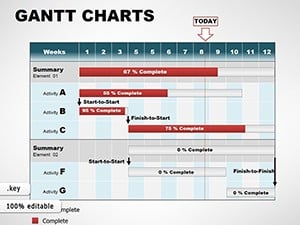
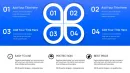
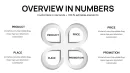
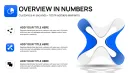
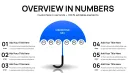
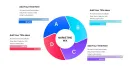
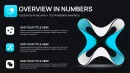
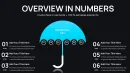
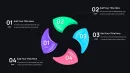
47 editable slides arrive in a single .key file designed specifically for macOS and iOS environments. Each layout focuses on a different aspect of business strategy, ranging from simple four-quadrant matrices to complex multi-layered circular diagrams. The package provides a variety of visual structures including Venn diagrams, process flows, and hierarchical stacks that integrate directly with your existing presentation deck.
Every chart utilizes built-in Keynote shape logic, meaning you can adjust the diameter of circles or the width of matrix borders without losing resolution. Unlike basic single-model sets, this library offers dedicated slides for extended marketing mixes that include people, process, and physical evidence. This breadth allows for a deeper level of strategic planning during internal reviews or client-facing proposals.
Visual consistency across all 47 layouts ensures that your deck maintains a uniform aesthetic even when switching between a 4P grid and a detailed market segment analysis. The design uses balanced white space and standardized font scales to keep complex strategic data legible on large projection screens. This specific set stands out for its high slide count and specialized focus on marketing theory applications rather than generic business shapes.
Key Specifications At a Glance
| Feature | Details |
|---|---|
| Editable shapes | diagram segments resize and recolor independently via the Format panel |
| Slide count | 47 unique marketing mix and strategy matrix layouts |
| Compatibility | Optimized for Keynote 12.0 and later on macOS and iPadOS |
| Color adjustments | Fully compatible with global Keynote theme colors and custom hex codes |
| Text placeholders | Pre-formatted labels update instantly without breaking shape alignment |
| File format | Native .key file for seamless Apple ecosystem integration |
Practical Strategy Applications
Two hours before a high-stakes board meeting, a senior digital strategist at a growth-stage startup realized their strategy deck lacked a clear visualization of their omnichannel distribution plan. They needed to show how product placement intersected with price sensitivity across three distinct regions. Building a custom 7P model from scratch would have consumed the remaining prep time, likely resulting in misaligned arrows and inconsistent font sizes.
By utilizing this Keynote charts library, the strategist selected a pre-built marketing mix matrix and populated it with data in under 15 minutes. The result was a clear, balanced visual that stayed perfectly on-brand. They completed a 12-slide strategy briefing in one afternoon without needing a graphic designer to polish the final output.
Download and start editing immediately
Edit, Brand, Present: The Workflow
Open the .key file and spend the first two minutes orienting to the master slide structure - this is where all color changes happen globally. The most common mistake is editing individual slide colors directly; going through the master saves 15 minutes of repeated work across the 47 slides. Once you have set your brand palette, navigate to the specific marketing mix model you require.
Replace the placeholder text by double-clicking each label; the text boxes are centered to remain stable even as you change font sizes. If your strategy requires adding an extra "P" to a 4P model, you can duplicate an existing shape segment. The vector nature of these matrix templates ensures that every line stays sharp regardless of how much you scale the elements.
How to edit marketing mix slides in Keynote:
- Download the .key file and open it in Apple Keynote.
- Select the diagram shape and use the "Format" sidebar to change fill colors.
- Double-click text placeholders to enter your specific marketing data.
- Copy the finished slide into your main presentation deck.
Why This Template, Not a Blank Slide
Constructing a marketing mix diagram from zero requires precise geometric alignment to ensure the 4Ps or 7Ps appear as equal parts of a whole. In comprehensive chart sets, the spacing between circular segments is mathematically calculated to prevent visual crowding. Doing this manually often leads to "off-center" circles that distract the audience from the actual strategic message.
The design reasoning here follows a specific logic: the central node of the marketing mix is visually weighted to anchor the surrounding categories. This pre-attentive encoding tells the viewer that all strategy stems from a core brand identity before they even read the labels. A blank slide doesn't provide this structural hierarchy, forcing the presenter to spend energy on design rather than strategy. Starting with this template provides:
- Instant access to 47 professional layouts
- Consistent vector geometry for all matrices
- Built-in text hierarchy for strategic labels
Download and start editing immediately
Which version of Keynote do I need to use these charts?
This template is optimized for Keynote 12.0 or later on macOS and iPadOS systems. While the .key file format is backwards compatible to a degree, newer versions ensure that all gradient fills and modern shadows render correctly. If you are using an older version of the software, some advanced shape effects may appear flat. We recommend updating your software via the Mac App Store before editing to ensure full feature access.
How do I change the color scheme to match my brand?
You can change colors globally by accessing the Slide Master view in Keynote. Select a shape in the master layout, open the Format sidebar, and choose a new fill color or enter a specific Hex code. This update will automatically apply to all slides in the deck that use that specific master style. For individual adjustments, you can also click any shape directly on the slide and change its style without affecting other layouts.
Am I allowed to use these charts for client presentations?
Yes, the standard license allows you to use these charts for both internal business presentations and paid client work. You can customize the slides, add your own branding, and distribute the final presentation in PDF or Keynote format to your clients. However, you are strictly prohibited from reselling or redistributing the original .key file as a standalone template or as part of a different bundle. This ensures the unique design assets remain exclusive to registered users.
What are the differences between the free and paid versions?
The paid version of this product provides the full library of 47 editable slides including all marketing mix variations and strategic matrices. Free versions on the site, where available, typically only include a single sample slide with limited editing capabilities. By purchasing the full set, you gain access to the complete vector architecture and all high-resolution design elements. This ensures you have the correct diagram for every specific marketing scenario you might encounter.
Can I get a refund if the template doesn't fit my needs?
Our refund policy is governed by the digital nature of the product, which allows for instant access upon purchase. We generally offer refunds if there is a technical defect in the file that prevents it from opening in Keynote or if the content significantly differs from the product description. Please review the slide count and file format details carefully before completing your transaction. If you experience a technical issue, contact our support team within 14 days for assistance or a resolution.