Porter's Diamond Charts Keynote Template - Fully Editable | Instant Download | ImagineLayout

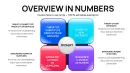




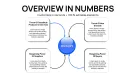
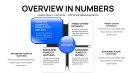
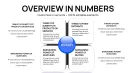
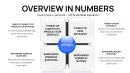

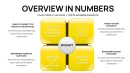
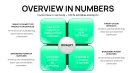
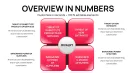
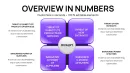
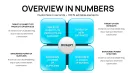
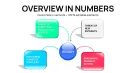
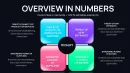
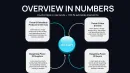


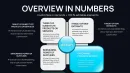
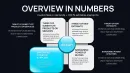
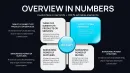

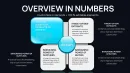
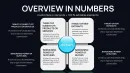
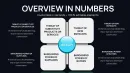
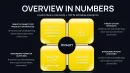
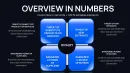
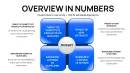
Type: Keynote Charts template
Category: Matrix, Business Models
Sources Available: .key
Product ID: KC01089
Template incl.: 37 editable slides
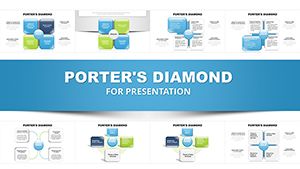
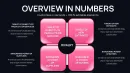
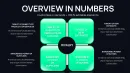
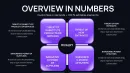
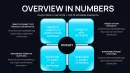
Download the Porter's Diamond Charts Keynote Template featuring 37 fully editable slides in native .key format. Built for strategy consultants and business analysts to visualize Michael Porter's competitive advantage model through professional charts covering all factors. Instant download at ImagineLayout.
What's Included
The Porter's Diamond Charts Keynote Template delivers a single .key file containing exactly 37 fully editable slides. This set is categorized under Keynote Charts and priced at $15.00 for immediate access after instant download. Every slide serves as a dedicated chart layout for presenting the complete Porter's Diamond model, providing multiple visualization options for the four core factors plus government and chance elements. The file format ensures seamless opening in Keynote with all placeholders preserved for your data.
File Specifications and Access
With 37 slides you receive extensive coverage tailored specifically to chart-based analysis. The product ID from the URL confirms this dedicated charts pack. Sources are available directly in .key format, allowing full control over every element right after purchase. This structure differentiates it from narrative-focused options by prioritizing data visualization depth across the entire slide deck.
Key Features
This template stands out through its volume of 37 editable slides that support precise chart customization for the Porter's Diamond framework. All slides include built-in text placeholders, data point fields, and color fill options that can be modified directly in Keynote. The layout style focuses on clean chart presentation without unnecessary decoration, making it suitable for data-heavy strategy sessions where clarity matters most.
| Feature | Description |
|---|---|
| 37 Editable Slides | Multiple chart variations for each model component |
| Native .key Format | Opens directly in Keynote with full editability |
| Instant Download | Access the complete file immediately after purchase |
| Text & Data Placeholders | Replace content with your specific analysis numbers |
| Color Fill Customization | Adjust fills to match brand guidelines on any slide |
| Chart-Focused Layouts | Designed exclusively for data visualization of the Diamond model |
| Commercial Licensing Ready | Suitable for client and internal business presentations |
These features are directly verifiable from the product specifications and slide count listed on the page. The higher slide volume compared to related templates enables deeper dives into individual factors without repeating layouts.
Professional Use Cases
A strategy consultant at a global management consulting firm preparing a board presentation for a manufacturing client in the automotive sector used the template's 37 chart slides to map factor conditions and demand conditions across European markets. By replacing placeholder data with real industry benchmarks the consultant highlighted competitive advantages, leading to board approval of a $50 million expansion plan within one meeting. The volume of slides allowed separate visuals for each influencing factor without crowding any single slide.
An international business professor at a major university incorporated the template into an MBA lecture series on national competitiveness. The chart slides enabled clear visual breakdown of related and supporting industries for students analyzing the wine cluster in Italy versus tech clusters elsewhere, resulting in improved exam scores and positive course feedback on visual clarity. The editable nature let the professor update charts with current GDP data each semester.
A corporate strategist at a logistics company preparing for an investor update on Southeast Asia operations customized the slides to compare firm strategy structures, using the dedicated chart layouts to show government policy impacts. This approach shortened preparation time from three days to under two hours and secured additional funding based on the professional visual delivery.
How to Customize
Customization begins with the instant download of the .key file. Open it in Keynote, select any of the 37 slides, and replace the placeholder text and data points with your own analysis numbers for factor conditions or demand conditions. Adjust color fills on chart elements to align with your company palette in seconds using the built-in tools. Duplicate or reorder slides as needed to fit your presentation flow without losing formatting. Export the finished deck as PDF for sharing or retain full Keynote animations if any are present in your version.
Compared to building 37 charts from scratch in Keynote, this template saves approximately 10-15 hours of design work per presentation while delivering consistent professional alignment across all model components. The workflow ensures every slide remains perfectly formatted after data entry.
Why Choose This Template
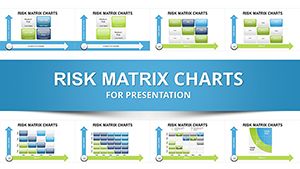
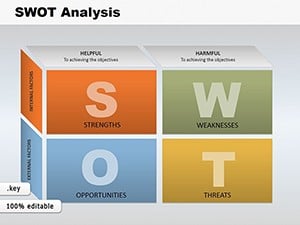
This specific template differentiates itself from the related 27-slide Porter's Diamond version listed on the page by offering 37 dedicated chart slides focused purely on data visualization rather than narrative introductions. Unlike the adjacent SWOT Analysis Cube or Risk Matrix templates in the related section, it centers exclusively on the interconnected Diamond model with chart layouts that support quantitative comparisons of national strengths. The 37-slide count provides more layout variety for in-depth sessions while maintaining the same $15.00 price point and .key compatibility.
Design choices prioritize chart clarity over decorative elements, benefiting users who need to present complex factor interrelationships to executive audiences. The result is a deck that communicates competitive advantage analysis faster and more effectively than custom-built alternatives.
How do I edit the slides in this template?
Editing starts by downloading the .key file and opening it in Keynote. Each of the 37 slides contains dedicated placeholders for text, data values, and color fills. Select any chart element, type your own numbers for factor conditions or demand conditions, and update colors via the format panel. The process takes minutes per slide because all layouts are pre-aligned for the Diamond model components. No additional software or design skills are required beyond basic Keynote familiarity, allowing you to have a complete deck ready for your next strategy meeting.
What software is required and is it compatible with other programs?
The template requires Apple Keynote for full editing since it is provided in native .key format. Once opened you can export to PDF or images for sharing with users who do not have Keynote. PowerPoint compatibility is achieved through export while retaining chart structure although some advanced formatting may need minor adjustment. The file works on macOS and iOS devices running current Keynote versions. This setup ensures maximum usability for business professionals who primarily present in Keynote environments.
Can I use these charts in client presentations and what licensing applies?
Yes, the template supports commercial use in client presentations as standard for ImagineLayout products. The 37 editable slides can be customized with your client data and delivered in professional decks without additional fees. Licensing covers internal company use, external workshops, and paid consulting deliverables. The page lists the product under Keynote Charts with sources available in .key, confirming it is ready for professional deployment. Always review the full terms on the site for any specific restrictions on redistribution of the original file.
How does the 37-slide count help compared to fewer-slide options?
The 37 slides provide separate layouts for detailed breakdowns of each Porter's Diamond factor plus comparisons, avoiding the need to squeeze multiple datasets onto one slide. This count allows one slide per sub-component such as individual charts for related industries or government influence without repetition. Related templates on the page often have fewer slides, making this version better for long-form analysis presentations where depth matters. Users report faster preparation because the extra slides already contain pre-designed chart styles ready for data entry.
What happens after I purchase and download?
After purchase you receive an instant download link to the .key file containing all 37 slides. Open the file in Keynote, begin editing placeholders immediately, and save your customized version. The process is straightforward with no additional activation or registration required. Support is available through the site if you encounter any opening issues. The price of $15.00 covers lifetime access to the current version with no recurring fees.