00% off everything!
SALE ENDS TODAY, Saturday November 0
Promo code "00LAYOUTS"
Time Left to Save
00:00:00

Monthly Gantt Chart Template for Keynote | Fully Editable Tables | Instant Download

5
10 ratings
Monthly Gantt Chart Template for Keynote | Fully Editable Tables | Instant Download - Slide






thumbnail slide #0
thumbnail slide #1
thumbnail slide #2
thumbnail slide #3
thumbnail slide #4
thumbnail slide #5
thumbnail slide #6
thumbnail slide #7
thumbnail slide #8
thumbnail slide #9
thumbnail slide #10
thumbnail slide #11
thumbnail slide #12
thumbnail slide #13
thumbnail slide #14
thumbnail slide #15
thumbnail slide #16
thumbnail slide #17
thumbnail slide #18
thumbnail slide #19
thumbnail slide #20
thumbnail slide #21
thumbnail slide #22
thumbnail slide #23
thumbnail slide #24
thumbnail slide #25
thumbnail slide #26
thumbnail slide #27

Type: Keynote Charts template

Category: Tables

Sources Available: .key

Product ID: KC01081

Template incl.: 28 editable slides

Purchase this template
$ 10.00

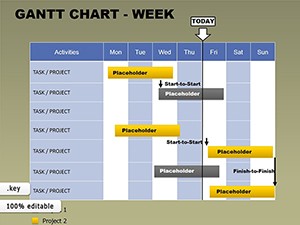
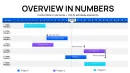
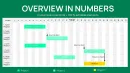
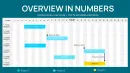
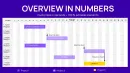
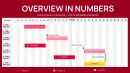
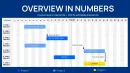
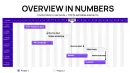
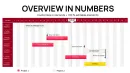
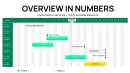
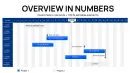
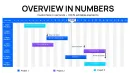
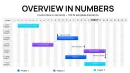
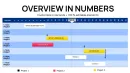
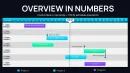
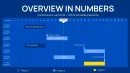
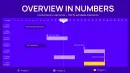
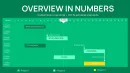
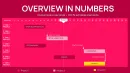
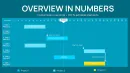
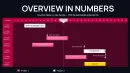
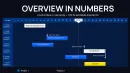
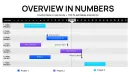
Monthly Gantt chart tables template for Keynote with 28 editable slides. Track monthly tasks, progress, resources and timelines in clear table-chart format. Ideal for recurring reports, resource planning and performance reviews. Instant download and simple customization in Keynote.

Monthly project tracking requires clear overviews of progress, resources and upcoming priorities. This Monthly Gantt Tables Charts Keynote Template delivers professional table-based visuals that make monthly reporting and planning effortless.


Benefits of This Monthly Gantt Chart Template


Monthly views allow teams to monitor trends, adjust forecasts and maintain alignment across longer timeframes. The hybrid table and chart format presents data in an organized, scannable way that stakeholders appreciate.


It eliminates manual redesign for each reporting cycle and ensures consistent professional appearance in all presentations.


Managers and consultants rely on it to demonstrate structured monthly control and transparent progress updates.


How to Use the Monthly Gantt Chart Template


Instantly download the .key file and open in Apple Keynote. Update monthly columns with tasks, durations, status and resource data. Modify table cells, colors and chart elements to reflect your exact requirements.


The 28 slides offer multiple layout options for different reporting needs. Refresh data each month and reuse the same professional structure.


Download this monthly Gantt chart template for Keynote now to simplify your recurring reporting.


Key Features


Dedicated monthly Gantt tables combined with chart visuals. Fully editable structure for any project length or team size. Clean, professional design optimized for Keynote presentations and reports.


  • 28 fully editable slides
  • .key format for Apple Keynote
  • Table-focused layouts with timeline elements

Professional Scenarios


Project managers create monthly progress reports for executives. Business teams plan resource allocation across fiscal months. Marketing departments track campaign performance by month. Consultants deliver client status updates with clear timelines. Operations teams monitor quarterly goals broken into monthly milestones. Finance departments visualize budget spending and forecasts.


Frequently Asked Questions


Is the Monthly Gantt Chart Template fully editable?

Yes, all 28 slides and table elements are completely customizable in Apple Keynote.


What is included in the download?

The package includes the full .key file with 28 editable monthly Gantt table and chart slides.


Is it compatible with current Keynote versions?

Yes, the template works perfectly with the latest Apple Keynote on Mac and iOS.


Can I use it for client or commercial work?

Yes, the license allows use in commercial projects and client deliverables after purchase.


How do I update for a new month?

Simply edit the table cells and timeline data in Keynote. The structure stays intact for fast monthly refreshes.

See more in Tables Keynote Chart →