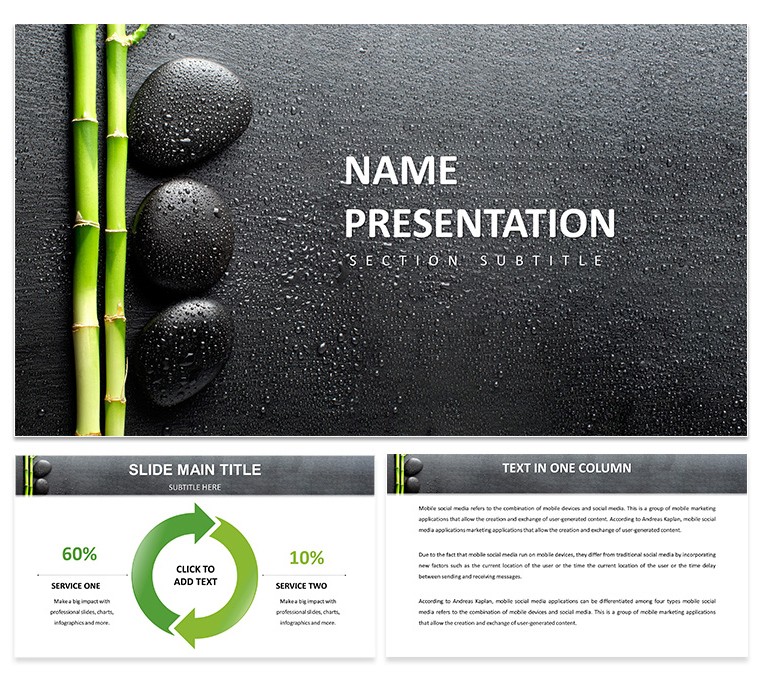
Serene Wellness Keynote Diagram Template
28 diagrams with 7 color schemes let health pros outline wellness programs on single slides.
No setup needed.
The KEY file with KTH theme loads straight into Keynote and gives ready diagrams for wellness topics that replace manual drawing entirely.
When you need to explain a multi-step wellness process to stakeholders the layouts replace manual work with structured blocks that keep everything aligned in practice you only replace text and adjust colors.
You can duplicate slides and reuse the same structure across different presentations.
The diagrams use modular blocks for clear information flow and this Keynote diagram template helps map out health initiatives without overcrowded layouts.
Health professionals benefit most when they have structured data to present but it is not ideal for open brainstorming sessions.
This template is best used when the task involves explaining wellness programs clearly to teams or clients.
Use this when you need to show wellness workflows without arranging shapes manually.
The predefined structure keeps everything aligned so you don't end up adjusting spacing slide by slide.
Color changes via slide master update all diagrams at once and typically this saves hours instead of building from scratch.
The file works across multiple reports for recurring presentations.
See also the related templates like DIY Home Foot Care Keynote template and Professional Spa Procedures Keynote Template.
This template is not designed for highly data-heavy dashboards.
In most cases the diagrams cover common wellness scenarios like program steps and team coordination.
The 7 color schemes allow quick palette switches to match your brand without redesign and this keeps the focus on your message.
| Feature | Details |
|---|
| Slides / diagrams | 28 diagrams for wellness mapping |
| File format | KEY and KTH |
| Software version | Keynote 12+ |
| Color schemes | 7 schemes switchable via slide master |
| Editable elements | Text and colors resize independently |
| Aspect ratio | 16:9 |
| Free vs Paid | Paid includes full 28 diagrams and 7 color schemes |
| Masters / Backgrounds | KTH theme file |
Everything is already structured.
Download and start editing immediately
How do I change colors via slide master?
Open the slide master in Keynote and adjust the theme colors there. This updates all 28 diagrams instantly across the deck. In practice this takes under two minutes and keeps consistency perfect.
What Keynote version and macOS is required?
The template uses KEY and KTH files compatible with Keynote 12 and above. It requires macOS 13 or later in most cases. Test the file on your system to ensure smooth editing without compatibility issues.
Can I use this for client work?
Yes the license allows commercial use for client presentations. One purchase covers your work for multiple clients. You cannot resell the template itself as is.
What are the differences between free and paid versions?
The page does not specify a free version but the paid includes the full set of 28 diagrams and 7 color schemes in editable format. All diagrams and schemes are included. No partial content in the paid file.
What are the refund conditions?
Refunds are offered within 30 days if the template does not work as expected. Contact the support team with your purchase details. This ensures you only keep what fits your needs.