 Click to zoom
Virus Infection Keynote Template - Editable Keynote | ImagineLayout
| Format | .pptx |
| Slides | 3 unique layouts |
| Aspect ratio | 16:9 |
| Compatibility | PowerPoint |
| Animated | No |
| Language | English |
| License | Commercial |
| File size | — |
| Version | v1.0 |
| Last updated | March 2026 |
What's inside
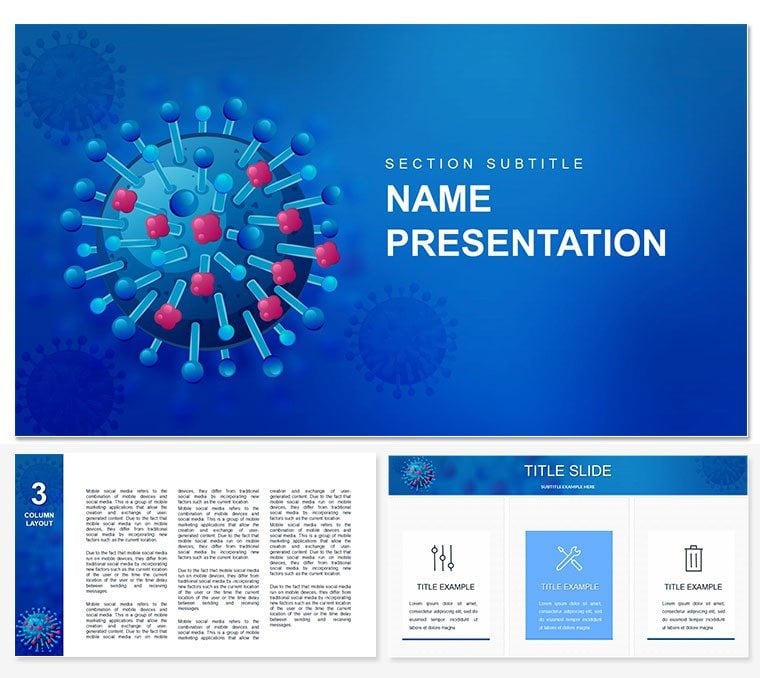
What is a virus infection Keynote presentation template? A virus infection Keynote template is a pre-built Apple Keynote file containing slide layouts and diagrams calibrated for virology and infectious disease communication - covering symptom body maps, transmission flowcharts, infection cycle diagrams, and epidemiological data charts for medical education and public health presentations.
28 Diagrams Across 7 Layouts: Full Contents
28 diagrams structured around the full arc of a virology presentation: opening title slides with microbiology-scale visual language, symptom body maps that locate infection effects across organ systems, transmission pathway flowcharts showing person-to-person and environmental spread routes, infection-cycle diagrams illustrating viral replication stages, exposure-to-symptom timeline slides, and comparative severity charts across virus strains or demographic cohorts. The product sits in the Medicine - Pharma category and is designed for medical educators, public health communicators, infectious disease researchers, and clinical trainers whose presentations require visual data structures - not just slide backgrounds with a virus motif.
Seven color schemes cover the range from alert red-orange palettes for urgency-coded public health messaging to cooler clinical greens and blues for educational and peer-review contexts. Three master slides and three backgrounds establish the visual hierarchy globally. The paid download ($27) includes the full 28-diagram set across all 7 color variants. The base tier ($12) contains 3 masters and 3 backgrounds. File formats: .key and .kth only - no .jpg preview files in this product, unlike some related templates.
The visual language in this set is calibrated for microbiology scale. The virus particle illustrations use the structural accuracy expected in medical education contexts - spike protein geometry, capsid outlines - rather than generic circular blob iconography. That distinction matters when the audience includes virologists, immunologists, or clinical students who will immediately recognize whether the diagram conventions are scientifically grounded or decorative.
Before and After: Same Professional, Two Approaches
Before: a public health educator at a regional health authority spent four hours building a transmission flowchart from Keynote's basic shapes for a community briefing on respiratory virus spread. The result had inconsistent arrow weights, misaligned text labels, and a color scheme that carried no semantic meaning - orange for one transmission route, also orange for a different route representing a categorically different risk level. The visual communicated movement but not meaning.
After: the same educator, using this template's transmission flowchart slide, replaced the route labels with the specific pathways relevant to the outbreak in question, assigned the red-alert color scheme to the high-transmission routes and the blue scheme to the lower-risk routes via per-element color overrides, and completed the slide in 25 minutes. The semantic color logic - red for high risk, blue for lower risk - was already built into the diagram structure. The educator applied it rather than invented it.
The complete 28-slide deck for the community briefing: 2 hours, including the symptom body map, the exposure-to-symptom timeline, and the comparative severity chart. The previous approach for an equivalent deck: a full working day.
Download and start editing immediately
Customization in 5 Steps
Step 1 - Open the .key file in Keynote 12 or later (1 minute). Step 2 - Apply a global color scheme via Format - Edit Master Slides. Select the alert palette for public health urgency contexts or the clinical green/blue variant for academic and peer-review presentations. This single step sets the color logic across all 28 slides (2 minutes). Step 3 - Navigate to the symptom body map slide. Click each labeled body segment and replace the placeholder symptom text with the virus-specific symptoms relevant to your content. Segment colors can be overridden individually via Format - Shape Style for strain-specific color coding (5-8 minutes). Step 4 - Update the transmission flowchart by replacing route labels and adjusting arrow direction via the connection-point handles on each path line (5 minutes). Step 5 - Enter epidemiological data into chart slides via the Edit Chart Data function. Export as PDF for distribution or Keynote for screen presentation (2 minutes).
Editing difficulty: Beginner to Moderate. The symptom body map and flowchart steps are beginner-level. Restructuring the infection cycle diagram to add or remove replication stages requires intermediate shape-manipulation skill.
Why This Template, Not a Blank Slide
A blank Keynote canvas offers no human body map, no transmission flowchart framework, and no infection cycle diagram. Building a body map for symptom localization from basic Keynote shapes requires constructing each organ-region as a separate vector shape, positioning them anatomically, ensuring they scale together without breaking the spatial relationships, and adding label lines that do not visually compete with the body outline. That is specialist illustration work, not slide design - it takes 3-5 hours for a single slide done correctly.
The transmission flowchart presents a different challenge: encoding directionality, probability, and route type in a single diagram. Generic flowcharts use uniform arrows; a transmission diagram needs to distinguish between direct contact routes, airborne routes, and fomite-based routes visually, not just through labels. Building that distinction from Keynote's default arrow shapes without a template takes significant design decision-making time.
A design-specific observation for virus symptom body maps: placing symptom labels inside the body region they describe - embedded text directly on the organ segment - creates a legibility problem at projection scale when two or more symptoms affect adjacent anatomical regions. External labels connected to their regions by leader lines maintain readability regardless of how many symptoms overlap in a single anatomical zone, and allow the body map silhouette to remain visually clean. A template that uses interior labeling for a dense symptom set is making a layout choice that degrades under real-world projection conditions.
Download and start editing immediately
Which Keynote version is required to open and edit this template?Keynote 12 or later (macOS Monterey and newer) provides full editing access, including master slide color switching and .kth theme application. Keynote versions from 2016 through Keynote 11 open the file and support content-level editing - text replacement, individual shape recoloring - but some master-formatting features may behave differently on pre-Monterey builds. This product does not include .jpg slide preview files; the .key file must be opened in Keynote to inspect the diagram layouts before editing. The .kth file is available for applying the template structure to an existing presentation.
How do I change the color scheme globally to match an urgency or academic context?Open Format - Edit Master Slides in Keynote. The 7 color scheme variants each appear as a separate master. For a public health urgency presentation, select the red-orange alert master and apply it to all slides via Cmd+A in the slide navigator. For an academic or clinical training context, select the cooler blue or green clinical master. Per-element color overrides - for example, coding high-transmission routes red and lower-risk routes blue within the same diagram - are applied via Format - Shape Style on individual elements after the global master change. This two-level approach handles both global register and within-slide semantic color logic.
What does the paid tier include that the base version does not?The base tier ($12) includes 3 master slide layouts and 3 backgrounds - the structural foundation for building a virology presentation using your own visual content. The paid tier ($27) adds the complete 28-diagram set across 7 color schemes: symptom body maps, transmission flowcharts, infection cycle diagrams, epidemiological data charts, and exposure-to-symptom timeline slides. For medical educators and public health communicators who need pre-built visual data structures rather than blank slide backgrounds, the diagram set is the substantive part of the purchase.
Can this template be used for commercial medical education, training, and public health campaigns?The license covers commercial use including paid medical education sessions, public health briefing materials, training course presentations, and outputs produced for client organizations by a health communications agency. One license applies to one individual end user. Organizations with multiple staff members each independently editing the file require a separate license per person. Finished presentation outputs - the PDF or Keynote deck you deliver to an audience - may be distributed freely. The .key and .kth source files cannot be shared outside a single licensed user or redistributed.
What is the refund policy?Refunds apply when the downloaded file is technically defective - for example, if the .key file fails to open in a compatible Keynote version or if the contents do not match the description on this product page. Refunds are not available on the basis of aesthetic preference after purchase. Note that this product does not include .jpg preview files - the diagram layouts are visible only after opening the .key file in Keynote. If this is a concern, review the slide thumbnail images on this product page carefully before purchasing. For a technical defect, contact ImagineLayout support with your order number.
How do I export slides for a public health conference or LMS upload?For conference screen presentation, export as a Keynote file (File - Export To - Keynote) for sharing with co-presenters, or as PDF for handout distribution. For learning management system (LMS) upload - Moodle, Canvas, Blackboard - export as PDF or use File - Export To - Images to generate individual slide image files at your required resolution. Keynote also supports direct HTML export (File - Export To - HTML), which some LMS platforms accept as a self-contained presentation module. Vector diagram elements remain sharp at all export resolutions.
Good for
- Project roadmaps and sprint plans
- Product launch timelines
- Quarterly or annual review decks
- Company history and milestone summaries
Licence
reviews
Worked well enough for office use.
I used the comparison slides during a budget review presentation.
The layout kept everything aligned nicely.
Some designs felt slightly old-fashioned but still okay.
The graphs were easier to edit than expected.
FAQ
Will it work in Google Slides?
Are fonts embedded?
Can I use this for client work?
What's the refund policy?
Do you update the template after purchase?
Similar templates
See all Keynote templates →



All 1 slides