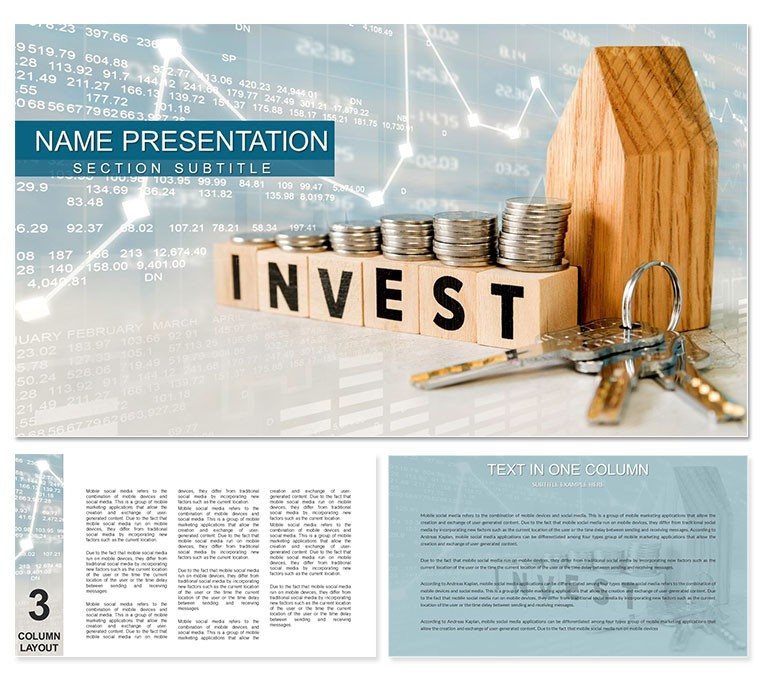
The How to Invest Money Keynote Template is designed for financial advisors, wealth managers, investment consultants, and financial educators who need to present investment strategies clearly and professionally. Whether you're walking a first-time investor through asset allocation or presenting portfolio rebalancing strategies to high-net-worth clients, this template provides 28 fully editable slides with investment-focused diagrams, charts, and visual frameworks.
This isn't a generic business template. It's built specifically for investment education and client advisory sessions, with slide layouts that break down complex topics like diversification, risk tolerance, retirement planning, and market trends into digestible visual explanations. Download the template and start customizing it for your next client meeting in under 10 minutes.
What's Included in This Investment Presentation Template
You get 28 unique slide layouts covering the most common topics financial advisors present to clients. Each slide is designed to simplify investment concepts without oversimplifying the strategy. The template includes 7 color schemes, so you can match your firm's branding or adjust the tone based on client preferences - conservative blue tones for retirees, bold schemes for younger investors.
Slide Breakdown:
- Investment goal-setting frameworks (short-term vs. long-term)
- Asset allocation pie charts and comparison tables
- Risk vs. return visualization slides
- Diversification strategy diagrams
- Market trend analysis layouts with editable graphs
- Retirement planning timelines and savings projections
- Real estate investment opportunity breakdowns
- Stock and bond portfolio composition slides
All charts, graphs, and diagrams are editable in Keynote. Replace placeholder data with your client's portfolio numbers, adjust percentages, swap color schemes, and add your firm's logo. The template works seamlessly on macOS and iOS devices.
When Financial Advisors Use This Template
This template is designed for real advisory scenarios where you need to explain investment options quickly and clearly. Here's when advisors rely on it:
Initial Client Consultations: Walk new clients through foundational investment principles - what stocks, bonds, ETFs, and mutual funds are, and how they fit into a diversified portfolio. Use the asset allocation slides to show how different mixes align with their risk tolerance.
Quarterly Portfolio Reviews: Present performance updates, rebalancing recommendations, and market outlook. The trend analysis slides let you compare current allocations against targets and explain why adjustments make sense given market conditions.
Retirement Planning Sessions: Show clients how their current savings rate projects into retirement income. Use timeline slides to illustrate compound growth over 10, 20, or 30 years, and explain how small increases in contributions now can significantly impact future outcomes.
Investment Education Workshops: Host group sessions for prospective clients or existing clients' family members. The template's clear visuals make it easy to teach investing basics to audiences with varying financial literacy levels.
How to Customize This Template for Different Client Types
Not every client has the same investment goals or risk appetite. This template adapts to different advisory contexts:
For Conservative Investors: Emphasize the bond allocation slides, fixed-income strategies, and capital preservation frameworks. Use the blue or gray color schemes to convey stability and safety. Focus on slides that explain risk mitigation and steady, predictable returns.
For Aggressive Growth Investors: Highlight equity-heavy portfolios, emerging market opportunities, and long-term growth projections. Use the bolder color schemes (green, orange) to match the higher-energy approach. Spend more time on stock selection criteria and market trend analysis slides.
For First-Time Investors: Start with the goal-setting and diversification slides. Avoid jargon-heavy explanations. Use the visual comparison tables to show how different investment vehicles work and why spreading risk across asset classes matters.
For High-Net-Worth Clients: Skip the basics. Jump directly into sophisticated strategies like tax-loss harvesting, alternative investments, and estate planning considerations. Customize slides to reflect larger portfolio values and multi-generational wealth transfer scenarios.
Real-World Workflow: From Download to Client Presentation
Here's how a typical advisor uses this template in practice:
Monday Morning: A client emails asking for a meeting to discuss reallocating their 401(k). You download the template, open it in Keynote, and immediately delete slides irrelevant to retirement accounts (real estate, individual stock picking). You keep the asset allocation, risk tolerance, and retirement timeline slides.
Monday Afternoon: You input the client's current 401(k) balance, contribution rate, and years to retirement into the projection slide. You adjust the pie chart to show their current allocation (70% stocks, 25% bonds, 5% cash) and create a second pie chart showing your recommended allocation (60% stocks, 35% bonds, 5% cash) based on their upcoming retirement in 8 years.
Tuesday Morning Meeting: You walk the client through 6 slides in 15 minutes. You explain why reducing equity exposure now reduces volatility risk as they approach retirement, show projected account values under both scenarios, and answer questions using the FAQ-style content on the diversification slide. The client approves the rebalancing strategy. You email them a PDF of the presentation as a reference.
Total prep time: 45 minutes. The template handled the structure and visuals - you focused on the strategy and client-specific numbers.
Professional Use Cases Across the Financial Industry
While designed for one-on-one client meetings, this template serves multiple professional contexts:
Wealth Management Firms: Standardize client presentations across your advisor team. Ensure every advisor explains portfolio construction consistently, with the same visual language and branding.
Financial Planning Courses: Educators use this template to teach CFP candidates or undergraduate finance students how to present investment recommendations. Students practice building mock portfolios and presenting them using the template's frameworks.
Corporate 401(k) Enrollment Sessions: HR teams and plan advisors use the retirement planning slides to explain employer match programs, target-date funds, and contribution limits during annual benefits enrollment meetings.
Investment Newsletters and Webinars: Turn slides into content for client education emails or recorded webinars. The clear visuals translate well to digital formats, and clients can review them on their own time.
Comparison: Slide Types, Best Use, and Client Outcomes
| Slide Type | Best Used For | Client Outcome |
|---|
| Asset Allocation Pie Charts | Visualizing portfolio composition; comparing current vs. recommended allocations | Client immediately sees where their money is invested and why rebalancing makes sense |
| Risk vs. Return Graphs | Explaining trade-offs between conservative and aggressive strategies | Client understands that higher returns require accepting higher short-term volatility |
| Retirement Timeline Projections | Showing compound growth over decades; illustrating impact of contribution increases | Client sees concrete dollar amounts at retirement age, motivating them to save more now |
| Diversification Diagrams | Teaching why spreading investments across asset classes reduces risk | Client stops asking "why don't I just buy one hot stock" and embraces portfolio strategy |
| Market Trend Analysis | Quarterly reviews; explaining recent market movements and outlook | Client feels informed and confident that you're monitoring conditions actively |
Industry Applications Beyond Traditional Advisory
This template isn't limited to financial advisors meeting with clients. Other professionals adapt it for their needs:
Real Estate Investment Groups: Present property investment opportunities to potential partners or investors. Swap out stock/bond slides for property cash flow projections, cap rate comparisons, and market analysis for specific neighborhoods.
Startup Founders: Pitch angel investors or VCs on how you'll deploy their capital across product development, marketing, and operations. Use the allocation slides to show burn rate and runway projections.
Nonprofit Development Teams: Explain endowment investment strategies to board members. Show how conservative allocations preserve principal while generating grant funding, or how growth strategies build long-term capacity.
Personal Finance Bloggers/YouTubers: Create educational content explaining investment fundamentals to audiences. Record screencasts walking through each slide, or export slides as images for blog posts on beginner investing strategies.
Frequently Asked Questions
When should I use this template instead of building slides from scratch?
Use this template when you need to present investment concepts quickly and professionally without spending hours designing slides. It's ideal for recurring client meetings (quarterly reviews, annual planning sessions), initial consultations where you explain standard investment principles, or any situation where visual clarity matters more than highly customized branding. Build from scratch only when you're presenting truly unique investment strategies that don't fit standard frameworks, or when a client specifically requests completely custom visuals. For 90% of advisory presentations, this template saves time while maintaining professionalism.
Can I customize this for aggressive vs. conservative investor presentations?
Absolutely. The template includes 7 color schemes precisely for this reason. Use cooler tones (blues, grays) for conservative, risk-averse clients to convey stability and safety. Switch to warmer, bolder schemes (greens, oranges) for growth-oriented investors. Beyond colors, you control which slides to include - emphasize bond and fixed-income slides for conservative portfolios, or focus on equity growth and market opportunity slides for aggressive strategies. You can also adjust the data in charts to reflect different risk/return profiles. The template adapts to your client's risk tolerance, not the other way around.
How do high-net-worth clients typically respond to this template?
High-net-worth clients expect professional, polished presentations - but they don't want unnecessary complexity or flashy design that obscures the strategy. This template strikes that balance. The clean layouts and investment-specific diagrams show you've prepared seriously for the meeting, while the straightforward visual language ensures the focus stays on portfolio strategy, not on deciphering complicated slides. Advisors report that HNW clients appreciate the clarity, especially during portfolio rebalancing discussions or when evaluating alternative investments. The key is customizing the content to reflect larger portfolio values and more sophisticated strategies - skip the "Investing 101" slides and dive into tax optimization, estate planning tie-ins, and multi-asset-class allocations.
What's the typical editing workflow to prepare this for a client meeting?
Most advisors follow this process: (1) Download and open the template in Keynote. (2) Delete slides irrelevant to the specific meeting - if it's a retirement planning session, remove real estate or stock-picking slides. (3) Input client-specific data into charts and graphs - current portfolio values, allocation percentages, projected returns. (4) Choose a color scheme that matches either your firm's branding or the client's risk profile. (5) Add your firm's logo to the master slide. (6) Review the flow - make sure slides build logically from goals to strategy to outcomes. (7) Practice the presentation once to ensure smooth transitions. Total time: 30-60 minutes depending on complexity. The template handles design and structure, so you focus entirely on strategy and data.
Can I use this template for group workshops or only one-on-one meetings?
It works excellently for both. For one-on-one client meetings, you'll typically use 5-10 slides tailored to that client's situation. For group workshops (e.g., "Investing 101" seminars for prospective clients or corporate 401(k) enrollment sessions), you'll use more slides and spend more time on foundational concepts like diversification, risk tolerance, and compound growth. The template's clear visuals scale well to larger screens in conference rooms or webinar formats. Many advisors run quarterly educational webinars using this template, recording the session and sending it to clients afterward as a resource. The key difference: one-on-one meetings are highly customized with client data; group workshops stay more conceptual and educational.
Is this template professional enough for RIA compliance review?
The template itself doesn't include any regulatory disclosures, performance claims, or forward-looking statements that would trigger compliance issues. It's a blank framework - you control all content. That said, you're responsible for ensuring any data, projections, or claims you add comply with your firm's policies and applicable regulations (SEC, FINRA, state securities laws). Most advisors add required disclosures on a final slide (e.g., "Past performance does not guarantee future results" or "Projections are hypothetical"). If your compliance team requires approval before client presentations, submit the customized version with your data, not the blank template. The template's professional design actually helps compliance - clear, straightforward visuals reduce the risk of client misunderstanding compared to hastily made slides.