 Click to zoom
Under Construction Keynote Template - Instant Download | ImagineLayout
| Format | .pptx |
| Slides | 3 unique layouts |
| Aspect ratio | 16:9 |
| Compatibility | PowerPoint |
| Animated | No |
| Language | English |
| License | Commercial |
| File size | — |
| Version | v1.0 |
| Last updated | September 2026 |
What's inside
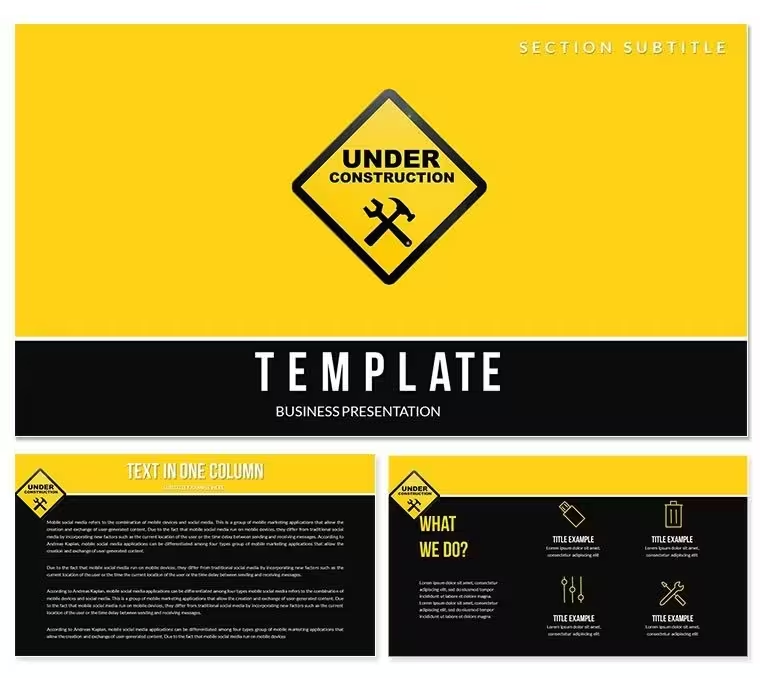
What is an Under Construction Keynote template? An Under Construction Keynote template is an Apple Keynote file featuring website and software project-themed diagram layouts, editable masters, and color schemes designed for presenting digital product launches, web development timelines, and project status updates to clients and stakeholders.
Package Contents
28 diagram slides and 7 color schemes form the full package at $18. The base tier at $8 delivers 3 masters and 3 backgrounds in .key and .kth formats. Both tiers cover the same file formats: .key for direct editing in Apple Keynote and .kth for applying the visual theme to an existing deck.
The diagram set is structured around digital project communication: website build timelines, phased development roadmaps, component-status indicators, and team responsibility matrices. The visual style reflects the internet and software category - clean-line diagram structures, status-indicator layouts, and grid-based timeline sequences that communicate project progress without requiring technical jargon.
Unlike sets focused on general business diagrams, this package was built specifically for web and software project contexts. The status-indicator layouts use visual zone segmentation - green, amber, and red status regions mapped to project milestones - which communicates project health at a glance without needing a separate legend or text explanation on the slide.
How Consultants Use This in Client Work
A project manager at a digital agency needed to present a website rebuild timeline to a client's board of directors. The board required a clear view of which project phases were complete, which were in progress, and which were blocked. Using the phased roadmap and status-indicator diagrams from this set, he built the entire status presentation in under 30 minutes - including the time to replace placeholder text with actual milestone names and update the color scheme to match the agency's brand.
A freelance web developer presenting a site architecture proposal to a retail client used the component-status layouts to map the proposed page structure visually. The client, with no technical background, understood the proposed navigation hierarchy immediately from the diagram - something a bullet-point slide or written spec document rarely achieves. The same file was reused for two follow-up revision presentations by simply updating labels and switching to a different color scheme.
- Digital project managers presenting phase-gate reviews
- Freelance developers pitching web build proposals to non-technical clients
- Product owners communicating sprint progress in stakeholder briefings
- Agency teams presenting launch timelines to marketing directors
Download and start editing immediately.
Edit, Brand, Present: The Workflow
How do I set up this template for a client presentation? Open the .key file, update the slide master palette to your client's brand colors, replace phase and milestone labels with your project data, then export as PDF or .key for sharing. The full workflow takes 15-25 minutes for a standard project status deck.
- Step 1 - Open the .key file in Keynote 12 or later (1 minute). Verify that timeline and status shapes render correctly.
- Step 2 - Apply brand colors via slide master (2 minutes). View - Edit Master Slides - update the color palette. All 28 diagrams update in one step.
- Step 3 - Replace timeline labels and milestone names (5 minutes). Text fields are independent - editing one label does not shift adjacent shapes.
- Step 4 - Adjust status zone colors per phase if needed (2 minutes). Status segments recolor independently from the global master palette.
- Step 5 - Export as .key or PDF for delivery (1 minute). PDF works for clients without Keynote access; .key for teams who will continue editing.
Editing difficulty: Beginner. No design experience required beyond basic Keynote navigation.
The Cost of Not Using a Template
Building a phased project roadmap from a blank Keynote slide requires constructing each timeline segment individually: drawing lane separators, sizing milestone markers, aligning phase labels, and ensuring the status-color zones remain visually distinct at projection size. For a 5-phase timeline, that process typically runs 60-90 minutes for someone with intermediate Keynote skills.
A specific layout observation: the status-zone approach in this set uses color as a structural signal rather than a decorative accent. Many presenters apply color inconsistently - red for emphasis here, green for a positive result there - which forces the audience to interpret each color use contextually rather than systematically. In a project status diagram, using color consistently as a completion indicator removes that interpretive load entirely. The audience reads the slide in seconds rather than spending time parsing what each color means in context.
Seven color-scheme presets already structured in the slide master mean a single global palette change covers the entire 28-slide set. Replicating that system from scratch - building a master with 7 switchable palettes - requires Keynote expertise that most presenters and project managers do not have and cannot justify the time to acquire for a single deck.
Download and start editing immediately.
Frequently Asked Questions
What version of Keynote is needed to open this template?Keynote 12 or later on macOS is required for correct rendering of all shapes, layers, and the slide master color system. Keynote 12 is a free update available from the Mac App Store on macOS Monterey and later. If opened in an earlier version, the file may display but status zone colors and layer positioning could render incorrectly. Editing on Keynote 12 ensures the timeline and roadmap layouts behave as designed.
How do I change the color scheme to match my project or client brand?The 7 color schemes are embedded in the slide master structure. To switch, open Keynote, go to View - Edit Master Slides, select the primary master, and choose from the 7 available color presets - or apply your own brand colors manually. The change propagates across all 28 diagram slides at once. Status zone colors (green/amber/red indicators) can also be adjusted independently on individual slides if the project status changes between presentation versions.
What does the $18 package include versus the $8 base tier?The $8 base package provides 3 master slides and 3 background variations in .key and .kth formats - the visual theme without the diagram library. The $18 full package adds all 28 diagram slides, including timeline layouts, phased roadmaps, status indicators, and responsibility matrices, plus all 7 color scheme presets. For project managers and developers who need ready-built diagrams for client and stakeholder presentations, the full package is the relevant purchase.
Can this template be used for paid client deliverables?The license permits use of the template as a design foundation for presentations delivered to paying clients. Project status decks, web build proposals, and agency client briefings that use this template as the visual base are covered under the standard license. Reselling the .key or .kth files themselves as design assets, or redistributing them in any form, is not permitted. Check ImagineLayout's Terms of Use page for the current and full license terms before commercial use.
Are animations included in the download?No preset animations are included. The diagrams are delivered as static layouts to ensure reliable rendering across all macOS and Keynote 12 configurations. Animations can be added manually using Keynote's Animate panel - select any shape, timeline segment, or text element, then assign build-in and build-out transitions at your preferred timing. Static-by-default layouts also export more reliably as PDFs, which is important when delivering project status documents to clients who may not have Keynote installed.
What is the refund policy for digital downloads?ImagineLayout evaluates refund requests for digital downloads on a case-by-case basis. If the file does not open in Keynote 12 as described, or if the delivered content differs from what is specified on the product page, contact the support team with your order number and a description of the problem. The complete refund conditions are available on the Refund Policy page at imaginelayout.com - review those terms before completing a purchase.
Good for
- Project roadmaps and sprint plans
- Product launch timelines
- Quarterly or annual review decks
- Company history and milestone summaries
Licence
reviews
The layouts helped me structure information better.
Used this for an internal company update and it looked more organized than my usual slides.
The charts were straightforward and didn’t require much tweaking.
A few icons felt random but I deleted most of them anyway.
FAQ
Will it work in Google Slides?
Are fonts embedded?
Can I use this for client work?
What's the refund policy?
Do you update the template after purchase?
Similar templates
See all Keynote templates →



All 1 slides