
Finance - Accounting PowerPoint templates
Deliver financial presentations that inspire confidence and drive decisions. Our finance and accounting templates provide the professional foundation you need for board meetings, investor presentations, audit reports, and budget proposals - all designed to make complex financial data clear, credible, and compelling.
Each template offers fully customizable slides with built-in charts, financial statement layouts, and data visualization tools that work seamlessly in PowerPoint and Keynote. Stop wrestling with spreadsheet imports and formatting headaches. Start with presentation-ready designs that let you focus on your financial narrative, not slide construction.
 (11)
(11) Ethereum Cryptocurrency and Blockchain PowerPoint Template: Mine Insights from Data DepthsID: #PP04003$10.00
 (11)
Investing in Cryptocurrency PowerPoint Template: Chart Your Path to Portfolio PeaksID: #PP04001$9.00
(11)
Investing in Cryptocurrency PowerPoint Template: Chart Your Path to Portfolio PeaksID: #PP04001$9.00 (11)
Targeting Success PowerPoint Template: Aim High, Hit HigherID: #PP04000$10.00
(11)
Targeting Success PowerPoint Template: Aim High, Hit HigherID: #PP04000$10.00 (12)
(12) Bitcoin Price Today PowerPoint Template: Master Crypto Market TrendsID: #PP03998$10.00
 (11)
Trade Secrets PowerPoint Template: Secure Your IdeasID: #PP03989$10.00
(11)
Trade Secrets PowerPoint Template: Secure Your IdeasID: #PP03989$10.00 (16)
Financial Market Analysis PowerPoint Template - Data-Driven Charts | Instant Download | ImagineLayoutID: #PP03988free
(16)
Financial Market Analysis PowerPoint Template - Data-Driven Charts | Instant Download | ImagineLayoutID: #PP03988free (8)
Bitcoin Market Analysis PowerPoint Template - Crypto Insights | Instant Download | ImagineLayoutID: #PP03975free
(8)
Bitcoin Market Analysis PowerPoint Template - Crypto Insights | Instant Download | ImagineLayoutID: #PP03975free (12)
Strategic Planning PowerPoint Template: Chart Your Success PathID: #PP03961$10.00
(12)
Strategic Planning PowerPoint Template: Chart Your Success PathID: #PP03961$10.00 (8)
Digital Assets PowerPoint Template - Editable Crypto Diagrams | Instant DownloadID: #PP03958free
(8)
Digital Assets PowerPoint Template - Editable Crypto Diagrams | Instant DownloadID: #PP03958free (14)
Tips for Personal Success PowerPoint TemplateID: #PP03956$10.00
(14)
Tips for Personal Success PowerPoint TemplateID: #PP03956$10.00 (15)
Bitcoin PowerPoint Template - 28 Editable Crypto Diagrams | Instant DownloadID: #PP03954free
(15)
Bitcoin PowerPoint Template - 28 Editable Crypto Diagrams | Instant DownloadID: #PP03954free (13)
Investing in Cryptocurrencies: Professional PowerPoint TemplateID: #PP03948$10.00
(13)
Investing in Cryptocurrencies: Professional PowerPoint TemplateID: #PP03948$10.00 (154)
European Business Showcase PowerPoint Presentation TemplateID: #PP03922$10.00
(154)
European Business Showcase PowerPoint Presentation TemplateID: #PP03922$10.00 (167)
(167) Data-Driven Growth PowerPoint Presentation TemplateID: #PP03921$8.00
 (361)
Market Trends PowerPoint Presentation TemplateID: #PP03919$10.00
(361)
Market Trends PowerPoint Presentation TemplateID: #PP03919$10.00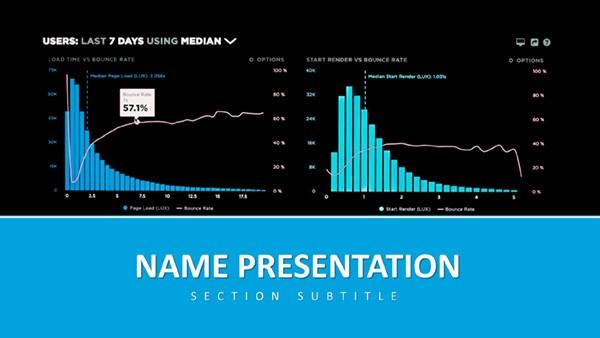 (374)
Analytics and Metrics: Data PowerPoint TemplateID: #PP03918$12.00
(374)
Analytics and Metrics: Data PowerPoint TemplateID: #PP03918$12.00 (378)
Excel Financial Growth Analysis PowerPoint TemplateID: #PP03916$8.00
(378)
Excel Financial Growth Analysis PowerPoint TemplateID: #PP03916$8.00 (65)
Innovative Ideas PowerPoint Template: Light the Spark of GeniusID: #PP03890$8.00
(65)
Innovative Ideas PowerPoint Template: Light the Spark of GeniusID: #PP03890$8.00 (229)
In-Depth Analysis PowerPoint TemplateID: #PP03887$10.00
(229)
In-Depth Analysis PowerPoint TemplateID: #PP03887$10.00 (350)
Real Estate and Finance PowerPoint Template - Download Presentation, PPTXID: #PP03879$10.00
(350)
Real Estate and Finance PowerPoint Template - Download Presentation, PPTXID: #PP03879$10.00 (275)
Global Network PowerPoint Template: Link Ideas Across HorizonsID: #PP03874$10.00
(275)
Global Network PowerPoint Template: Link Ideas Across HorizonsID: #PP03874$10.00 (128)
Global Innovation PowerPoint Template: Fueling Venture VisionsID: #PP03871$10.00
(128)
Global Innovation PowerPoint Template: Fueling Venture VisionsID: #PP03871$10.00 (143)
Global Reach PowerPoint Template: Visualizing Worldwide WinsID: #PP03870$10.00
(143)
Global Reach PowerPoint Template: Visualizing Worldwide WinsID: #PP03870$10.00 (256)
Data-Driven Global Impact PowerPoint Template: Insights That ResonateID: #PP03869$10.00
(256)
Data-Driven Global Impact PowerPoint Template: Insights That ResonateID: #PP03869$10.00 (296)
Cultivating Your Financial Future PowerPoint TemplateID: #PP03862$10.00
(296)
Cultivating Your Financial Future PowerPoint TemplateID: #PP03862$10.00 (217)
Versatile Business PowerPoint Presentation TemplateID: #PP03861$12.00
(217)
Versatile Business PowerPoint Presentation TemplateID: #PP03861$12.00 (557)
(557) Targeted Planning PowerPoint TemplateID: #PP03842$12.00
 (683)
Financial Data Visualization PowerPoint TemplateID: #PP03831$12.00
(683)
Financial Data Visualization PowerPoint TemplateID: #PP03831$12.00 (875)
Business Graph PowerPoint Template: PresentationID: #PP03825$12.00
(875)
Business Graph PowerPoint Template: PresentationID: #PP03825$12.00 (1014)
Financial Analytics PowerPoint Template: Visualize Insights with ConfidenceID: #PP03822$12.00
(1014)
Financial Analytics PowerPoint Template: Visualize Insights with ConfidenceID: #PP03822$12.00 (591)
Urban Economy PowerPoint Template: Charting the Pulse of CitiesID: #PP03821$12.00
(591)
Urban Economy PowerPoint Template: Charting the Pulse of CitiesID: #PP03821$12.00 (345)
Business World PowerPoint Template: PresentationID: #PP03819$12.00
(345)
Business World PowerPoint Template: PresentationID: #PP03819$12.00 (401)
Bulls and Bears Trend PowerPoint TemplateID: #PP03794$12.00
(401)
Bulls and Bears Trend PowerPoint TemplateID: #PP03794$12.00
The Challenge of Financial Presentations
Finance professionals face a unique presentation challenge: communicating detailed numerical data to audiences with varying levels of financial literacy. Your CFO understands EBITDA nuances, but your marketing director might need context. Board members want strategic implications, while department heads need operational details.
Generic slide templates force you to build everything from scratch - formatting tables, creating charts that actually make sense, and designing layouts that don't bury critical insights in visual clutter. Professional finance templates solve this by providing proven layouts for common financial communications, from variance analysis to cash flow projections, all optimized for clarity and impact.
How Finance Teams Use These Templates
Quarterly and Annual Financial Reporting
Present income statements, balance sheets, and cash flow statements with templates designed for financial disclosure. Include comparative period analysis, key ratio calculations, and performance commentary sections that help stakeholders understand not just the numbers, but their meaning. Use pre-built dashboard layouts to summarize financial health at a glance before diving into detailed statements.
Budget Planning and Variance Analysis
Build departmental budget presentations or company-wide financial plans using templates with budget comparison tables, variance explanation slides, and forecast scenario layouts. Show budget-to-actual performance with visual indicators that immediately highlight areas of concern or outperformance. Include timeline views for phased spending plans or revenue recognition schedules.
Investment Proposals and Business Cases
Pitch new initiatives, capital expenditure requests, or strategic investments with templates featuring ROI calculators, NPV analysis layouts, and payback period visualizations. Present multiple scenarios with sensitivity analysis slides that show how different assumptions affect outcomes. Include risk assessment frameworks and implementation timeline views that address common stakeholder questions upfront.
Audit Presentations and Compliance Reporting
Communicate audit findings, internal control assessments, or regulatory compliance status using templates with finding categorization systems, remediation plan layouts, and control matrix visualizations. These presentations require precision and clear documentation - templates provide the structure while you add the specific content.
Financial Analysis and Due Diligence
Deliver market analysis, company valuations, or merger and acquisition evaluations with templates built for comparative analysis. Present financial model outputs, assumption documentation, and recommendation summaries in formats that executive audiences can quickly absorb and act upon.
Core Benefits for Financial Professionals
- Time Efficiency: Reduce presentation prep time by 50% or more. Templates eliminate the need to rebuild common financial layouts from scratch for every presentation cycle.
- Professional Credibility: Polished, consistent design signals attention to detail and professionalism - qualities that matter when presenting financial information to executives and investors.
- Error Reduction: Pre-formatted tables and charts reduce the risk of formatting errors that can undermine confidence in your data accuracy.
- Flexible Customization: Adjust colors to match corporate branding, modify charts to accommodate different data sets, and rearrange slides to fit your specific presentation flow - all without design expertise.
- Cross-Platform Compatibility: Work seamlessly across PowerPoint and Keynote, with export options for PDF distribution to stakeholders who need static copies.
Best Practices for Financial Presentations
Structure for Your Audience: Financial presentations should follow a logical progression from summary to detail. Open with key takeaways - the financial results, the recommendation, the ask. Then provide supporting detail for those who need deeper analysis. Templates often include executive summary layouts that work perfectly for this approach.
Make Data Speak Visually: Numbers in tables make people's eyes glaze over. Use the chart templates to transform data into stories. Show revenue growth over time with line graphs, compare department performance with column charts, illustrate budget allocation with pie or donut charts. The right visualization makes patterns and outliers immediately obvious.
Provide Context, Not Just Numbers: A 15% increase means nothing without context. Use template layouts that pair numerical data with explanatory text - what drove the change, why it matters, what actions you recommend. Include year-over-year comparisons, industry benchmarks, or target-versus-actual indicators that give audiences reference points.
Address Questions Proactively: Finance presentations often generate predictable questions. Use appendix slides (many templates include these) to prepare backup detail on assumptions, methodology, or alternative scenarios. You won't always present these slides, but having them ready shows thoroughness and helps you handle tough questions confidently.
Keep It Clean: Financial presentations can become cluttered quickly. Resist the urge to cram every data point onto every slide. Use the white space and clean layouts in professional templates to let important numbers breathe. One clear chart often communicates more effectively than a slide packed with six different metrics.
Customization Made Simple
Choose a template that matches your presentation purpose - formal and corporate for board presentations, modern and dynamic for startup pitches, clean and minimal for audit reports. Most templates come in multiple color variations, so you can select one that aligns with your company's visual identity.
Import your financial data into the pre-formatted charts and tables. The template maintains professional styling automatically as you input your numbers. Adjust chart types if needed - convert a bar chart to a line graph, or split a complex table across multiple slides for better readability.
Add your company logo, adjust footer information, and customize section headers to reflect your specific content. The design consistency built into the templates ensures that even with these customizations, your entire presentation maintains a cohesive, professional appearance.
For recurring presentations like monthly financial reviews or quarterly board reports, save your customized template as a master file. Each period, you simply update the numbers rather than rebuilding the entire presentation - a massive time-saver for regular reporting cycles.
Explore the full collection of finance and accounting templates and find designs that transform your financial communications from data dumps into compelling stories that drive understanding and action.
Common Questions About Finance Templates
Will these templates work with my existing financial data?
Yes. The chart and table formats are standard PowerPoint and Keynote objects that accept any data you input. Simply replace the sample numbers with your actual financial figures, and the professional formatting remains intact.
Are these templates suitable for investor presentations?
Absolutely. Many templates are specifically designed for investor communications, including pitch decks, financial performance reviews, and funding requests. They include layouts for market opportunity, financial projections, and use-of-funds breakdowns that investors expect to see.
Can I use these for internal financial reporting?
Yes. These templates work equally well for internal stakeholders - monthly management reports, departmental budget reviews, or financial planning sessions. Adjust the level of detail and formality to match your internal audience needs.
Do templates include examples of financial statements?
Most finance templates include sample layouts for income statements, balance sheets, and cash flow statements. These provide formatting structure that you customize with your specific line items and figures, ensuring consistent professional presentation of financial data.
How do I maintain my company's branding with these templates?
Templates are fully editable, allowing you to change colors to match your corporate palette, add your logo, and adjust fonts to align with your brand guidelines. The underlying design structure remains professional while reflecting your specific brand identity.


