
Construction PowerPoint templates
These PowerPoint templates deliver structured slide layouts for the full construction lifecycle, from initial bids to final handover. They target contractors, architects, engineers, and safety officers who must communicate timelines, budgets, and compliance details without rebuilding charts every quarter.
Consider a site supervisor compiling the weekly progress report for the general contractor. Photos from the field are ready but matching Gantt bars to actual dates usually requires hours of realignment. The template already links placeholder charts so updates flow in minutes.
The focus stays on timeline clarity that keeps stakeholders oriented even when the audience includes non-technical executives.
 (41)
(41) Architectural Future PowerPoint Template: 59 SlidesID: #PP03796$12.00
 (279)
(279) Plumbing Keys PowerPoint Template: 59 SlidesID: #PP03789$12.00
 (124)
Powerful House Rent and Sale PowerPoint Template | PresentationID: #PP03787$12.00
(124)
Powerful House Rent and Sale PowerPoint Template | PresentationID: #PP03787$12.00 (356)
Commercial Drone Construction PowerPoint TemplateID: #PP03728$12.00
(356)
Commercial Drone Construction PowerPoint TemplateID: #PP03728$12.00 (387)
Drone Warfare Military Tech PowerPoint TemplateID: #PP03727$12.00
(387)
Drone Warfare Military Tech PowerPoint TemplateID: #PP03727$12.00 (790)
Repair Service PowerPoint Template: Fix Your Presentations with PrecisionID: #PP03716$12.00
(790)
Repair Service PowerPoint Template: Fix Your Presentations with PrecisionID: #PP03716$12.00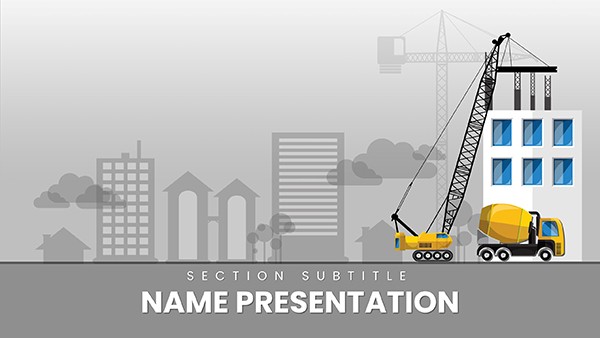 (874)
Construction Companies PowerPoint Template: Blueprint Your Business WinsID: #PP03714$12.00
(874)
Construction Companies PowerPoint Template: Blueprint Your Business WinsID: #PP03714$12.00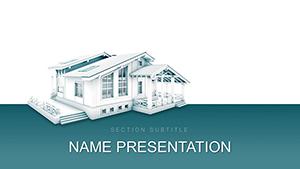 (972)
Architecture Planning PowerPoint Template: Design Your Vision with PrecisionID: #PP03561$12.00
(972)
Architecture Planning PowerPoint Template: Design Your Vision with PrecisionID: #PP03561$12.00 (1052)
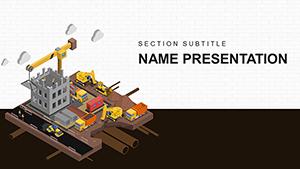
 Urban Buildings Construction PowerPoint Template: Build Narratives That LastID: #PP03560$12.00
 (684)
Infrastructure Works in Construction PowerPoint TemplateID: #PP03419$12.00
(684)
Infrastructure Works in Construction PowerPoint TemplateID: #PP03419$12.00 (1141)
Warehouse Loader PowerPoint Templates: Ops OptimizerID: #PP03373$12.00
(1141)
Warehouse Loader PowerPoint Templates: Ops OptimizerID: #PP03373$12.00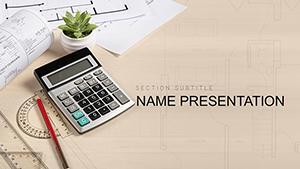 (120)
(120) Architect must evaluate energy efficiency PowerPoint templateID: #PP03230$12.00
 (45)
Construction Jobs PowerPoint templateID: #PP03225$12.00
(45)
Construction Jobs PowerPoint templateID: #PP03225$12.00 (424)
Construction Companies PowerPoint templateID: #PP02912$12.00
(424)
Construction Companies PowerPoint templateID: #PP02912$12.00 (814)
Movement Mechanism PowerPoint templatesID: #PP02596$12.00
(814)
Movement Mechanism PowerPoint templatesID: #PP02596$12.00 (187)
Circuit Board Repair PowerPoint templatesID: #PP02593$12.00
(187)
Circuit Board Repair PowerPoint templatesID: #PP02593$12.00 (293)
Auto Repair Diagnostics PowerPoint Template | Download PresentationID: #PP02592$12.00
(293)
Auto Repair Diagnostics PowerPoint Template | Download PresentationID: #PP02592$12.00 (1093)
House Plans and Construction Homes PowerPoint templatesID: #PP02376$12.00
(1093)
House Plans and Construction Homes PowerPoint templatesID: #PP02376$12.00 (1131)
Road Repairs - Maintenance and Traffic Management PowerPoint TemplateID: #PP01919$12.00
(1131)
Road Repairs - Maintenance and Traffic Management PowerPoint TemplateID: #PP01919$12.00 (962)
Private Access PowerPoint TemplateID: #PP01574$8.00
(962)
Private Access PowerPoint TemplateID: #PP01574$8.00 (992)
Construction Engineering PowerPoint Template: Blueprint Your BreakthroughsID: #PP01262$12.00
(992)
Construction Engineering PowerPoint Template: Blueprint Your BreakthroughsID: #PP01262$12.00 (878)
Laying of Engineering Communications PowerPoint Templates: Blueprint Your Networks with PrecisionID: #PP01218$11.99
(878)
Laying of Engineering Communications PowerPoint Templates: Blueprint Your Networks with PrecisionID: #PP01218$11.99 (744)
Plumbing Repairs Bathroom PowerPoint TemplateID: #PP01197$10.00
(744)
Plumbing Repairs Bathroom PowerPoint TemplateID: #PP01197$10.00 (646)
Plumbing Tools Templates: Pipe Up Your PitchID: #PP01130$11.99
(646)
Plumbing Tools Templates: Pipe Up Your PitchID: #PP01130$11.99 (42)
Repairing Windows PowerPoint TemplatesID: #PP01018$10.00
(42)
Repairing Windows PowerPoint TemplatesID: #PP01018$10.00 (448)
3D Car Sketching PowerPoint TemplateID: #PP00978$10.00
(448)
3D Car Sketching PowerPoint TemplateID: #PP00978$10.00 (1108)
Car 3D Modeling PowerPoint Slides ProID: #PP00977$10.00
(1108)
Car 3D Modeling PowerPoint Slides ProID: #PP00977$10.00 (712)
Business Proposal Project PowerPoint Template: Pitch ProtectedID: #PP00836$10.00
(712)
Business Proposal Project PowerPoint Template: Pitch ProtectedID: #PP00836$10.00 (946)
Download City PowerPoint Template for ProsID: #PP00830$10.00
(946)
Download City PowerPoint Template for ProsID: #PP00830$10.00 (970)
Rubik`s Cube PowerPoint Template: Twist to BrillianceID: #PP00676$10.00
(970)
Rubik`s Cube PowerPoint Template: Twist to BrillianceID: #PP00676$10.00 (194)
Carpenter Measures PowerPoint TemplateID: #PP00656$10.00
(194)
Carpenter Measures PowerPoint TemplateID: #PP00656$10.00 (1139)
Color Repair PowerPoint TemplateID: #PP00655$10.00
(1139)
Color Repair PowerPoint TemplateID: #PP00655$10.00 (409)
Choose Your Color PowerPoint TemplateID: #PP00653$10.00
(409)
Choose Your Color PowerPoint TemplateID: #PP00653$10.00
How Construction PowerPoint Templates Cover the Entire Project Lifecycle
The biggest question visitors ask is whether one file can handle bidding, progress tracking, and closeout. Each template includes dedicated sections for site plans, material schedules, risk matrices, and safety protocols. Duplicate the master slides to extend any section without losing formatting.
Do the Gantt Charts Update Automatically When I Change Dates?
This hesitation stops many teams. The templates embed linked Excel tables so date changes in the source file refresh the visual bars instantly. If you prefer static images for client versions, break the link once the numbers are final; the layout stays locked.
Setting Up Master Slides for Multi-Office Consistency
Before the first edit, open the slide master and confirm the company logo and color palette are applied to every layout. Set the 16:9 aspect ratio if your projector requires it. This one-time step ensures every project manager in the company produces decks that look part of the same brand family.
Real-World Scenarios Where These Templates Keep Projects on Track
An architect preparing a bid package for a municipal bridge tender uses the architecture planning file. The timeline slide already aligns phases with budget columns; she inserts the latest engineering drawings and the proposal ships the same day.
A safety officer updating the monthly compliance deck for the site team opens the repair service template. Hazard icons and checklist slides update in place; the crew reviews the deck on tablets without formatting surprises.
A project manager for a commercial drone survey company presents progress to investors. The commercial drone construction file includes before-and-after image placeholders; embedding the latest flight data turns the deck into a visual story the board remembers.
A construction company owner creating the annual capabilities brochure in slide form uses the construction companies template. The blueprint-style divider slides separate service areas so potential clients scan services in under a minute.
Why Starting Construction Decks from Blank Slides Loses Momentum
You must set chart colors to match safety vests, align timeline arrows across 20 slides, and ensure every photo placeholder scales the same way. Those repeated choices eat the hours you meant to spend on risk analysis or cost forecasting. The templates remove the setup layer so the real project thinking begins immediately.
Non-Obvious Workflow Tricks for PowerPoint in Construction
Link your project schedule Excel file once on the master slide; every duplicate slide inherits the live connection. When exporting to PDF for client review, use the print-to-PDF option with high quality to preserve vector icons that stay sharp when zoomed.
What Makes These Construction PowerPoint Templates Different
The decks contain only the structure needed for technical storytelling, not decorative transitions or generic icons. Every chart and image frame is sized for real site data volumes and updates without breaking the grid.
If you present data-heavy analysis instead of site plans, our analysis Keynote templates use parallel hierarchy logic. For rural marketing the agriculture brochure templates follow the same clean-grid approach. Geographic strategy work is handled in the Asia Keynote maps templates.
Download the template that matches your project phase and open it in PowerPoint.
FAQ
Are these construction PowerPoint templates compatible with Google Slides?
Yes, every .pptx file imports without loss of layout when uploaded to Google Slides. Chart animations and linked tables remain editable. If you see minor font substitution, replace with the nearest system match; the hierarchy stays intact because slide master spacing was built with cross-platform compatibility in mind.
Can I embed live Excel project schedules into the Gantt charts?
Yes, paste the chart and select the link option. Changes in the source spreadsheet update on refresh. For final client versions break the link to freeze numbers; the visual bars retain their exact proportions because the template uses fixed aspect ratios.
Does the license allow use on bids for external clients?
The commercial license covers any number of client-facing presentations and proposals. You may not redistribute the original template file. Subcontractors on the same project can receive edited versions as long as the final deck remains under your company branding.
How do I keep the 16:9 aspect ratio when exporting to PDF?
Set the slide size to widescreen in Design settings before export. Choose the high-quality PDF option in the print dialog; vector elements and text stay sharp. If the recipient opens on a 4:3 screen the letterboxing is minimal because content was centered with safe margins.
Will embedded site photos survive email sharing?
All photos are compressed to under 2 MB per slide while retaining 300 dpi print quality. When attaching the full deck to email, use the compressed PDF version generated from the same master. Recipients see crisp images on any device because the template avoids unnecessary high-resolution layers.


