
Central America Keynote Maps
These Central America Keynote maps templates provide vector-based country outlines and city markers ready for Keynote. They are built for marketing managers, operations leads, and expansion teams who present geographic performance or growth plans.
A marketing manager preparing the Q2 regional expansion update for the Latin America leadership team had to show market penetration across seven countries. Manual map creation would have meant hours aligning borders and labels. The template opened with precise country shapes already grouped; adding data pins and color coding took under 30 minutes.
Download the country file that matches your scope and keep the focus on the numbers.
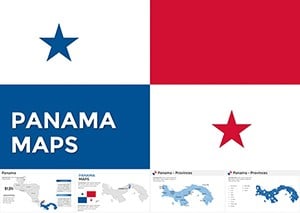 (655)
(655) Panama Keynote Maps: Customizable EssentialsID: #KM00199$50.00
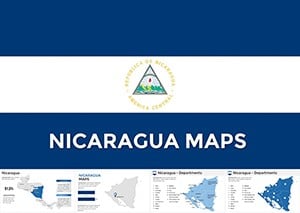 (261)
(261) Editable Nicaragua Keynote Maps Template: Unlock Professional PresentationsID: #KM00198$50.00
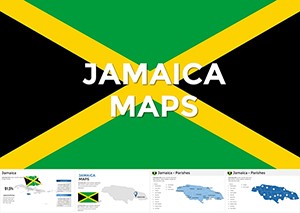 (216)
Jamaica Keynote Maps - Download Maps of Jamaica TemplateID: #KM00197$50.00
(216)
Jamaica Keynote Maps - Download Maps of Jamaica TemplateID: #KM00197$50.00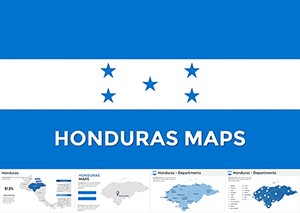 (673)
Honduras Keynote Maps Template: Navigate Data with PrecisionID: #KM00196$58.00
(673)
Honduras Keynote Maps Template: Navigate Data with PrecisionID: #KM00196$58.00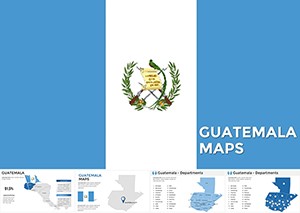 (1063)
Guatemala Keynote Maps: Forge Stunning Regional NarrativesID: #KM00192$48.00
(1063)
Guatemala Keynote Maps: Forge Stunning Regional NarrativesID: #KM00192$48.00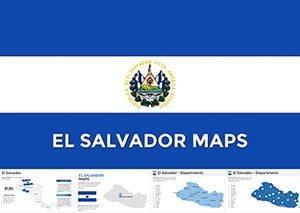 (607)
(607) El Salvador Keynote Maps: Custom Templates for Geographic ExcellenceID: #KM00187$48.00
 (1019)
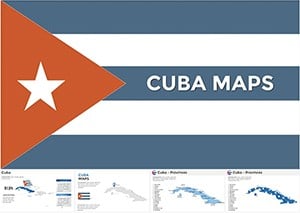
Pro Cuba Maps Keynote Template - Custom SlidesID: #KM00182$56.00
(1019)
Pro Cuba Maps Keynote Template - Custom SlidesID: #KM00182$56.00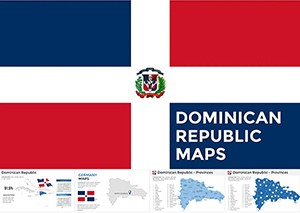 (775)
Dominican Republic Keynote Map - Fully Editable | ImagineLayoutID: #KM00181$40.00
(775)
Dominican Republic Keynote Map - Fully Editable | ImagineLayoutID: #KM00181$40.00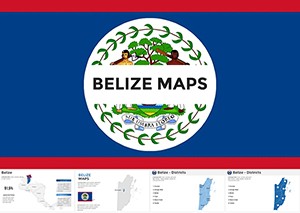 (527)
Belize Keynote Maps Template: Visualize Central America's Gem with Editable PrecisionID: #KM00179$56.00
(527)
Belize Keynote Maps Template: Visualize Central America's Gem with Editable PrecisionID: #KM00179$56.00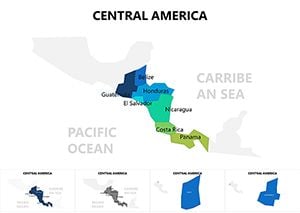 (193)
Central America Keynote Maps: Vibrant Visuals for Dynamic StoriesID: #KM00077$15.00
(193)
Central America Keynote Maps: Vibrant Visuals for Dynamic StoriesID: #KM00077$15.00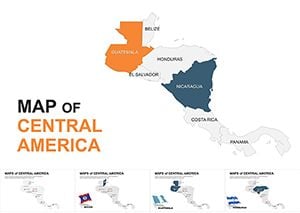 (101)
Editable Central America Maps Keynote Pack: Bridging ContinentsID: #KM00051$35.00
(101)
Editable Central America Maps Keynote Pack: Bridging ContinentsID: #KM00051$35.00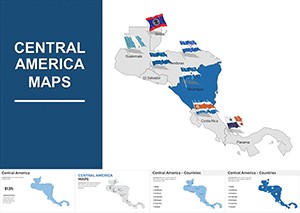 (285)
Central America Keynote Map Template: Bridge Ideas Across BordersID: #KM00011$44.00
(285)
Central America Keynote Map Template: Bridge Ideas Across BordersID: #KM00011$44.00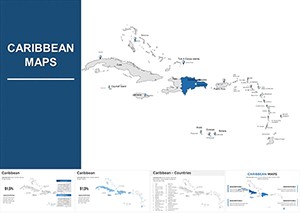 (731)
Caribbean Keynote Map Template: Chart Courses to Engaging NarrativesID: #KM00010$38.00
(731)
Caribbean Keynote Map Template: Chart Courses to Engaging NarrativesID: #KM00010$38.00
When Regional Maps Turn Into the Anchor Slide
One clear map with color-coded territories replaces paragraphs of location text. The audience sees the story at a glance and the discussion moves straight to decisions.
Four Times These Maps Shifted the Conversation
The operations director at a logistics firm presented supply-chain coverage across Central America to the board. The Keynote map showed route density with simple pins; stakeholders immediately spotted the gap in Honduras and approved the new hub without requesting extra slides.
A tourism consultant mapped visitor flow for a client`s investor pitch. Layered country outlines let her overlay seasonal heat maps in seconds. The investors focused on growth potential instead of questioning data accuracy.
The sales lead for a beverage distributor updated territory performance for the annual review. Color fills on each country reflected revenue tiers; the team discussion stayed on strategy because geography was already visual.
An education NGO coordinator showed program reach across Guatemala and El Salvador. The map grouped cities by impact level; donors understood coverage instantly and increased the funding commitment on the call.
Why Manual Map Building Eats Budget Hours
You lose time tracing borders, placing labels without overlap, and matching colors to brand palette across every country layer. Those steps repeat for every update and pull focus from the actual performance story.
Recurring Regional Reports Stay Identical Year After Year
Duplicate the map slide for each quarter, update only the data overlays, and every version keeps the same scale and color logic. No re-alignment needed when the leadership team expects consistent visuals.
Non-Obvious Keynote Tip for Layer Management
Lock the base country outline group before adding data layers. Any accidental move of the map frame then leaves the background intact and you avoid re-scaling the entire deck.
Keynote Animation Behavior With Vector Maps
Build-in animations on individual country groups work cleanly in Keynote 11 and newer. Keep the map on its own slide for export to PDF; the vector paths render sharply at any zoom level without pixelation.
What Makes These Maps Different for Business Use
Each file contains native Keynote shapes, not flattened images, so you can recolor regions or add custom pins without quality loss. The collection skips decorative extras and focuses on clean data overlay for executive presentations.
Picking the Next Collection for Your Deck
If you need broader Pacific coverage, check the Australia PowerPoint Maps templates. Strategy teams often combine these with tree diagram PowerPoint charts for decision flow. Healthcare presentations pair well with the medicine and pharma PowerPoint templates.
Open the file for the country you need and start building the story.
FAQ
Do these Keynote map templates work on the latest macOS versions?
Yes, all files open in Keynote 10 and newer on macOS Ventura through Sequoia. Older versions may show minor layer grouping differences; simply regroup objects once after opening. Export to PDF keeps vector sharpness for board packets regardless of recipient device.
Can I add custom city markers without losing editability?
Every map uses native shapes and groups. Add your own pins or labels as additional objects; they stay fully movable and recolorable. Lock the base country group first so background geography does not shift when you adjust overlays.
Is there a limit on how many maps I can use in one presentation?
None. Duplicate any map slide as often as needed inside your Keynote file. Each copy keeps the original vector quality and grouping structure so regional comparisons across multiple countries stay consistent.
Do the templates include animation presets?
Basic build-in options are pre-applied to country groups for simple reveals. You can change or remove them in the Animate panel without affecting the underlying vectors. Keep animations light for board presentations to maintain clarity on shared screens.
Can teams share a purchased Keynote map file?
The license covers editing and use inside your organization. The original file stays with the buyer; colleagues work on copies. Finished presentations can be shared with clients or stakeholders without restriction.


