
Business PowerPoint templates
Our business PowerPoint templates offer structured layouts for typical corporate communication tasks. Managers and executives rely on them when preparing materials for board meetings or stakeholder updates where message clarity is critical.
Take a financial controller at a manufacturing firm preparing the quarterly business review. The template includes dedicated slides for performance metrics, variance analysis, and forward-looking initiatives, allowing the presenter to focus on discussion points rather than layout decisions.
Opting for these templates over default PowerPoint shapes saves time and ensures visual consistency throughout the deck. The designs have been refined based on real-world feedback from business environments.
Review the available options to find the best match for your next presentation.
 (14)
(14) Conflict Resolution PowerPoint Template for TeamsID: #PP04014$10.00
 (14)
Project Management PowerPoint Template: Master Your PlansID: #PP04007$10.00
(14)
Project Management PowerPoint Template: Master Your PlansID: #PP04007$10.00 (9)
Team Collaboration PowerPoint Template: Foster UnityID: #PP04006$10.00
(9)
Team Collaboration PowerPoint Template: Foster UnityID: #PP04006$10.00 (11)
(11) Targeting Success PowerPoint Template: Aim High, Hit HigherID: #PP04000$10.00
 (12)
Strategic Planning PowerPoint Template: Chart Your Success PathID: #PP03961$10.00
(12)
Strategic Planning PowerPoint Template: Chart Your Success PathID: #PP03961$10.00 (14)
Tips for Personal Success PowerPoint TemplateID: #PP03956$10.00
(14)
Tips for Personal Success PowerPoint TemplateID: #PP03956$10.00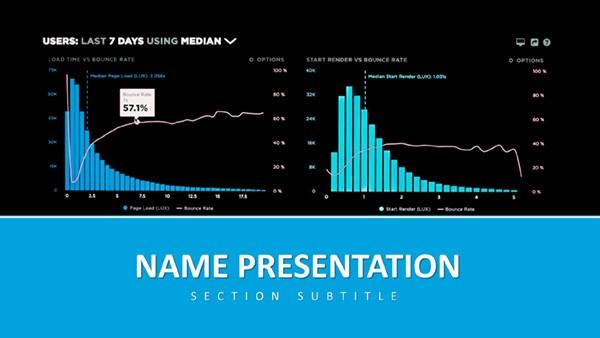 (374)
(374) Analytics and Metrics: Data PowerPoint TemplateID: #PP03918$12.00
 (297)
Unified Solutions PowerPoint Template: Streamline Your Business NarrativesID: #PP03913$8.00
(297)
Unified Solutions PowerPoint Template: Streamline Your Business NarrativesID: #PP03913$8.00 (65)
Innovative Ideas PowerPoint Template: Light the Spark of GeniusID: #PP03890$8.00
(65)
Innovative Ideas PowerPoint Template: Light the Spark of GeniusID: #PP03890$8.00 (35)
Global Exploration PowerPoint Template EssentialsID: #PP03882$10.00
(35)
Global Exploration PowerPoint Template EssentialsID: #PP03882$10.00 (275)
Global Network PowerPoint Template: Link Ideas Across HorizonsID: #PP03874$10.00
(275)
Global Network PowerPoint Template: Link Ideas Across HorizonsID: #PP03874$10.00 (128)
Global Innovation PowerPoint Template: Fueling Venture VisionsID: #PP03871$10.00
(128)
Global Innovation PowerPoint Template: Fueling Venture VisionsID: #PP03871$10.00 (143)
Global Reach PowerPoint Template: Visualizing Worldwide WinsID: #PP03870$10.00
(143)
Global Reach PowerPoint Template: Visualizing Worldwide WinsID: #PP03870$10.00 (256)
Data-Driven Global Impact PowerPoint Template: Insights That ResonateID: #PP03869$10.00
(256)
Data-Driven Global Impact PowerPoint Template: Insights That ResonateID: #PP03869$10.00 (296)
Cultivating Your Financial Future PowerPoint TemplateID: #PP03862$10.00
(296)
Cultivating Your Financial Future PowerPoint TemplateID: #PP03862$10.00 (217)
Versatile Business PowerPoint Presentation TemplateID: #PP03861$12.00
(217)
Versatile Business PowerPoint Presentation TemplateID: #PP03861$12.00 (696)
Social Media for Business Growth PowerPoint TemplateID: #PP03845$12.00
(696)
Social Media for Business Growth PowerPoint TemplateID: #PP03845$12.00 (223)
Creativity Innovation PowerPoint TemplateID: #PP03844$12.00
(223)
Creativity Innovation PowerPoint TemplateID: #PP03844$12.00 (557)
(557) Targeted Planning PowerPoint TemplateID: #PP03842$12.00
 (683)
Financial Data Visualization PowerPoint TemplateID: #PP03831$12.00
(683)
Financial Data Visualization PowerPoint TemplateID: #PP03831$12.00 (77)
Marketing Consultation PowerPoint Template: PresentationID: #PP03826$10.00
(77)
Marketing Consultation PowerPoint Template: PresentationID: #PP03826$10.00 (875)
Business Graph PowerPoint Template: PresentationID: #PP03825$12.00
(875)
Business Graph PowerPoint Template: PresentationID: #PP03825$12.00 (1014)
Financial Analytics PowerPoint Template: Visualize Insights with ConfidenceID: #PP03822$12.00
(1014)
Financial Analytics PowerPoint Template: Visualize Insights with ConfidenceID: #PP03822$12.00 (591)
Urban Economy PowerPoint Template: Charting the Pulse of CitiesID: #PP03821$12.00
(591)
Urban Economy PowerPoint Template: Charting the Pulse of CitiesID: #PP03821$12.00 (345)
Business World PowerPoint Template: PresentationID: #PP03819$12.00
(345)
Business World PowerPoint Template: PresentationID: #PP03819$12.00 (226)
Business Consultation PowerPoint Template: PresentationID: #PP03818$12.00
(226)
Business Consultation PowerPoint Template: PresentationID: #PP03818$12.00 (112)
Action-Packed Marketing PowerPoint Template: Ignite Your CampaignsID: #PP03768$12.00
(112)
Action-Packed Marketing PowerPoint Template: Ignite Your CampaignsID: #PP03768$12.00 (110)
Powerful Business and Financial Documents PowerPoint Template: Command the NumbersID: #PP03766$12.00
(110)
Powerful Business and Financial Documents PowerPoint Template: Command the NumbersID: #PP03766$12.00 (715)
Marketing Strategies Analytics PowerPoint Template: Data-Driven DecksID: #PP03756$12.00
(715)
Marketing Strategies Analytics PowerPoint Template: Data-Driven DecksID: #PP03756$12.00 (561)
Innovative Marketing Idea PowerPoint Templates to Boost Your Team`s CreativityID: #PP03751$12.00
(561)
Innovative Marketing Idea PowerPoint Templates to Boost Your Team`s CreativityID: #PP03751$12.00 (641)
Expert Analytical Reports PowerPoint TemplateID: #PP03747$12.00
(641)
Expert Analytical Reports PowerPoint TemplateID: #PP03747$12.00 (1005)
Bank Safe PowerPoint Template: Locking in Financial FortitudeID: #PP03711$12.00
(1005)
Bank Safe PowerPoint Template: Locking in Financial FortitudeID: #PP03711$12.00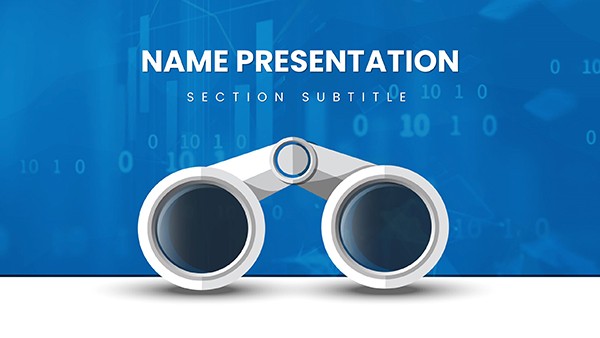 (428)
Binoculars Search Marketing PowerPoint TemplateID: #PP03709$12.00
(428)
Binoculars Search Marketing PowerPoint TemplateID: #PP03709$12.00
Use Cases
These templates fit a variety of business situations across industries. A strategy consultant at a management consulting firm uses them to compile findings from client engagements, including analysis slides and recommendation frameworks. This setup supports clear delivery during workshops with client leadership teams.
In the financial services industry, an investment analyst employs them for pitch decks aimed at potential investors. The slides cover market analysis, financial projections, and risk assessment in a logical sequence.
A marketing manager in the consumer electronics sector prepares campaign performance reports for executive review. The layouts include sections for KPI summaries and next steps.
Human resources directors in tech companies utilize them for leadership development sessions. The visual structures help explain organizational changes and employee engagement strategies.
Operations leaders in logistics companies apply them for supply chain optimization updates during board meetings. Each scenario demonstrates how the templates align with specific job requirements and industry demands.
Comparison vs. Default PowerPoint Shapes or Blank Slides
Starting with blank slides or basic shapes requires considerable effort to achieve balanced layouts and coherent design. Templates provide pre-arranged elements that maintain alignment and spacing automatically. This difference becomes evident when time is limited before an important meeting.
Default options often lead to inconsistent font sizes and color usage across slides. The category templates enforce a unified look that reinforces brand identity. Data visualization in templates uses optimized chart styles that improve readability for audiences in conference rooms.
Blank slides force the user to decide on hierarchy for every element. Templates guide the user with proven structures that direct attention to key messages. The result is a deck that appears cohesive and prepared. In practice, this approach reduces revision rounds from stakeholders who might otherwise comment on design issues.
Templates also include placeholder text and image areas sized appropriately, avoiding the common problem of overcrowded slides. Overall, the structured approach leads to better outcomes in business communication.
Best-Practice Advice for Using the Templates in This Category
Begin by selecting a template that matches the presentation objective, whether it is an update or a decision-seeking discussion. Adapt the color scheme to match your company branding from the start to maintain consistency. Limit text to key points on each slide and move supporting details to speaker notes.
Test the deck on the actual presentation equipment to check visibility from the back of the room. Use animation only when it serves to reveal information progressively rather than for decoration. Review the flow to ensure one main idea per slide. Share the file with a colleague for feedback before the final meeting. These steps help maximize the value of the template.
Technical Tip for Business PowerPoint Templates
Link your Excel data directly to charts in the template for automatic updates when numbers change. Select the chart, go to the design tab, and choose select data from the source workbook. This feature ensures your metrics remain accurate without manual re-entry, which is particularly useful for recurring reports like monthly business reviews.
Why ImagineLayout Business PowerPoint Templates Differ from Competitors
Our collection stands out because each template draws from practical frameworks used in consulting and corporate strategy work. The layouts prioritize message delivery over decoration, resulting in decks that hold attention during long meetings. Unlike many options on other platforms that feel generic, these are built to address specific decision-making moments in business.
If your team works primarily with Keynote software, consider our business model Keynote templates category. That collection offers versions tailored to Keynote's capabilities for dynamic charts and models, providing the right tool depending on your software preference and presentation style.
FAQ
Are these templates compatible with the latest PowerPoint versions?
Yes, all templates are saved in the standard .pptx format and tested with PowerPoint 2019, 2021, and Microsoft 365 subscriptions. They open without issues on both Windows and Mac operating systems. You can edit text, colors, and charts using standard tools in the software.
What licensing options are available for the templates?
The licensing allows use for both personal and commercial purposes after purchase. You can incorporate the slides into client work or internal company presentations. Redistribution of the original files is not permitted but modified versions for specific projects are fine.
Can I customize the templates extensively?
Yes, the templates are fully editable. You can change colors, fonts, images, and rearrange elements as needed. Smart objects and master slides make global changes across the deck quick and consistent. This flexibility supports adaptation to any brand guideline.
Do the templates include Google Slides versions?
The primary format is PowerPoint but many templates can be imported into Google Slides with good results. Some elements may need minor adjustments after import due to differences in how the platforms handle certain effects. We recommend testing the import for important presentations.
How do I download and start using a template?
After selecting a template, complete the purchase process and the file will be available in your account dashboard immediately. Download the .pptx file and open it in PowerPoint. Replace the placeholder content with your own data and text to customize it for your needs.


