Tutorials

Design tips, tutorials, product updates, and industry insights.

Smooth PowerPoint Slide Transitions in 2 Minutes: Make Your Presentation Flow
Tutorials

Smooth PowerPoint Slide Transitions in 2 Minutes: Make Your Presentation Flow

A presentation can feel disconnected even when every slide looks good. Learn how to add smooth PowerPoint slide transitions in two minutes and make your deck flow naturally.
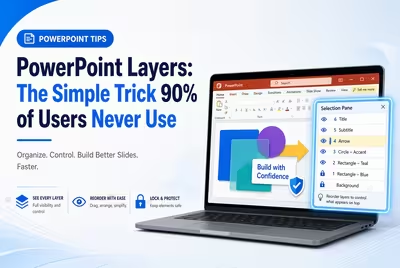

PowerPoint Layers: The Simple Trick 90% of Users Never Use
Tutorials

PowerPoint Layers: The Simple Trick 90% of Users Never Use

Most PowerPoint users move objects around until a slide looks right, but understanding layers gives you precise control over every shape, image, and text element.

The One Thing Investors Notice First in a Pitch Deck — and It's Not Design
Tutorials

The One Thing Investors Notice First in a Pitch Deck — and It's Not Design

It happens before anyone reads a line of text — and it has nothing to do with your color palette.

How to Format a Financial Report for Clearer Decisions
Tutorials

How to Format a Financial Report for Clearer Decisions

A practical guide to formatting a financial report so the important numbers are easy to find, compare, explain, and act on.

How to Create a Presentation for Negotiations
Tutorials

How to Create a Presentation for Negotiations

A negotiation presentation should do more than persuade. Learn how to structure slides around decisions, trade-offs, evidence, concessions, and the agreement you want.

How to Recover an Unsaved Presentation: Tricks That Can Save Your Slides
Tutorials

How to Recover an Unsaved Presentation: Tricks That Can Save Your Slides

Lost a PowerPoint presentation before saving it? Follow this recovery sequence, including AutoRecover, hidden recovery files, Version History, and practical last-resort checks.

How to Optimize PowerPoint for a Projector
Tutorials

How to Optimize PowerPoint for a Projector

A practical guide to preparing PowerPoint for projection, from slide size and contrast to resolution, safe margins, charts, images, and the final room test.

How to Create Smooth Slide Transitions That Feel Natural
Tutorials

How to Create Smooth Slide Transitions That Feel Natural

Smooth slide transitions are less about flashy effects and more about making each slide feel like a natural continuation of the previous one.

Google Slides Keyboard Shortcuts That Speed Up Your Work
Tutorials

Google Slides Keyboard Shortcuts That Speed Up Your Work

Stop reaching for the menus every few seconds. These Google Slides keyboard shortcuts are organized around the editing tasks that actually slow presentation work down.

Ready