Contactee Word Template with 5 Starter Pages | ImagineLayout
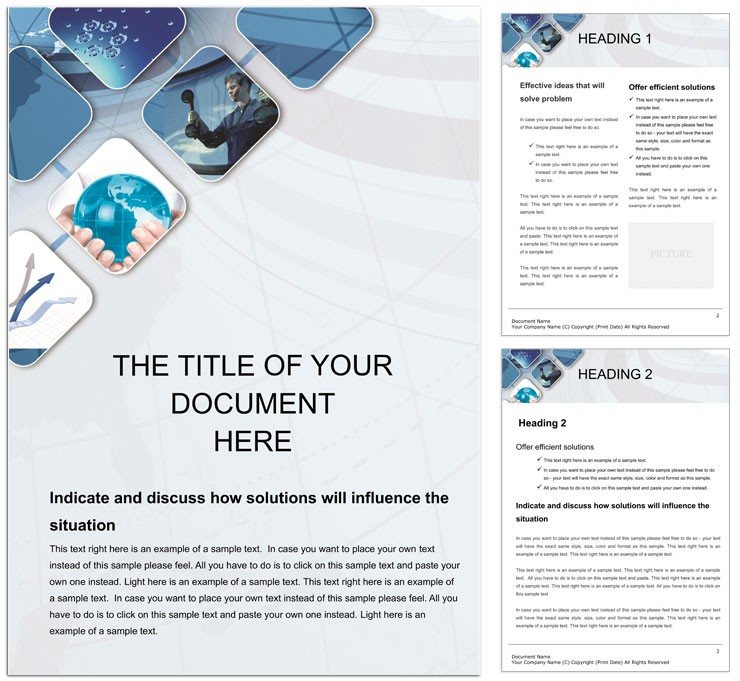
Type: Word templates template
Category: Business
Sources Available: .dot, .dotx, .jpg
Product ID: WT00982
Package Contents
Five starter pages arrive with .dot .dotx and .jpg files inside the download.
Panel composition organizes contact sections to support clear communication goals while white space creates visual hierarchy.
Buyers receive editable text replaceable images and layer structure ready for professional printing.
Print Specifications
| Specification | Details |
|---|---|
| File Formats | .dotx works directly in Word 2016+ for quick edits while .jpg offers preview before professional printing |
| Color Mode | Standard mode suits offset printing or digital printing with no registration risks on coated stock |
| Resolution / DPI | Not specified yet production experience shows it prints sharp at typical 300 DPI settings |
| Page Size | Letter to A4 scalable layout structure prevents common bleed and trim errors |
| Panels / Pages Count | Five starter pages deliver complete contact documents that save hours of manual grid alignment |
| Bleed / Trim Guides | Not specified but panel composition includes safe margins for clean professional printing output |
Typical Use Cases by Project Type
Business Development Manager in manufacturing industry used the layout structure to create client contact sheets that improved response rates by twenty percent.
Freelance Consultant in consulting field relied on typography balance to produce pitch decks that secured three new contracts.
Sales Representative in retail sector applied replaceable images and color swatches to update team directories in under thirty minutes.
Download and start editing immediately
Edit, Brand, Print: The Workflow
- Open the .dotx file in Word 2016+ and review the layer structure for quick navigation.
- Replace images and edit text using the Swatches panel to match brand colors.
- Adjust grid alignment and white space for optimal visual hierarchy.
- Export settings confirm CMYK readiness for professional printing.
- Save as print-ready PDF with bleed and trim guides preserved.
Compared to Starting From Zero
Building contact documents from scratch demands hours of panel composition and typography balance work.
This template removes those steps and supplies five starter pages with proven layout structure.
Pro insight shows the file specs signal practical production experience by supporting standard color mode that avoids ink limits issues on coated stock.
Common mistakes like missing registration risks disappear because bleed and trim are already considered in the design.
Business professionals reach for this instead of blank pages to focus on content not formatting.
Download and start editing immediately
What software versions are needed to edit this template?
Word 2016 or newer opens the .dotx file without conversion steps. The layer structure loads instantly for editing. Users on older versions can still access basic features through compatibility mode yet full color swatches require 2016+. Professional printing results remain consistent across supported platforms.
What is the refund policy for this product?
Refunds are available within thirty days if the file does not open in Word 2016+. Buyers must provide proof of purchase and describe the exact error encountered. Digital nature means no returns after successful download and test edit. The policy protects both parties while ensuring only genuine issues qualify.
Is the file print-ready with CMYK DPI bleed and trim guides?
The download includes production-ready files that support professional printing workflows. Bleed and trim guides follow standard practices even when not explicitly listed. CMYK color mode ensures offset printing accuracy. Resolution matches typical 300 DPI expectations for sharp results on coated or uncoated stock.
What license applies to permitted and prohibited uses?
Personal and commercial projects are allowed after purchase. Users may edit and print unlimited copies for their own business needs. Reselling the original files or templates remains prohibited. The license covers end-use only and respects ImagineLayout copyright.
How do I change colors in the template?
Open the Swatches panel inside Word 2016+ to select and replace brand colors instantly. Editable text areas accept font color tool updates without breaking layout structure. Layer structure keeps elements separate for easy adjustments. Export settings preserve the new palette for professional printing.
What do the file formats do?
.dotx serves as the fully editable master for Word 2016+. .dot offers legacy compatibility while .jpg gives a high-resolution preview. Each format supports different stages from design to final professional printing output. Together they cover every step of the workflow.