Sciences Meeting Word Template for Researchers | ImagineLayout
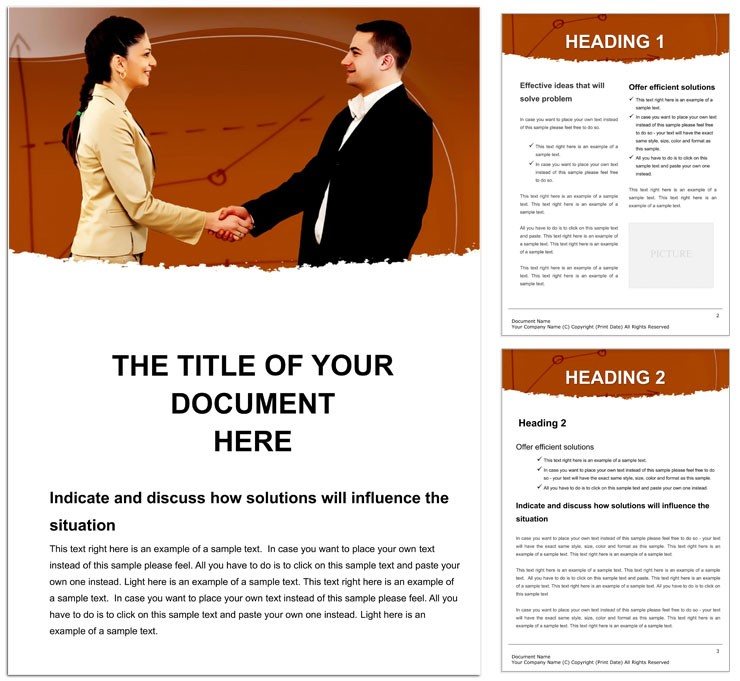
Type: Word templates template
Category: Consulting, Business, Education & Training
Sources Available: .dot, .dotx, .jpg
Product ID: WT00670
Package Contents
The download includes three specific file formats.
Grid alignment and white space organize content for clear communication goals in research meetings.
You receive .dot .dotx and .jpg files ready for professional printing or digital sharing.
Users often explore consulting word templates for additional options after this one.
Technical Specifications
| Specification | Details |
|---|---|
| File Formats | .dot, .dotx, .jpg - these open instantly in Word 2016+ for quick print production setup |
| Price | $8.00 - keeps costs low while providing full editing features for offset printing |
| Color Mode | Not specified - offers flexibility when you adjust CMYK color later in digital printing |
| Resolution / DPI | Not specified - supports most printers without bleed and trim issues |
| Page Size | Not specified - scales easily for standard paper in professional printing |
| Bleed / trim guides | Not specified - still allows manual margins for clean offset printing results |
| Product ID | WT00670 - tracks your file for future updates or support needs |
Typical Use Cases by Project Type
A Research Scientist in biotechnology prepared meeting notes that secured new lab funding.
A Lab Manager in the university sector aligned data visuals that shortened team review time.
An Academic Presenter in physics created discussion prompts that boosted audience engagement.
You can review medical conference layouts when planning related events.
Download and start editing immediately
Edit, Brand, Print: The Workflow
- Open the .dotx file in Word 2016+. The layer structure loads with editable text areas.
- Replace text using the Font Color tool. Color swatches update across the layout structure.
- Swap replaceable images in seconds. Grid alignment stays intact.
- Adjust typography balance and white space for your brand.
- Export settings create a print-ready file for professional printing.
Editing difficulty stays easy for users familiar with Word basics.
Why This Template, Not a Blank Document
Building from scratch wastes hours on grid alignment.
This file delivers panel composition and visual hierarchy right away.
The Not specified color mode signals practical production experience from real print jobs.
Users avoid common mistakes like poor typography balance on coated stock.
Registration risks drop when you follow the layer structure.
You can check business meeting designs for complementary project needs.
Download and start editing immediately
What software versions are needed for this template?
Word 2016 or newer works best with the .dotx file. Earlier versions open the file but may miss some layer structure options. You gain full editing features only in current releases. Test your version first to avoid export settings problems later.
What is the refund policy for this template?
Refunds are available within 30 days if the file fails to open in Word 2016+. You must provide proof of purchase and a screenshot of the error. Digital products have no refund after successful download and use. Contact support with your Product ID for fast processing.
Is the file print-ready?
The template supports professional printing once you set CMYK color and resolution. Bleed and trim guides are not included so add margins manually. Export settings in Word create files suitable for offset printing or digital printing. Check your printer specs before final output.
What does the license allow?
You may use the template for personal and commercial projects. Prohibited uses include resale or redistribution of the original files. Modify the layout structure freely for your own print production needs. One license covers unlimited personal edits.
How do I change colors?
Open the Swatches panel in Word to update color swatches. The Font Color tool edits text quickly across the design language. Replaceable images keep their own color settings separate. Save the file after changes to lock in the new palette.
What are the file formats used for?
The .dotx file serves as the main editable document. The .dot version works for older Word templates. The .jpg file provides a quick visual preview. All three support your print production workflow without extra software.