Soccer Sport Word Template for Coaches and Teams
Type: Word templates template
Category: Sports
Sources Available: .dot, .dotx, .jpg
Product ID: WT00639
Layout, Formats and Fold: Full Contents
Three file formats come ready for download. .dot and .dotx files offer full compatibility. .jpg images support visual elements.
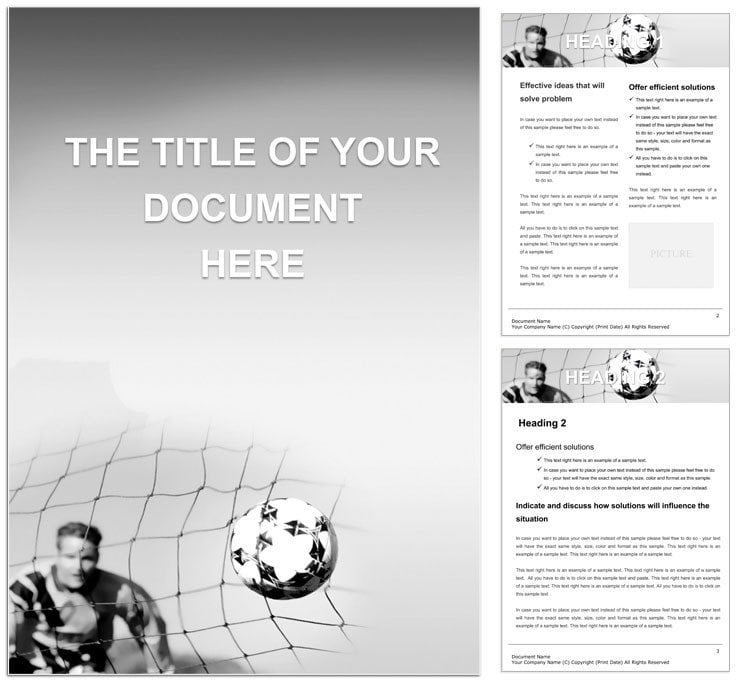
The page layout serves team communication goals with energetic design language. Sections maintain white space and grid alignment for readable sports materials. This structural detail keeps focus on content rather than formatting.
Buyers receive complete files ready for professional printing. Export creates print-ready output quickly. The formats support both digital printing and offset printing.
Color swatches and layer structure speed customization. Editable text keeps every revision efficient.
Print Specifications
| Specification | Details |
|---|---|
| File Formats | .dot, .dotx, .jpg - these provide broad Word support and visuals for fast creation of print-ready files |
| Pages Count | Not specified - structured pages still eliminate manual setup for sports reports |
| Color Mode | Not specified - Word export handles CMYK for professional printing requirements |
| Resolution / DPI | Not specified - .jpg assets deliver quality with proper export settings applied |
| Bleed / Trim Guides | Not specified - clean margins support trim handling in production workflows |
| Price | $5.00 - supplies complete tools for professional printing without extra costs |
| Product ID | WT00639 - identifies this verified sports template for practical document production |
From Download to Print-Ready File
Word 2016+ ensures the workflow stays straightforward for intermediate users. Advanced options still suit experienced designers working on team materials.
- Download the .dotx file and open it in Word 2016 or later to load complete styles.
- Replace text and images while preserving the layout structure and visual hierarchy.
- Change colors using Swatches panel and fine tune typography balance.
- Export the file as PDF to obtain the final print-ready file.
How Event Planners Use This Layout
A Sports Coach in athletics built team playbooks that improved player performance.
An Event Organizer in sports events produced programs for tournaments with record attendance.
A Team Administrator in professional leagues managed season reports distributed to fans.
Download and start editing immediately
What You'd Need to Set This Up Yourself
Setting up a blank document yourself requires time to define panel composition and white space. This template covers the needs of sports documents right away.
Many explore the sports-word-templates category for more matching designs.
The built-in features reduce errors common in manual layout creation.
Not specified colors perform reliably on coated stock while .dotx files minimize registration risks during offset printing.
View the similar football goals option at this linked page or check complementary player designs via this soccer player template.
Download and start editing immediately
What software versions are needed to edit this Word template?
The template works best with Word 2016 or later versions on Windows or Mac. Earlier editions may open the .dot format but lose some .dotx advanced features such as full color swatches. Users benefit from the latest updates to access every layer structure and editable text field without issues. This setup supports smooth handling of panel composition during professional printing preparation.
What is the refund policy for purchased templates?
Refunds are issued only if the downloaded file is corrupted and cannot be opened in Word 2016 or later. Users must contact support within 30 days of purchase and provide proof of the issue. No refunds apply once the file opens successfully and editing begins. This policy protects the production process while giving buyers clear protection for print-ready file delivery.
How can I make sure the file is print-ready for offset or digital printing?
The file becomes print-ready once exported from Word using CMYK settings and correct DPI for the .jpg assets. Bleed and trim guides are not specified but standard margins deliver clean results for professional printing. Users should verify export settings before sending to offset printing or digital printing services. This approach covers the needs of both workflows and avoids common production errors.
What does the license permit and prohibit for the template files?
The license permits personal and commercial use including creation of unlimited printed documents. Users may modify the editable text and replaceable images for their own projects. Redistribution or resale of the original .dotx files is strictly prohibited. Enterprise licensing options exist for larger organizations needing additional rights.
How do I change colors in the template using Word tools?
Open the Swatches panel in Word to update theme colors across every page at once. The Font Color tool allows targeted adjustments to individual text elements without breaking layout structure. Changes apply instantly to maintain visual hierarchy and typography balance. Save the modified file as a new .dotx to preserve the updated color swatches for future use.
What are the file formats and their specific uses?
The .dot format works for older Word versions while .dotx supports modern features and layer structure. .jpg files provide high quality images for quick replacement in documents. All three formats together support print production needs from screen preview to final professional printing. Users choose the best one based on their editing features requirements.
How are fonts handled in the .dotx file?
Fonts are embedded within the .dotx file so no separate installation is required on most systems. Outlined previews appear in the .jpg assets for reference. Users can substitute fonts through the style pane if a specific typeface is unavailable. This ensures consistent typography balance and design language regardless of the computer used for editing.