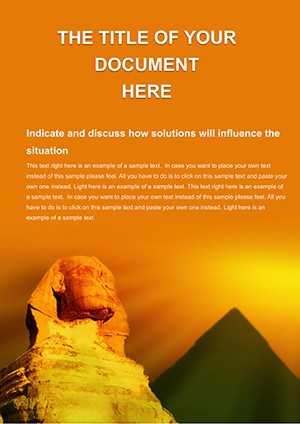
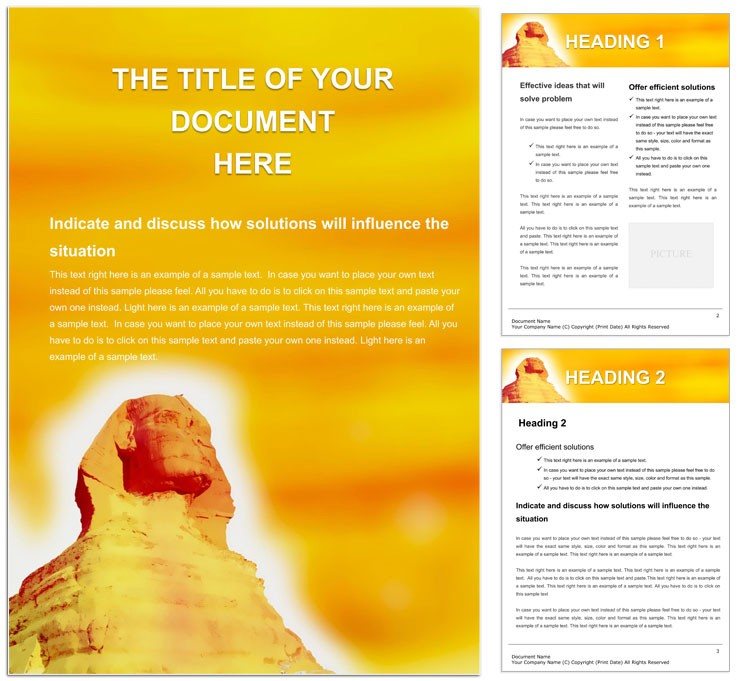
44-Page Sphinx Word Template for Historians
Type: Word templates template
Category: Tourism - Voyage
Sources Available: .dot, .dotx, .jpg
Product ID: WT00587
44 Pages, 3 Formats: What You Get
Forty four pages arrive packed with three file formats. .dot and .dotx files give flexibility across Word versions. Supporting .jpg images complete the package.
The multi page structure serves the buyer's goal of presenting detailed Egypt research with clear visual hierarchy. Dedicated sections maintain grid alignment and white space balance throughout long documents. This concrete layout decision eliminates repetitive manual adjustments.
Buyers receive full print production support through the included files. Professional printing becomes straightforward once exported from Word. The formats cover needs of both digital and offset workflows.
Editable text and replaceable images speed up every revision. Color swatches keep typography balance consistent page after page.
Technical Specifications
| Specification | Details |
|---|---|
| File Formats | .dot, .dotx, .jpg - these support legacy and modern Word versions while adding visual elements for quick themed insertion in print-ready files |
| Pages Count | 44 pages - pre-structured layout removes manual page setup for professional printing of tourism documents |
| Color Mode | Not specified - yet Word export settings cover CMYK needs for offset printing and digital printing |
| Resolution / DPI | Not specified - .jpg assets maintain quality when users apply correct export settings before professional printing |
| Bleed / Trim Guides | Not specified - standard margins ensure clean output for bleed and trim handling in production |
| Price | $8.00 - delivers complete value without extra costs for print-ready file preparation |
| Product ID | WT00587 - confirms verified entry designed for practical production experience in tourism projects |
Three Projects Where This Template Fits
A Tourism Consultant in the travel industry produced a restoration proposal that secured grant funding through clear panel composition.
An Egyptologist Researcher in academia completed a journal article accepted for publication thanks to strong visual hierarchy.
A Travel Content Creator in media developed an itinerary that doubled reader engagement via balanced typography and grid alignment.
Download and start editing immediately
Edit, Brand, Print: The Workflow
Word 2016+ makes customization straightforward for intermediate users. Advanced features still suit pros who need layer structure control.
- Download the .dotx file and open it directly in Word 2016 or later so all styles load instantly.
- Replace placeholder text and images using the editable text fields and replaceable images while preserving panel composition.
- Modify colors via the Swatches panel and adjust typography balance to match brand requirements.
- Export as PDF with proper settings to create the final print-ready file for professional printing.
Compared to Starting From Zero
Building from scratch demands hours setting up grid alignment and white space on every page. This template removes those steps and covers the needs of multi page documents.
Many users head to the Tourism - Voyage Word Templates category for more options that support their workflow.
Professionals avoid common mistakes like inconsistent layout structure when they start here instead of a blank document.
The .jpg assets and .dotx structure signal practical production experience with tourism documents. Not specified colors still work well for coated stock when exported correctly and reduce registration risks in offset printing.
Discover similar designs at this linked page or explore complementary travel assets at this tourist flight template for added variety.
Download and start editing immediately
What software versions are needed to edit this Word template?
The template works best with Word 2016 or later versions on Windows or Mac. Earlier editions may open the .dot format but lose some .dotx advanced features such as full color swatches. Users benefit from the latest updates to access every layer structure and editable text field without issues. This setup supports smooth handling of panel composition during professional printing preparation.
What is the refund policy for purchased templates?
Refunds are issued only if the downloaded file is corrupted and cannot be opened in Word 2016 or later. Users must contact support within 30 days of purchase and provide proof of the issue. No refunds apply once the file opens successfully and editing begins. This policy protects the production process while giving buyers clear protection for print-ready file delivery.
How can I make sure the file is print-ready for offset or digital printing?
The file becomes print-ready once exported from Word using CMYK settings and correct DPI for the .jpg assets. Bleed and trim guides are not specified but standard margins deliver clean results for professional printing. Users should verify export settings before sending to offset printing or digital printing services. This approach covers the needs of both workflows and avoids common production errors.
What does the license permit and prohibit for the template files?
The license permits personal and commercial use including creation of unlimited printed documents. Users may modify the editable text and replaceable images for their own projects. Redistribution or resale of the original .dotx files is strictly prohibited. Enterprise licensing options exist for larger organizations needing additional rights.
How do I change colors in the template using Word tools?
Open the Swatches panel in Word to update theme colors across every page at once. The Font Color tool allows targeted adjustments to individual text elements without breaking layout structure. Changes apply instantly to maintain visual hierarchy and typography balance. Save the modified file as a new .dotx to preserve the updated color swatches for future use.
What are the file formats and their specific uses?
The .dot format works for older Word versions while .dotx supports modern features and layer structure. .jpg files provide high quality images for quick replacement in documents. All three formats together support print production needs from screen preview to final professional printing. Users choose the best one based on their editing features requirements.
How are fonts handled in the .dotx file?
Fonts are embedded within the .dotx file so no separate installation is required on most systems. Outlined previews appear in the .jpg assets for reference. Users can substitute fonts through the style pane if a specific typeface is unavailable. This ensures consistent typography balance and design language regardless of the computer used for editing.