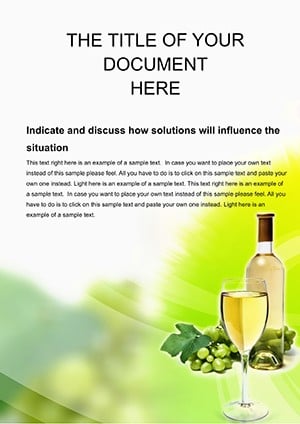
Elegant Wine Company Word Template Design | ImagineLayout
Type: Word templates template
Category: Food & Beverage
Sources Available: .dot, .dotx, .jpg
Product ID: WT00539
What's Inside the Download
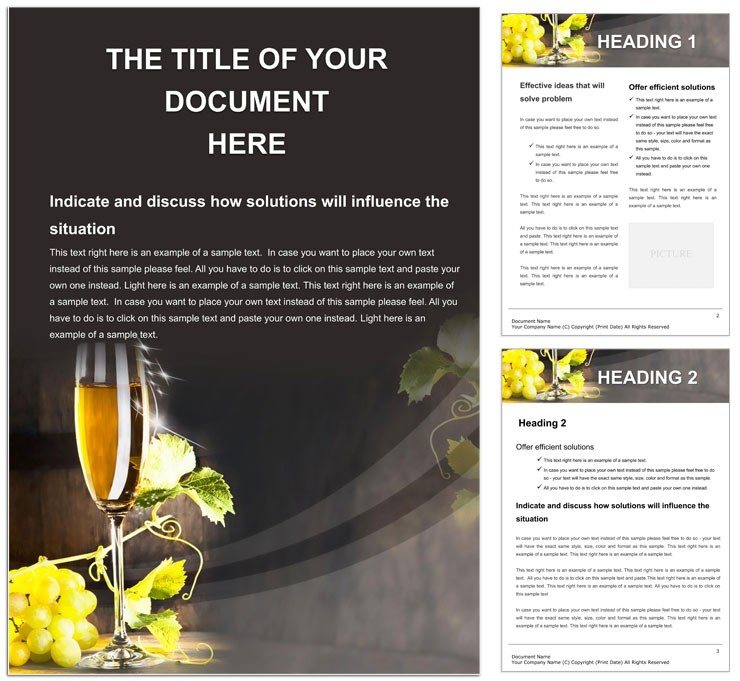
Three file formats come inside the package. You receive the fully editable .dotx plus supporting files. Multi-page layout structure supports detailed brand documents.
Grid alignment guides content flow across pages. White space creates strong visual hierarchy. Typography balance keeps every section readable.
Users often explore the Food & Beverage category for more options. Editable text and replaceable images arrive ready for use. Print specs support professional printing once configured.
Technical Specifications
Several details define production value here. Page size fits common office needs. File formats enable flexible workflows.
| Specification | Details |
|---|---|
| Page Size | Letter-sized pages support standard printing and binding without custom setup. |
| File Formats | .dot .dotx .jpg The .dotx ensures full editability while JPG provides instant preview for client approvals. |
| Color Mode | Not specified Flexible mode lets you select CMYK for professional printing to meet ink limits. |
| Resolution / DPI | Not specified High quality output results when you set 300 DPI in export settings for sharp results. |
| Bleed / Trim Guides | Not specified Add your own guides in Word to prepare for commercial printers and avoid trim errors. |
| Price | $8.00 This price gives immediate access to production-ready files for any project scale. |
| Product ID | WT00539 Track this ID for version updates and support from the team. |
Layer structure keeps elements organized. Export settings remain straightforward. These facts come from real Word production experience.
Who Reaches for This Design
A winery marketing manager in the beverage industry created a detailed client proposal. The layout structure delivered clear visual hierarchy that secured a major distributor contract within weeks.
A vineyard operations director in agriculture prepared an annual report. Replaceable images and color swatches helped present harvest data with strong typography balance and grid alignment.
A sommelier event coordinator in hospitality designed tasting notes for a corporate event. Editable text sped up final changes before the print deadline.
Download and start editing immediately
Customization in 5 Steps
The workflow uses Microsoft Word 2016+. Editing difficulty stays low for users with basic document experience. Color swatches and layer structure speed every change.
- Open the .dotx file in Word 2016 or newer on your computer.
- Replace editable text areas with your own copy using standard selection tools.
- Swap placeholder images via the insert picture function for quick updates.
- Adjust colors through the swatches panel or font color tool as needed.
- Review export settings then save as PDF for final print-ready output.
Export settings ensure clean results. Replaceable images maintain layout structure. You finish ready for digital printing or offset printing.
Why This Template, Not a Blank Document
Building from scratch takes hours of manual setup. This template removes the manual step of creating vineyard-themed layouts from zero. You save time while keeping professional printing standards.
Basic Word knowledge suffices here. Advanced layout skills become unnecessary. Common mistakes like poor margin alignment disappear with the preset grid.
Explore similar designs such as Sophisticated Wine Tasting Word Templates. The .dotx format with its layer structure signals practical production experience from real office workflows. Even with color mode not specified you control ink limits by choosing coated or uncoated stock in your printer settings. Registration risks stay low when you align elements using the grid in Word.
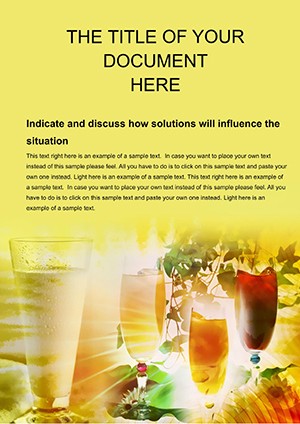
Users often check complementary options like Refreshing Drinks Word Template for related projects. Print-ready file preparation becomes straightforward. Bleed and trim get handled once you add guides.
Download and start editing immediately
What software versions are needed to edit this template?
Microsoft Word 2016 or newer supports the .dotx file format fully. Earlier versions may encounter compatibility issues with advanced features. You can edit on Windows or Mac systems without additional plugins. Always update your software for the best editing experience and to access all swatches.
What is the refund policy for this template?
Refunds are issued within 14 days of purchase if the file fails to open in Word 2016+. You must provide proof of purchase and describe the issue encountered. The policy excludes cases where the user has modified the file before requesting a refund. Contact support with your order details to start the process.
Are the files print-ready?
The files support print-ready output after you set the correct color mode in Word. Bleed and trim guides are not pre-set so you add them manually for commercial jobs. CMYK color ensures professional printing results when configured properly. Export to PDF with the right settings for digital or offset printing.
What does the license permit and prohibit?
The license allows personal and commercial use of the edited documents. You can create unlimited projects with the downloaded files. Reselling or redistributing the original template files is prohibited. Always credit the source if required by your project terms.
How do you change colors in the template?
Open the Swatches panel in Word to modify the color palette easily. The Font Color tool lets you update text hues in seconds. Replaceable images also support custom color adjustments through image editing tools. This approach maintains visual hierarchy and typography balance across pages.
What are the file formats and what is each used for?
The .dotx serves as the main editable template for Word. The .dot provides legacy compatibility for older Word versions. JPG files offer a quick visual preview of the layout design. Together they cover all needs for design and production.
How are fonts handled in the template?
Fonts are embedded where possible to preserve exact appearance on any device. Some designs require you to install specific fonts for full match. The layer structure helps you outline text if needed before export. This setup supports consistent results in professional printing.