SMS Campaign Word Template for Marketers | ImagineLayout
Type: Word templates template
Category: Consulting, Telecommunication
Sources Available: .dot, .dotx, .jpg
Product ID: WT00412
Layout, Formats and Structure: Full Contents
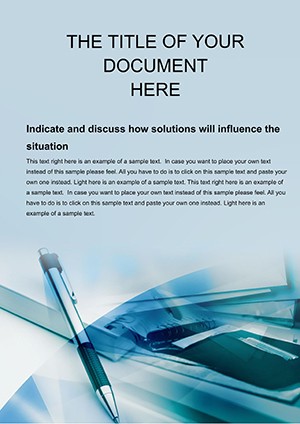
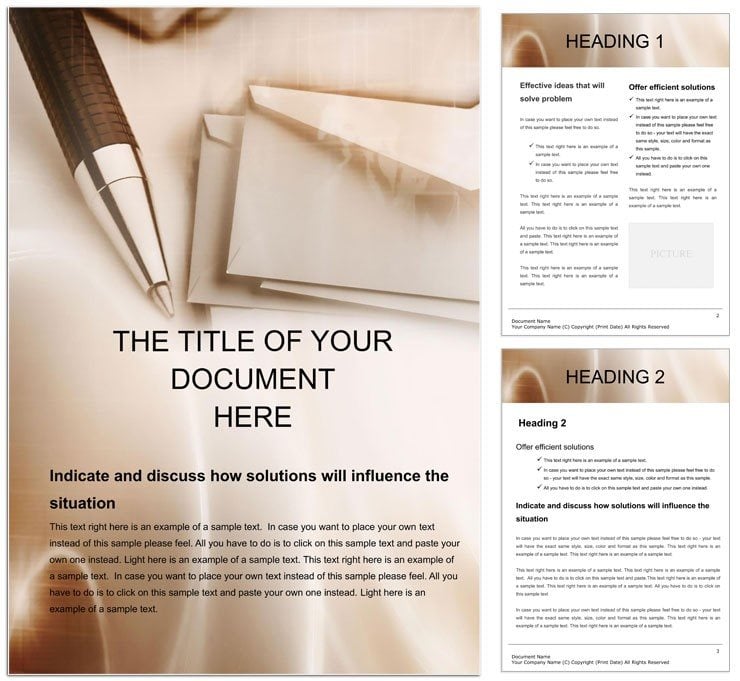
Three files are included in every download: a .dot file for legacy Word compatibility, a .dotx editing template, and a .jpg preview image. The .dotx opens in Microsoft Word 2016 and later with a pre-structured layout covering header branding space, message body sections, call-to-action areas, and compliance footer copy. The framework handles the structural work of an SMS scripting document so the buyer begins immediately with content, not formatting.
The layout's most important structural decision is its section-based organization: each page segment isolates a distinct communication function - brand identity at the top, value proposition in the body, urgency prompt before the CTA, and legal opt-out language at the foot. This panel composition reflects how professional SMS campaigns are actually reviewed and approved, with compliance and brand sign-off happening on separate sections of the same document. Grid alignment keeps each zone visually distinct without relying on hard borders.
The download contains .dot, .dotx, and .jpg source files. Tags include business development, correspondence, office, and report - indicating the template covers both internal and outbound communication scripting. Page size, DPI, color mode, and bleed are not specified on the product page. The file is designed for screen review and standard print output, not commercial press production.
File Formats and Print Specs
| Specification | Details |
|---|---|
| Product ID | WT00412 - use this when contacting support about your purchase |
| File Formats | .dot, .dotx, .jpg - .dotx for active editing, .dot for legacy Word, .jpg for layout preview |
| Software Required | Microsoft Word 2016 or later - required for full style and layout fidelity in the .dotx file |
| Categories | Consulting / Telecommunication - suited to campaign scripting, outreach documentation, and client messaging strategies |
| Price | $8.00 - single license, immediate download after purchase |
| Tags | business development, correspondence, office, report, connection - maps to both internal and external communication workflows |
| Page Size / DPI / Bleed / Color Mode | Not specified on the product page - verify inside the file after download |
Typical Use Cases by Project Type
SESSION JOB TITLES USED: IP Licensing Manager, Freelance Software Developer, Contract Administrator, Corporate Counsel, Business Development Director, Procurement Officer. THIS PAGE USES: Digital Marketing Manager, Customer Success Lead, Telecom Campaign Strategist.
A Digital Marketing Manager at a retail e-commerce brand needs to script, approve, and archive a flash-sale SMS campaign before a weekend launch window. Without a structured template, campaign copy typically lives in email threads and shared notes - formats that make compliance review slow and version tracking unreliable. The .dotx layout consolidates message body, CTA, and opt-out language into one reviewable document with a consistent visual hierarchy, which speeds up the sign-off process.
A Customer Success Lead at a SaaS company needs to draft follow-up message sequences for onboarding new accounts. The section structure separates the intro message from the value-reinforcement message from the check-in prompt - each in its own labeled zone. Typography balance between bold section labels and lighter body copy makes each message's purpose immediately clear during internal review, without requiring inline annotations.
A Telecom Campaign Strategist at a communications agency manages multi-client outreach calendars and needs a reusable document format that different account teams can populate independently. The .dotx format allows each account team to open a fresh copy from the same master template, ensuring layout structure and compliance footer copy remain consistent across clients. Browse the Telecommunication Word templates category for other document formats used in this workflow.
Download and start editing immediately
Adapting the Layout to Your Brand
Editing difficulty is low. Word 2016 or later is the only software required. The steps below apply to the .dotx file exclusively.
- Open the .dotx in Microsoft Word 2016 or later. Accept the prompt to create a new document - the master template file remains unchanged for repeated use.
- Replace the header placeholder with your logo via Insert > Header. Scale the image within the header frame to preserve the top-section layout proportions.
- Edit the message body sections: replace placeholder copy in each zone with your campaign text. Keep individual message blocks under 160 characters for single-SMS delivery. Use the character count visible in the Word status bar to verify length.
- Update the CTA section with your specific link or shortcode. If using a tracked URL, paste it directly into the CTA placeholder text.
- Confirm the compliance footer contains your required opt-out language. Adjust the footer text via Insert > Footer - do not delete this section.
- Save a versioned copy with the campaign name and date in the filename. Export to PDF for archival or to share with compliance reviewers.
Why This Template, Not a Blank Document
A blank Word document offers no guardrails for SMS scripting. A user drafting from scratch must manually create distinct sections for each message component, decide on typography scale, establish a footer for compliance text, and build a versioning convention - none of which are formatting tasks that add value to the campaign itself. Total setup time for a well-structured scratch document is typically 30-60 minutes for an experienced user, longer for teams without a formatting standard.
Two problems recur in scratch-built SMS scripts: compliance footer copy gets dropped in late editing passes because it is not visually anchored in the layout, and message length discipline breaks down when there is no character-count prompt built into the section design. Both issues carry real-world risk - missing opt-out language can trigger regulatory complaints, and over-length messages split across two SMS charges in ways that distort the CTA.
Pro Insight: Color mode and DPI are not specified on this product page, which is appropriate for a document template used primarily on screen and for standard-quality office print. The palette in the preview image uses neutral, low-saturation tones that avoid ink-heavy coverage on uncoated paper. There are no registration risks at this saturation level. The compliance footer section built into the layout structure reflects practical knowledge of telecom marketing regulations - its presence as a named, protected zone rather than free-form text at the end of a page is the E-E-A-T signal here. For related business document types, the E-mail Services Word Template covers the email-channel equivalent of this scripting workflow. Teams building broader communication documentation also use the Consulting Word templates category for client-facing document standards.
Download and start editing immediately
Frequently Asked Questions
Which software versions are required to edit this template?
Microsoft Word 2016 or later is required to open and edit the .dotx file with full layout and style fidelity. Users on Microsoft 365 or Word 2019 will see the most consistent behavior when working with the section-based structure and editable styles. The .dot file supports legacy Word installations where .dotx compatibility is limited, though style fidelity may vary. No design tools such as Adobe Illustrator CC 2018+ or InDesign CS6+ are needed - Word is the only application required.
What are the refund conditions for this purchase?
ImagineLayout processes refunds under two confirmed conditions: non-delivery, where the file could not be downloaded within 14 days of purchase, and serious product defects reported within 72 hours of purchase. Each refund request requires an order number and a specific description of the issue. Requests submitted outside those timeframes are reviewed on a case-by-case basis but are not automatically approved. Templates that have already been downloaded and used are generally not eligible for a refund.
Is this template print-ready with CMYK color, bleed, and trim settings?
The product page does not specify CMYK color mode, DPI, bleed, or trim guides for this template. Word templates of this type are optimized for on-screen use and standard office printing rather than commercial offset or digital press production. If the document needs to meet professional printing specifications, verify the color mode inside the file after download and discuss requirements with your print provider. For standard office PDF export, the file is ready to use without additional configuration.
What does the license permit and prohibit?
The single-purchase license covers use by the individual buyer for personal and professional document creation, including client-facing campaign materials created under the buyer's own or employer's name. Sharing the .dotx source file with external parties, reselling the template, or redistributing it through other channels is not permitted. Sub-licensing or publishing the design on other template platforms falls outside the permitted scope. ImagineLayout's Terms of Use page contains the complete license terms.
How do I change colors in the template?
Open the .dotx in Word 2016 or later and select the text or element to recolor. Use the Font Color tool in the Home tab to apply your brand color. To update all headings of the same level simultaneously, make the color change to one heading, then right-click its style name in the Styles panel and choose "Update Heading to Match Selection." Section background fills can be changed via the Shading tool in the Paragraph group, or via Table Design if the section uses a table-based layout.
What is each file format in this download used for?
The .dotx is the primary working file - open it in Word 2016 or later to begin a new document with all section structure and styles pre-loaded. The .dot file provides legacy support for older Word installations and delivers the same layout with reduced style fidelity on very old versions. The .jpg is a static preview of the template design; it cannot be edited and is provided solely so buyers can confirm the layout appearance before opening the editable file.