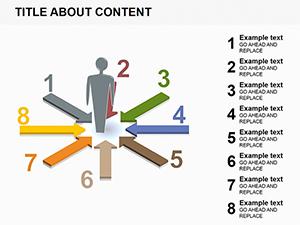
Stop cluttering your slides with heavy text and start communicating through high-impact visuals. Our collection of PowerPoint diagram templates is designed for professionals who need to translate complex data into clear, actionable insights. Whether you are mapping out a supply chain or explaining a multi-layered marketing strategy, these ready-to-use layouts ensure your audience stays engaged from the first slide to the last.
Every template in this library is fully editable and built with modern design principles in mind. We move beyond the basic shapes found in standard software to provide you with professional, custom-crafted graphics that reflect the quality of your work. From minimalist flat designs to 3D isometric perspectives, you will find the perfect visual metaphor for any business scenario.
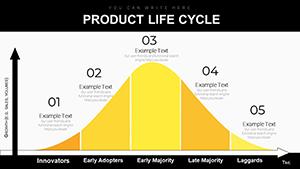
Navigate Market Waters: PowerPoint Diagrams for Life Cycle Mastery
ID: #PD00220
$16.00
(35)
Information PowerPoint Diagrams: Clarity in Every Curve
ID: #PD00205
$22.00
(669)
Rings Connection PowerPoint Diagrams: Forge Visual Bonds in 3D
ID: #PD00186
$15.00
(783)
Infographic Reading Books PowerPoint Diagrams: Storytell with Visuals
ID: #PD00119
$24.00
(967)
Events PowerPoint Diagrams: Elevate Your Next Conference or Workshop
ID: #PD00095
$18.00
(236)
Versatile Collection: PowerPoint Diagrams Pack
ID: #PD00056
$22.00
(185)
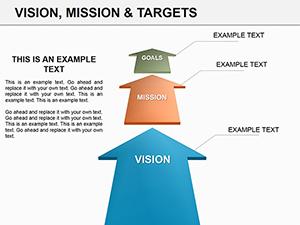
Vision and Mission PowerPoint Diagrams Template
ID: #PD00015
$18.00
(393)
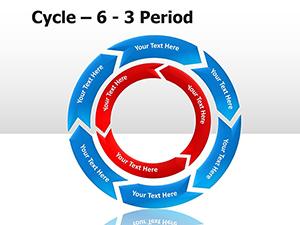
Cycle Period PowerPoint Diagrams
ID: #PD00006
$22.00
(180)
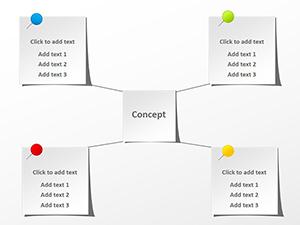
Paper Stickers PowerPoint Diagrams: Bringing Playful Precision to Your Slides
ID: #PD00005
$12.00
(988)
People Communication PowerPoint Diagram Set
ID: #PD00001
$20.00
Transform Data into Narrative with Modern Diagrams
A great presentation is more than just information; it is a story. Our diagrams help you tell that story by providing a structural backbone for your ideas. Instead of a bulleted list, imagine showing your team a sleek 5-step circular process or a dynamic funnel that clearly illustrates the customer journey.
Real-World Use Cases for Every Industry
Corporate Strategy: Use SWOT analysis and matrix diagrams to present market positioning and competitive advantages.
Project Management: Track milestones and workflows using Gantt charts, Scrum boards, and roadmap timelines.
Marketing & Sales: Visualise lead generation funnels, buyer personas, and social media growth metrics.
Education & Training: Simplify complex theories using hierarchy pyramids, Venn diagrams, and cycle charts.
Why Choose ImagineLayout Diagrams Over Default Options?
Standard PowerPoint shapes often look dated and lack the professional polish required for high-stakes meetings. Our templates offer several key advantages:
Time Efficiency: Save hours of manual drawing and alignment. Just pick a slide, plug in your text, and you are ready.
Consistency: Maintain a uniform look across your entire deck with pre-set colour palettes and typography.
Scalability: All graphics are vector-based, meaning they remain crisp and sharp even on large 4K projector screens.
Creative Tips for Using Diagrams Effectively
To get the most out of your download, follow these best practices for presentation design:
Embrace White Space: Don't feel the need to fill every corner. Let your diagram breathe so the audience knows exactly where to look.
Use Subtle Animation: Use the "Appear" or "Wipe" animations to reveal diagram parts one by one as you speak. This keeps the audience in sync with your narration.
Limit Your Colours: Stick to 2-3 primary colours that align with your brand. Excessive colours can distract from the actual data.
Ready to elevate your next deck? Browse our library and download a free sample or unlock the full collection for unlimited access.
Frequently Asked Questions
Are these diagrams compatible with Google Slides?
Yes! While designed for PowerPoint, you can easily import these files into Google Slides or Keynote while maintaining most formatting and editability.
Can I change the colours to match my brand?
Absolutely. All elements are vector shapes, allowing you to change colours, borders, and effects with just a few clicks using the standard PowerPoint theme settings.
Do I need advanced design skills to use these?
No design skills required. Our templates are "plug-and-play." If you can type in a text box, you can create a professional-grade presentation.