Statue and building Keynote templates are designed for powerful visual storytelling where architecture monuments and historic landmarks become the center of attention. Whether you are presenting an urban development concept a cultural heritage project or an academic lecture these slides help you communicate structure scale and significance with clarity.
Each template in this collection is fully editable and optimized for Apple Keynote. You can easily adjust colors typography images and layouts to match your brand or topic. From modern skyscrapers to classical statues and iconic city landmarks these ready to use slides provide a professional framework that saves time and enhances impact.
Create presentations that look refined structured and visually impressive without starting from scratch. Simply insert your content customize the visuals and deliver with confidence.


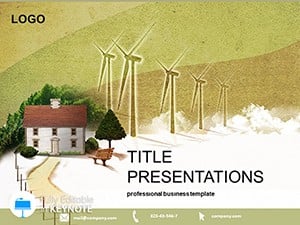



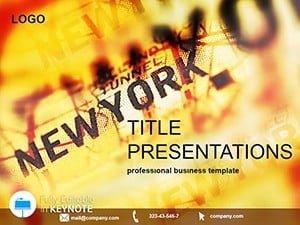
Architecture and monument themed presentations require balance between visual strength and structured information. Default slides rarely provide layouts that highlight buildings or statues in a meaningful way. These Keynote templates are created specifically to showcase large scale structures historic landmarks and architectural achievements with elegance and precision.
Instead of adapting generic slides you get layouts designed for:
The result is a presentation that feels intentional professional and visually cohesive.
Present building concepts renovation plans or infrastructure proposals with strong visual context. Use slides to show blueprints project milestones 3D renders and site analysis in a clean structured format.
Teachers lecturers and researchers can showcase historic monuments statues and architectural movements. Combine imagery with timelines facts and analysis for engaging educational sessions.
Promote destinations known for iconic landmarks. Highlight city attractions famous statues and architectural wonders with visually compelling layouts that inspire audiences to explore.
Developers and consultants can present new residential or commercial projects. Display site maps building features investment benefits and project phases with clarity.
While default themes provide a basic structure they lack thematic depth. Statue and building templates offer:
This means less formatting time and more focus on your message.
Buildings and statues are visually impactful. Dedicate space to high resolution images and avoid overcrowding slides with text.
Combine wide angle images with close up details. This technique helps your audience understand both the grandeur and craftsmanship of the structure.
Use short bullet points and clear section dividers. Let the architecture speak while your content supports the narrative.
Choose color accents that complement the architectural theme such as stone gray urban blue or classical beige tones.
Ready to create a presentation that stands tall like the structures you showcase. Explore the collection and choose a design that fits your vision.
Yes all slides are fully editable. You can change images colors fonts layouts and add your own architectural content easily.
Yes they are suitable for business real estate marketing architecture proposals and client presentations.
Each template includes a variety of layouts such as title slides content slides comparison slides timelines and image focused designs.
Absolutely they are ideal for history architecture art and cultural heritage presentations in schools and universities.
Copyright © 2009-2026 ImagineLayout All rights reserved.


