School PowerPoint Shapes

Enhance your educational presentations with our versatile School PowerPoint Shapes. Designed for teachers students and content creators these editable shapes help you visually communicate concepts effectively.

From geometric figures to thematic vectors each shape is fully customizable allowing you to create interactive slides that capture attention and simplify learning.


View by: Last Added | Most Popular
  • like 3
    (1081)
    Portugal Maps Keynote Template: Chart Courses with Elegance
    ID: #PS00048
    $8.00
  • like 2
    (1002)
    Ignite Holiday Spark with Creative Christmas PowerPoint Shapes
    ID: #PS00045
    $10.00
  • like 3
    (464)
    Christmas Badges Shapes for Festive Decks
    ID: #PS00036
    $12.00
  • like 2
    (259)
    Christmas Numbers PowerPoint Shapes: Editable Holiday Template
    ID: #PS00035
    $8.00
  • like 4
    (235)
    High-Impact PowerPoint Shapes Templates for Captivating Presentations
    ID: #PS00030
    $13.00
  • like 5
    (554)
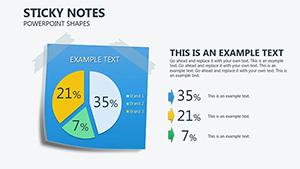
    Download Sticky Notes PowerPoint Shapes Template - Google Slides
    ID: #PS00028
    $10.00
  • like 4
    (895)
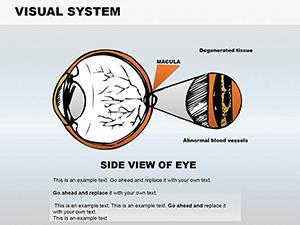
    Visual System Medicine PowerPoint Shapes: Eye Anatomy Slides
    ID: #PS00026
    $18.00
  • like 3
    (419)
    Hand Anatomy PowerPoint Shapes: Detailed Medical Diagrams
    ID: #PS00025
    $20.00


Why Choose School PowerPoint Shapes

Our school-themed shapes offer a superior alternative to standard templates by providing detailed editable elements that make presentations more engaging and visually appealing.

Real-World Use Cases

  • Classroom lessons and lectures
  • Student projects and homework presentations
  • Educational reports and research showcases
  • Teacher training and workshops
  • School event planning and presentations

Benefits vs. Default Templates

Unlike generic templates our school shapes are fully editable scalable and designed for clarity making your slides professional and attention-grabbing.

Creative Tips and Best Practices

  • Combine different shapes to illustrate complex ideas
  • Use color coding to categorize topics
  • Add animations to highlight key points
  • Maintain consistent style across slides

Start creating impactful presentations today by downloading our collection and transforming ordinary slides into memorable educational experiences.

FAQs

Are these shapes compatible with all PowerPoint versions?

Yes these shapes work seamlessly with PowerPoint 2010 2013 2016 2019 and Office 365.

Can I customize colors and sizes?

Absolutely every shape is fully editable allowing you to adjust colors sizes and orientation to match your presentation style.

Is this suitable for student projects?

Yes these shapes are perfect for student assignments projects and class presentations to make content more engaging.

Do these shapes support animations?

Yes you can add PowerPoint animations to each shape to emphasize important points and create dynamic slides.

Is there a limit to how many shapes I can use?

No you can use as many shapes as needed in your slides without any restrictions.