Present complex technical ideas with clarity using IT and Technology PowerPoint diagram templates designed for modern business communication. Whether you are explaining network infrastructure cloud architecture cybersecurity workflows or software development cycles these ready to use slides help you turn detailed data into visual stories that are easy to understand.
Each template is crafted for professionals who need structured layouts clean design and fully editable elements. Modify shapes icons colors and text in seconds to match your brand or project requirements. From system architecture schemes to digital transformation roadmaps these diagrams help you deliver presentations that look polished confident and up to date.



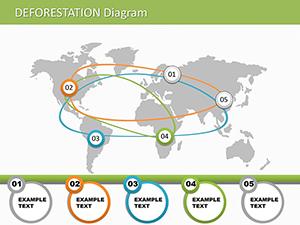
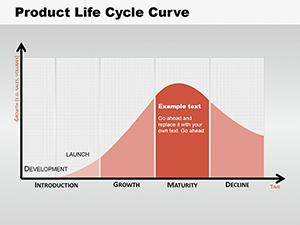

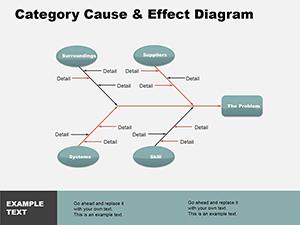
Technology topics often involve complex processes multiple systems and layered structures. Standard slides rarely provide the flexibility required to explain servers databases integrations APIs or security frameworks in a clear and logical way. These IT focused diagram templates are built specifically to support technical storytelling.
Instead of spending hours aligning shapes or designing flows from scratch you can start with a professionally structured layout. Every diagram is fully editable allowing you to adapt elements for enterprise architecture presentations startup pitches product demos or internal technical briefings.
IT managers and CTOs can present infrastructure upgrades digital transformation strategies or cybersecurity plans using structured diagrams. Visual roadmaps make it easier for stakeholders to understand budgets timelines and technical dependencies.
Instructors and trainers can use these templates to explain programming logic data flow cloud computing models or hardware architecture. Diagrams simplify abstract technical concepts for students and new employees.
When launching SaaS platforms apps or IT services visual diagrams help illustrate system benefits integrations and user journeys. Clear graphics build trust and demonstrate expertise.
Show how your platform works under the hood. Architecture diagrams and workflow visuals make your innovation tangible for non technical investors.
Default presentation layouts are generic and often lack structure for technical content. These technology diagram templates provide:
The result is a presentation that looks credible and well prepared rather than improvised.
Small visual decisions can dramatically improve how your audience perceives technical information.
From artificial intelligence and blockchain to cloud migration and DevOps pipelines these templates reflect current technology trends. Use them to communicate innovation strategy and digital transformation plans in a structured way. Download your preferred design and start building a professional presentation today.
Explore the collection and choose the diagrams that match your project goals. Upgrade your next technology presentation with visuals that speak clearly and confidently.
Yes all shapes icons and text elements can be edited resized and recolored directly in PowerPoint to match your brand and technical requirements.
Absolutely they are ideal for corporate presentations including infrastructure plans cybersecurity reports and digital strategy updates.
Yes the layouts are designed to handle multi layer systems integrations workflows and network structures in a clear visual format.
IT managers developers consultants educators and startup founders can all use these diagrams to present technical concepts clearly and professionally.
Copyright © 2009-2026 ImagineLayout All rights reserved.


