Creating a brochure that captures attention and communicates your message clearly requires more than generic layouts. Our flow-themed brochure templates combine visual storytelling with clean, professional design - perfect for product launches, corporate profiles, event promotions, and service showcases.
Each template features smooth transitions, organic shapes, and intuitive layouts that guide readers naturally through your content. Whether you're designing tri-fold brochures, bifold formats, or multi-page catalogs, these templates work seamlessly in both PowerPoint and Keynote, giving you complete control over colors, fonts, images, and text.
Download professionally crafted templates that save hours of design work while delivering polished results that reflect your brand's professionalism.



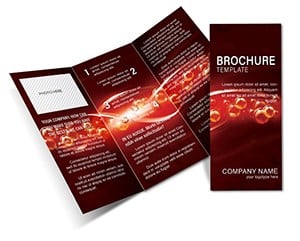
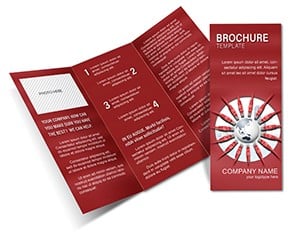
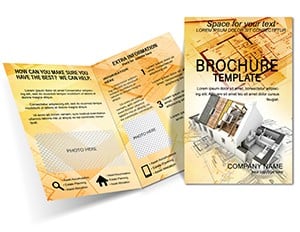
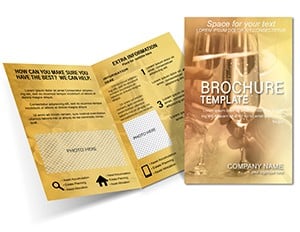
Flow-based design principles emphasize seamless visual progression - essential for brochures where you need to guide readers from headline to call-to-action without friction. Unlike rigid grid layouts, flow designs use curved elements, directional graphics, and balanced white space to create reading paths that feel natural and engaging.
This approach works especially well for service-based businesses, creative agencies, wellness brands, and educational institutions where approachability and clarity matter. The templates in this collection incorporate these principles while maintaining the structure needed for print production.
Use these templates to create company profiles, capability statements, and investor brochures. The professional aesthetic communicates credibility while the flow elements add visual interest that keeps readers engaged through multi-page documents.
Launch new products or explain complex services with brochures that blend imagery and information seamlessly. The templates provide dedicated spaces for product photos, feature lists, specifications, and pricing - all arranged in layouts that prioritize readability.
Design event brochures, conference schedules, and workshop guides that attendees will actually reference. The clear hierarchy and flow-based navigation make it easy for readers to find session times, speaker bios, and venue information quickly.
Create course catalogs, training program overviews, and instructional guides with templates designed to present sequential information clearly. The visual flow helps learners progress through content in logical stages.
Every template includes fully editable text boxes, image placeholders, and customizable color schemes. Simply replace placeholder content with your own materials - no design experience required. The templates maintain proper bleed and margin settings for professional printing, whether you're producing 50 copies or 5,000.
Master slide functionality ensures consistent formatting across all pages. Change fonts once and watch updates apply throughout your entire brochure. This consistency is crucial for brand compliance and professional presentation.
Brochures work best when images and text complement rather than compete. Use high-quality photos that support your message, and keep copy concise. Break long paragraphs into digestible chunks with subheadings and bullet points where appropriate.
Guide readers through your brochure with distinct heading levels, strategic use of bold text, and visual emphasis on key messages. The most important information should catch attention first, with supporting details following naturally.
Before finalizing designs, confirm specifications with your printer. Standard tri-fold brochures typically use 8.5x11 inch or A4 paper, but dimensions can vary. Our templates include common formats, but you can adjust dimensions to match specific requirements.
Print a draft version before committing to full production. Check that text remains legible at actual size, colors appear as intended, and the fold lines align properly with your content divisions.
Professional designers spend years developing layouts that balance aesthetics with functionality. These templates give you immediate access to that expertise. You avoid common pitfalls like poor margin settings, unbalanced layouts, or color combinations that don't print well.
The time savings alone justify using templates - what might take days to design from scratch becomes a few hours of customization. You can focus energy on crafting compelling copy and selecting perfect images rather than wrestling with layout mechanics.
While templates provide structure, they're designed for adaptation. Swap color palettes to match brand guidelines, replace fonts with corporate typefaces, adjust spacing to accommodate different content volumes, and rearrange sections to emphasize what matters most to your audience.
The flow design elements - curves, waves, organic shapes - can be recolored or even removed if your brand requires more minimalist aesthetics. Every component sits on separate layers for easy modification.
Browse the collection to find templates that match your project requirements. Each design includes preview images showing all pages, so you can evaluate layouts before downloading. Start customizing today and have professional-quality brochures ready for print or digital distribution within hours.
Copyright © 2009-2026 ImagineLayout All rights reserved.


