This category contains PowerPoint templates built around criminal justice topics, covering fingerprint identification, police procedures, court judgments, plea bargaining overviews, and restorative justice models.
It is aimed at prosecutors in county offices, law enforcement trainers in police academies, policy advocates in government agencies, and educators in criminology programs who need to communicate data and processes effectively.
Choose these templates instead of default shapes or blank slides when your presentation involves sequential evidence presentation or statistical analysis of crime trends, as they come with pre-built diagrams that maintain a serious tone and save significant preparation time.
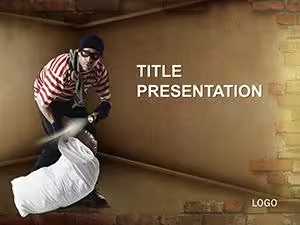
For instance, a police trainer delivering a workshop on burglary prevention can use a ready timeline slide to outline prevention strategies, allowing the audience to follow the steps without distraction from custom drawing.
Explore the collection below to select the template that fits your next training or testimony.
Prosecutors in district attorney offices use these templates during trial preparation to map evidence chains and present timelines of criminal events to juries in county courtrooms. The structured slides help maintain focus during high-pressure hearings.
Law enforcement trainers in state police academies rely on them for recruit onboarding sessions, illustrating fingerprint procedures and investigation pathways with heat maps that highlight key data points.
Policy advocates working for nonprofit reform organizations prepare legislative testimonies by visualizing recidivism statistics and sentencing guideline comparisons in front of state committees.
Criminology professors at universities incorporate the templates into academic lectures to explain restorative justice models through branching decision trees, engaging students with interactive case studies.
These four scenarios show how the templates solve real communication challenges across legal, training, advocacy, and education settings.
Default PowerPoint shapes require manual alignment and coloring to create evidence chains or procedural diagrams, often resulting in inconsistent layouts that distract audiences during court presentations.
Blank slides force users to build timelines from scratch, consuming hours that could be spent on content refinement, whereas these templates provide ready branching structures for offender pathways.
Basic shapes lack thematic icons like scales of justice or fingerprint graphics, making it harder to convey gravity in law enforcement training sessions compared to the pre-designed elements here.
Default options do not support quick animation sequences for sequential reveals of criminal case steps, leading to less engaging delivery in policy reform meetings.
Overall, starting from blank slides increases cognitive load on both presenter and audience, while these templates reduce preparation time and improve visual consistency across multiple slides.
Start by selecting a template that matches the core message, such as a procedural diagram for investigation training, and replace placeholder text with specific case details to keep the narrative focused.
Limit each slide to no more than seven elements to avoid overwhelming viewers in courtroom or legislative settings, using color coding only for hierarchy rather than decoration.
Test animations in rehearsal mode to ensure sequential reveals align with spoken explanations, particularly for evidence chain slides.
Export the file in both 16:9 and 4:3 ratios before meetings to accommodate different projector setups common in government facilities.
Add alt text to all icons and charts for accessibility compliance when presenting to mixed audiences including policy committees.
When working with evidence chain diagrams, apply the morph transition between slides containing the same objects in different positions to create smooth movement that illustrates progression through criminal justice stages without manual keyframing.
This technique works directly in standard PowerPoint versions and keeps file sizes manageable even with multiple animated steps.
Group related blocks first, then apply the transition, and preview in presenter view to time reveals with your narration.
ImagineLayout versions provide diagrams tailored specifically to criminal justice workflows, including heat maps for recidivism data and branching trees for sentencing options, unlike the generic clipart-heavy collections found on other marketplaces.
The templates include built-in rehearsal timing guides and hyperlink setups for docket references, features not consistently offered by platforms focused on broad business or educational themes.
Compatibility checks for older PowerPoint versions and accessibility alt-text on every element set these apart from competitors that prioritize visual style over practical legal use.
This focused approach helps users in law enforcement and policy roles deliver clearer messages faster than adapting general templates from elsewhere.
After purchase, log into your account and navigate to the order history section. Click the download button next to the selected template to receive the PPTX file immediately. The process takes less than one minute and includes all slides with editable placeholders already set up. No additional software is required beyond standard PowerPoint.
Yes, all templates in this category are tested for compatibility with PowerPoint 2016 and newer versions on both Windows and Mac. They also open correctly in PowerPoint for Microsoft 365. Older versions back to 2010 may require minor adjustments to animations, but core layouts and icons remain fully functional. Always test in your specific environment before important presentations.
The templates use standard PowerPoint shape and text placeholders, allowing color changes through the theme colors panel in two clicks. All icons and diagrams are grouped objects that can be ungrouped for individual edits. Text content is fully replaceable without affecting layout alignment, making updates straightforward even for users with basic skills.
Each download includes a standard license permitting use in commercial presentations, training materials, and client reports. You may modify and present the files as often as needed. Redistribution of the original template files is not allowed, but final exported PDFs or images from presentations are fine for sharing.
These templates are optimized for native PowerPoint and do not include direct Google Slides versions. However, you can upload the PPTX file to Google Drive and open it in Slides with most layouts and basic animations preserved. For full animation support, use PowerPoint desktop or online.