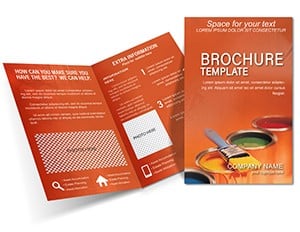
Colors Brochures

Make your brochures unforgettable with our color templates, perfect for marketers, event organizers, and small businesses. These schemes blend aesthetics with functionality, using colors that draw eyes and communicate values instantly.

From tri-fold layouts to flyers, templates include coordinated hues for panels, images, and calls-to-action. Adapt them for seasonal promotions or evergreen branding.

Benefit from print-ready formats that ensure vivid results on paper or digital shares. Our designs prioritize readability and fold-friendly alignments.

Scan the collection and pick a palette that aligns with your vision. Elevate your print game starting now.


View by: Last Added | Most Popular
  • like 2
    (493)
    Sports Brochure Template - Print-Ready & Fully Editable for Coaches & Teams
    ID: #BT01687
    $10.00
  • like 2
    (399)
    Abstract Yellow Sheet Brochure Template
    ID: #BT01484
    $18.00
  • like 3
    (15)
    Welding of High-Rise Brochure Template
    ID: #BT01277
    $18.00
  • like 4
    (1181)
    Digital Marketing Brochure Template: Your Lead Magnet
    ID: #BT01272
    $14.00
  • like 4
    (824)
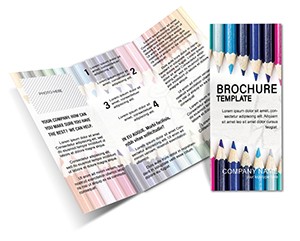
    Drawing Pencils Creativity Brochure Template
    ID: #BT01191
    $15.00
  • like 2
    (610)
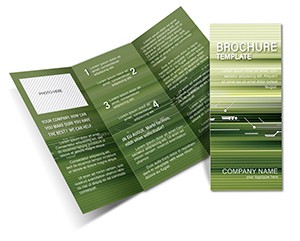
    Elegant Green Linear Brochure Template: Innovate with Sustainable Style
    ID: #BT01137
    $8.00
  • like 5
    (1155)
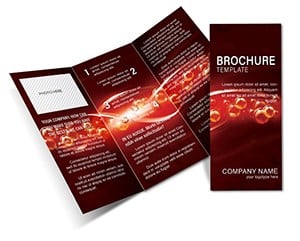
    Bubbles in the Flow Brochure Template: Abstract Art Design
    ID: #BT01004
    $14.00
  • like 5
    (31)
    Pro Financial Statements Brochure Template - Print & Edit Easily
    ID: #BT00230
    $15.00
  • like 3
    (143)
    Paint Colors Half-Fold Brochure - Print Ready | ImagineLayout
    ID: #BT00178
    $12.00


Benefits of Dedicated Color Templates for Brochures

Brochure templates excel by providing fold-specific color flows, unlike generic palettes that disrupt layouts. They incorporate bleed margins and CMYK conversions for flawless printing, reducing costly reprints.

Small teams gain confidence with pre-vetted combinations that evoke trust or urgency as needed. Eco-brands love sustainable-inspired earth tones.

  • Print Optimization: CMYK-ready from the start.
  • Layout Harmony: Colors tailored to panel structures.
  • Versatile Export: PDF or image formats supported.

They surpass basic tools by focusing on tangible outcomes like higher response rates.

Use Cases for Brochure Color Schemes

Real estate agents use warm tones to invite homebuyers, highlighting property features. Restaurants apply appetizing reds and yellows for menu inserts. Travel agencies opt for exotic blues in destination guides.

Health clinics choose calming pastels for patient info. Retailers refresh with holiday vibrancy.

  1. Product Launches: Bold contrasts for standout specs.
  2. Service Overviews: Soft gradients for approachable feels.
  3. Event Promotions: Thematic pops for buzz creation.

These examples illustrate colors` power in driving actions.

Customizing Brochure Templates Effectively

Open in your design app, apply the palette via swatch library, and adjust for trim lines. Test folds physically to verify color continuity. Add spot colors for logos if needed.

Layer transparencies for subtle depth on images. Generate proofs in multiple sizes.

Suggestion: Align with envelope colors for cohesive mailings.

Essential Best Practices for Brochure Colors

Maintain 70% coverage max to avoid ink overload. Use Pantone matches for consistency. Gather feedback on digital mocks before print runs.

A campaign yielded 40% more inquiries with refined palettes. Balance text areas with solid blocks strategically.

Time to design that stands out? Select brochure color templates and bring your ideas to print.

Frequently Asked Questions

What file formats are brochure templates in?

Primarily editable PDFs and AI files for flexibility.

Can I use them for digital brochures too?

Yes, convert to interactive PDFs or web-friendly JPGs.

How to ensure colors print accurately?

Stick to CMYK and calibrate your printer settings.

Are there templates for specific brochure sizes?

Options for A4, letter, and custom dimensions available.

Do they include bleed and safe zones?

All templates feature standard guides for professional output.