Captivate your audience with professional Music and Audio PowerPoint templates designed specifically for the sound industry. Whether you are a music producer pitching a new studio concept or an educator teaching music theory these ready-to-use slides provide the perfect rhythmic backdrop for your content. In 2026 visual storytelling is just as important as the sound itself and our collection ensures your presentation hits all the right notes with high-quality graphics and modern layouts.
Every template in this category is fully editable allowing you to customize colors fonts and icons to match your specific branding or musical style. Forget about spending hours on design from scratch; our layouts are structured to help you organize complex data like audio wave frequencies tour dates or album sales into clear and engaging visuals. From dark cinematic aesthetics to bright upbeat vibes you will find the ideal match for your next project right here.

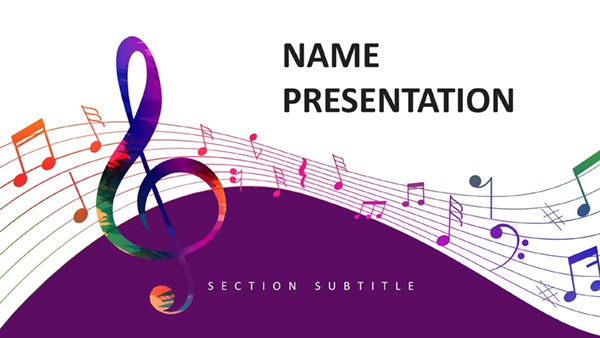


In the fast-paced world of the music industry standing out requires more than just a great track. You need a presentation that reflects your creativity and professionalism. Our curated selection of audio-themed templates goes beyond generic slides offering specialized layouts for waveform visualizations artist profiles and equipment specifications. These designs help bridge the gap between auditory art and visual business communication.
Our music templates are built to serve a wide variety of niches within the industry. No matter your role these slides adapt to your specific needs:
Standard PowerPoint themes often lack the personality required for the creative arts. Default designs can feel stiff and corporate which may disconnect you from a creative audience. By using a specialized music template you benefit from pre-designed elements like equalizer bars vinyl record icons and instrument silhouettes that immediately signal your expertise. Our 2026 collection focuses on immersive dark modes and neon accents that reflect current industry trends in digital audio workstations.
To make the most of these templates consider these best practices from design experts:
Browse our extensive library of music and audio PowerPoint templates today. Whether you need a free basic layout or a comprehensive premium deck we have the tools to help you succeed. Download your favorite design and start creating a presentation that resonates as much as your sound does.
Yes our templates are designed to be compatible with Microsoft PowerPoint 365 as well as older versions. They are also easily imported into Google Slides and Keynote if you prefer those platforms.
Absolutely. All templates are fully editable. You can change the color schemes fonts and background images with just a few clicks using the Slide Master tool.
While our templates focus on the visual design and layout you can easily add your own audio files and sound effects within PowerPoint to customize the auditory experience.
Copyright © 2009-2026 ImagineLayout All rights reserved.


