This category features airport brochure templates designed to showcase lounge amenities, shuttle services and terminal facilities.
Airport authorities, hospitality providers and event organizers use tri-fold formats with aerial views and infographics to communicate clearly with travelers.
A marketing manager at a major hub, for example, promotes seasonal festivals by inserting timeline visuals and shop directory maps into the ready panels before printing on glossy stock.
Choose these templates when standard flyers fail to organize complex airport information into an easy-to-follow narrative for passengers.
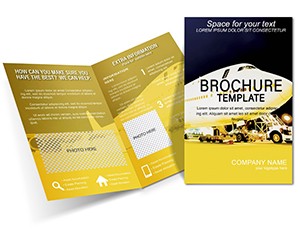

Airport authorities distribute safety briefing brochures at check-in counters, illustrating checkpoint protocols with icons and multilingual text to reduce traveler confusion during peak periods.
Hospitality partners promote lounge access and spa services using tiered benefit lists and zen garden motifs targeted at business travelers seeking quiet spaces between flights.
Event organizers at aviation hubs create air show guides with timeline visuals and parking option maps to help visitors navigate temporary road closures and exhibit locations.
Retail leasing teams prepare floor plan brochures for potential shop tenants, embedding interactive QR codes that link to traffic data and carbon offset program details.
These applications demonstrate how the brochures address both passenger information needs and commercial objectives at busy airports.
Blank documents require manual panel folding guides and map creation, often resulting in misaligned content. Templates supply pre-divided tri-fold structures with correct bleed and trim marks.
Standard layouts lack wayfinding icons and infographic placeholders for flight delays, forcing extra design time. Built-in elements here keep information scannable from the first glance.
Default files offer no QR code or NFC placeholders, so interactive features must be added separately. Templates include them ready for linking.
Printing basic designs frequently cuts off important safety icons near folds. Pre-set margins in the templates prevent that issue entirely.
Using a dedicated template ensures passengers receive clear, branded information instead of cluttered handouts that reduce trust in airport services.
Insert high-resolution terminal photography early and apply the included high-contrast mode option for better readability in bright airport lighting.
Test the folded brochure physically with a sample print to confirm panel sequence flows logically for first-time visitors.
Embed QR codes only to active landing pages and verify the links on both iOS and Android devices before final production.
Include multilingual text versions in the same file by using layers that can be toggled for different print runs.
Save a digital version optimized for email campaigns alongside the print-ready file to cover both distribution channels.
For tri-fold brochures, set the panel gutter width to 3 mm in your layout software and align content 5 mm away from folds to prevent text from disappearing into creases during physical distribution.
ImagineLayout provides aviation-specific infographics and wayfinding maps already positioned for terminal data. Generic travel collections require significant rework to fit airport content.
Our files include carbon offset visuals and retail leasing floor plans ready for customization, offering immediate practical value beyond basic tri-fold shells.
Yes, files include both US letter and A4 layouts with corresponding bleed and trim marks. Switch between sizes by choosing the appropriate master page in your design software. All text and graphics reflow automatically to maintain readability. The templates also support digital versions sized for email or social media sharing. Test print one size first to confirm your preferred stock works with the chosen dimensions.
Yes, map placeholders accept your own vector or raster files while keeping alignment guides intact. Logo placement areas are fully scalable and positioned to avoid fold lines. Colors update globally through the swatch library. Save your branded version as a new file to reuse for future seasonal promotions without repeating the setup work.
Yes, each file exports cleanly to high-resolution PDF for glossy print runs and lower-resolution interactive PDFs for email campaigns. QR codes remain clickable in digital versions. Layers allow you to hide print-only elements for web use. The same master file serves both channels, reducing version control issues across marketing teams.
The license permits unlimited use by airport authorities, partners and event organizers for passenger information and marketing materials. Template files may not be resold. Finished brochures can be distributed freely in print or digital form. Royalty-free stock images are included for both internal and external communications. Agencies working on behalf of airports receive full commercial rights without extra fees.
Copyright © 2009-2026 ImagineLayout All rights reserved.


