This collection features diagram templates for Apple Keynote that use 3D block elements. The designs apply perspective and layering to help show how different parts of a plan, system, or dataset connect and contribute to the whole.
Business teams reach for these when default Keynote shapes leave the message flat and hard to follow. The block approach works for content that involves multiple layers or relative importance.
You will see them in quarterly reviews to map performance drivers, investor pitches to outline market positioning, and strategy workshops to visualize priorities.
Each template opens directly in Keynote. Replace the sample text and numbers, adjust block colors through the format panel, and the structure stays balanced. Scroll the options below to locate the diagram that matches your next presentation.
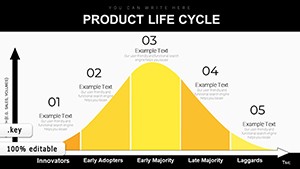

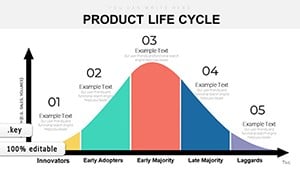





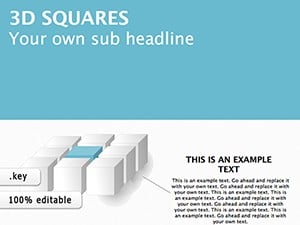
Business users apply these diagrams when they need to communicate how separate components contribute to a larger outcome. In board meetings the blocks can represent departments or initiatives, with size or position showing relative scale or priority.
Consultants use them to outline client frameworks, turning abstract models into visible structures that guide discussion. Marketing teams map campaign elements or channel performance, making interdependencies clear at a glance.
In reporting decks the diagrams replace dense tables by showing volume or impact through block height or width. This keeps the slide focused while delivering the numbers visually.
Keynote includes basic rectangles, ovals and lines that stay flat on the canvas. To create any sense of depth you must manually add shadows, rotate objects and align each one individually. The 3D block templates arrive pre-configured with consistent perspective, extrusion depth and grouping, so the visual hierarchy is already in place.
The time saved lets presenters concentrate on the story rather than the layout. Slides also look more cohesive across a full deck because every block follows the same design rules.
Following these steps keeps the diagram supportive rather than overwhelming.
Open the downloaded file in the current version of Keynote. Select a block group by clicking once, then use the Format sidebar to change fill color, border style or rotation angle. To update all blocks at once, group them first via Arrange > Group.
Replace placeholder text by double-clicking inside each block. For numbers, you can link to an external table if your Keynote version supports live data. When finished, duplicate the slide before making further changes to preserve the original layout.
Export the finished presentation as PDF for sharing or as a video if you want to record voice-over with the diagrams appearing step by step.
Timeline templates emphasize sequence over time. Flowchart templates focus on decision paths and steps. 3D block diagrams are built for content that benefits from showing volume, layers or relative weight. They suit budget breakdowns, team structures, feature comparisons or any data set where dimension adds meaning.
If your message involves hierarchy plus scale, these layouts deliver the right visual language without mixing categories.
For projects that combine multiple diagram needs, start with a 3D block overview slide and then drill into details using simpler shapes on following slides.
This approach keeps the deck consistent while giving each section the most suitable visual format.
Many teams build a master deck with one 3D block diagram as the anchor slide and reuse the color scheme across the rest of the presentation for a unified look.
When preparing for a client workshop, place the diagram early in the deck so participants can refer back to it as the discussion progresses.
In internal reviews the same diagram can serve as both agenda and summary tool, reminding everyone of the key connections.
Download the file and double-click it to launch directly in Keynote. The blocks are grouped so you can select and modify them as a unit or ungroup for individual changes.
Yes. Select the blocks, open the Format panel and update fill color, border or extrusion depth. Grouped blocks allow batch edits to keep proportions consistent.
All templates are built and tested for current Keynote releases on Mac, iPad and iPhone. Open them in the newest version for full feature support.
They suit any information that has layers, relative importance or multiple contributing factors, such as budget allocation, team roles, product features or market segments.
Yes, the templates are licensed for commercial use once purchased. Customize them with your client data and include in presentations or reports.
Copyright © 2009-2026 ImagineLayout All rights reserved.


