Equity Capital Dynamics PowerPoint Template and Charts

5
17 ratings
Equity Capital Dynamics PowerPoint Template and Charts - Slide





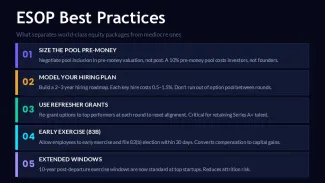

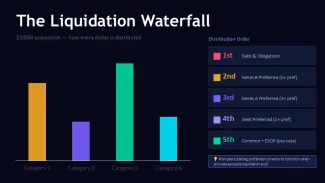
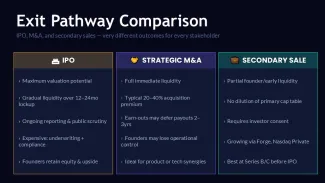




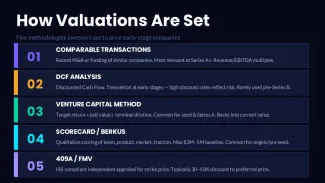











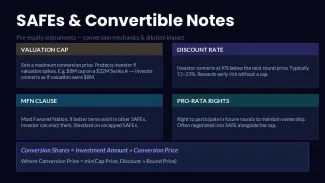



thumbnail slide #0
thumbnail slide #1
thumbnail slide #2
thumbnail slide #3
thumbnail slide #4
thumbnail slide #5
thumbnail slide #6
thumbnail slide #7
thumbnail slide #8
thumbnail slide #9
thumbnail slide #10
thumbnail slide #11
thumbnail slide #12
thumbnail slide #13
thumbnail slide #14
thumbnail slide #15
thumbnail slide #16
thumbnail slide #17
thumbnail slide #18
thumbnail slide #19
thumbnail slide #20
thumbnail slide #21
thumbnail slide #22
thumbnail slide #23
thumbnail slide #24
thumbnail slide #25
thumbnail slide #26
thumbnail slide #27
thumbnail slide #28
thumbnail slide #29

Type: PowerPoint Charts template

Category: Graphs, Tables

Sources Available: .pptx

Product ID: PC01141

Template incl.: 30 editable slides

Purchase this template
$ 15.00

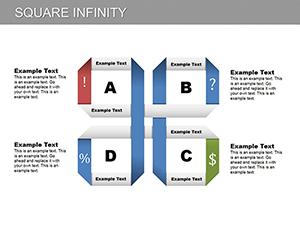
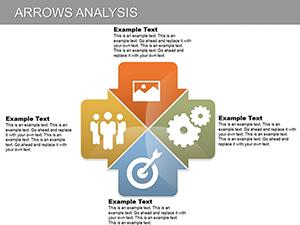
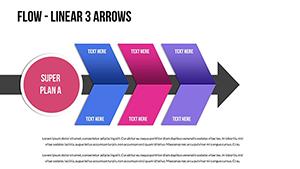
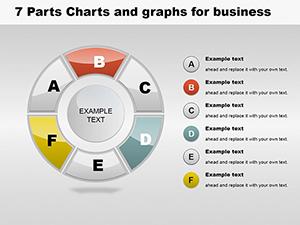
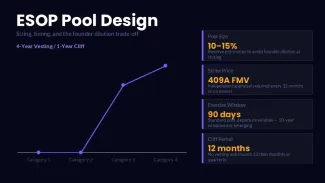
This PowerPoint chart template is built for finance professionals tracking equity capital movements, funding rounds, valuation changes, and investment performance. The 30-slide deck provides structured layouts where chart elements are grouped but independently editable. Resize a chart and the labels adjust proportionally; data series can be reordered without breaking the alignment. Color updates follow slide master assignments - change one accent and all charts using that master update consistently.

  • Slide master controls chart colors - update once, refresh all
  • Data labels maintain position when bar or line values are edited
  • Legend entries reflow automatically when series are added or removed
  • All vectors and icons remain fully editable; no rasterized elements
FeatureSpecification
Slide count30 editable slides
File format.pptx (PowerPoint 2016+ / Office 365)
Aspect ratio16:9 widescreen
Editable elementsAll charts, vectors, icons, data placeholders
Color customizationSlide master color themes; 6 accent variants included
CompatibilityPowerPoint 2016, 2019, 2021, Office 365 for Windows and Mac

Frequently Asked Questions

Can I edit the chart data directly in PowerPoint? Yes. Each chart uses native PowerPoint charting. Right-click any chart and select Edit Data to modify values; the chart updates in real time.

Does the template work with Google Slides? The .pptx file imports into Google Slides, but some chart animations and font assignments may not transfer exactly as designed.



Are there restrictions on using this for client work? No. After purchase, the template can be used in both internal and client-facing presentations without additional licensing.

Related: PowerPoint graph templates · PowerPoint table templates
See more in Graphs PowerPoint Chart →