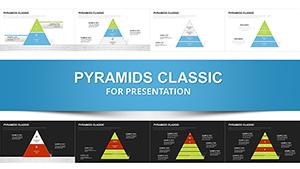
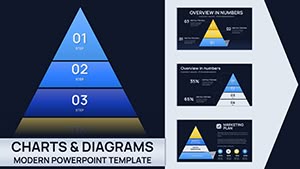
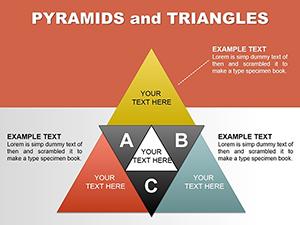
Classic Pyramid Charts PowerPoint Template








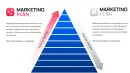
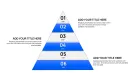
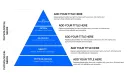
Type: PowerPoint Charts template
Category: Pyramids
Sources Available: .pptx
Product ID: PC01069
Template incl.: 36 editable slides
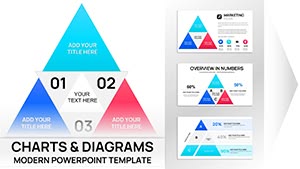
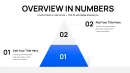
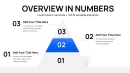
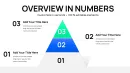
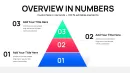
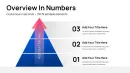
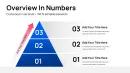
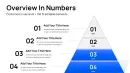
From my years crafting presentations for executives and startups, I`ve seen how a well-structured pyramid can turn scattered thoughts into a cohesive strategy. This classic pyramid chart template for PowerPoint, with its 36 editable slides, is designed precisely for layering ideas with precision and clarity. It`s the backbone for illustrating step-by-step progressions, from broad concepts at the base to focused outcomes at the peak. I`ve relied on it in investor meetings to outline business models, where the visual hierarchy helps stakeholders follow the logic without confusion. Ideal for managers simplifying processes or educators teaching foundational principles, this template delivers professional results every time, compatible with PowerPoint 2016 and beyond.
Diving into the Template`s Key Elements
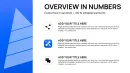
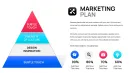
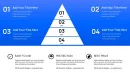
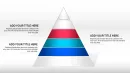
Every slide in this template is built for impact, focusing on classic pyramid designs that emphasize progression and prioritization. No fluff - just practical tools for conveying layered information effectively.
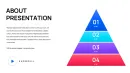
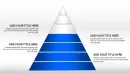
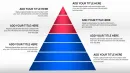
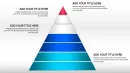
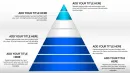
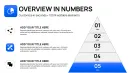
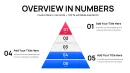
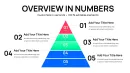
- Multi-Level Pyramids: Construct hierarchies with up to six levels, perfect for breaking down strategies from overarching goals to actionable steps. In a sales deck, I used this to map customer journeys.
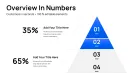
- Segmented Sections: Divide pyramids into color-coded parts for categorizing elements, like priorities in project management. Easy to adjust for emphasis.
- Font and Theme Adaptability: Switch styles swiftly to align with corporate guidelines, including dark mode for evening reviews.
- Placeholder Integration: Drop in text, numbers, or icons without reformatting, streamlining updates during revisions.
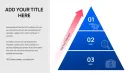
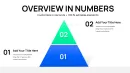
- Varied Layout Options: From inverted pyramids for risk funnels to stacked ones for growth models, offering flexibility for diverse narratives.
These elements ensure your presentations are not only informative but visually engaging, drawing from timeless design principles.
Professional Settings for This Template`s Application
In corporate boardrooms, this template excels for strategy sessions, where pyramids outline organizational charts or product roadmaps. Government advisors use it to layer policy implementations, from initial assessments at the base to final evaluations on top.
Educators in business schools employ it to teach management theories, stacking concepts like Maslow`s needs in a clear visual format. Investors appreciate its use in pitch decks, clarifying funding stages and milestones.
Workflow Incorporation for Efficient Deck Building
Fit this template into your routine effortlessly. Load the .pptx in PowerPoint or Google Slides - full compatibility means no feature loss. Begin by outlining your content in the master slide, then populate levels with data from reports or spreadsheets.
For team input, use shared editing; animations like fade-ins enhance reveals during live demos. In a recent strategy workshop, I inverted a pyramid to funnel ideas, integrating feedback in real-time.
Practical Examples from Client Engagements
Consider a marketing manager revamping a campaign: The pyramid base held market research, mid-levels tactics, and apex results projections - clients aligned immediately on priorities.
For a founder pitching to VCs, we layered the business model: Foundation as market need, building to revenue streams, peaking at scalability. It secured funding by making complexities digestible.
An educator in leadership training used segmented pyramids to depict decision-making processes, encouraging interactive discussions among participants.
Table: Template vs. Standard PowerPoint Alternatives
| Feature | Classic Pyramid Template | Built-in PowerPoint Pyramids |
|---|---|---|
| Slide Variety | 36 pre-designed variations for quick adaptation | Limited basic shapes, requiring custom builds |
| Editing Speed | Intuitive placeholders for instant content swaps | Manual resizing and layering, prone to errors |
| Visual Enhancements | Built-in color gradients and icon slots | Basic fills, extra steps for polish |
| Hierarchy Focus | Optimized for idea layering with logical flows | Generic, lacks progression cues |
| Presentation Readiness | Professional themes ready out-of-box | Needs extensive styling for impact |
Outshining defaults, this template accelerates creation while boosting audience retention.
Industry-Specific Use Cases
Business consultants layer strategies in advisory reports. Tech managers map software development cycles, base for requirements, top for deployment.
In finance, outline investment pyramids; healthcare pros structure patient care protocols. Versatile across sectors, it adapts to emphasize foundational builds.
Consider adding this to your toolkit for sharper, more structured decks.
Frequently Asked Questions
- What PowerPoint versions support this? Fully functional in 2016 and later editions.
- Can I invert the pyramids? Yes, layouts include inverted options for funnel visuals.
- How to integrate data? Use placeholders for text or link to external sources.
- Is it suitable for large audiences? High-contrast themes ensure clarity on big screens.
- Any limits on edits? Unlimited, with lifetime access post-purchase.
- Compatible with Mac? Yes, works seamlessly on PowerPoint for Mac.