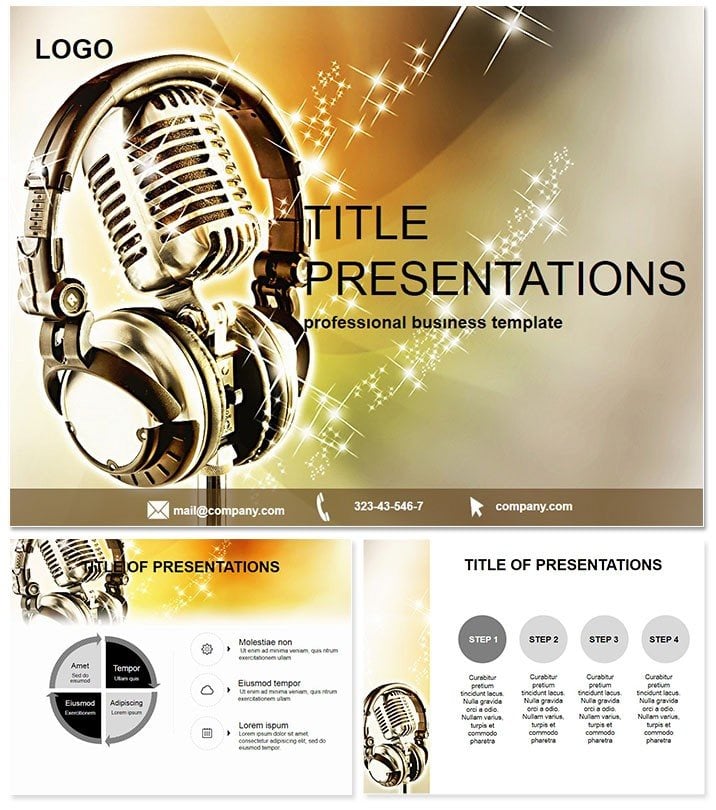
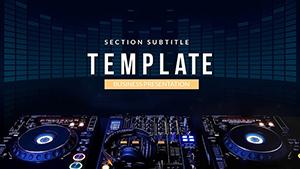
For over a decade, I've been the go-to designer for musicians, producers, and label execs who need decks that capture the rhythm of their craft. This music recording PowerPoint template is my latest refinement, honed from countless sessions where clarity on tracking and mixing can make or break a deal. With 28 purpose-built diagrams spanning 7 sophisticated color palettes, it's crafted to illuminate the artistry and tech behind hit records. Whether you're demoing a new plugin chain to collaborators or outlining a full album timeline for A&R, these slides deliver precision without the fluff.
Think of it as your virtual soundboard: intuitive visuals that let audiences "hear" your vision through sight. Fully compatible with PowerPoint 2016+, it slips into Google Slides for remote shares and even exports cleanly to video for online pitches. In my practice, deploying these has turned hesitant execs into enthusiastic backers, as the diagrams bridge the gap between creative intent and technical execution.
Unpacking the Diagrams: Gear Grids to Mix Matrices
At its core, this music recording PowerPoint template thrives on specificity. The 28 diagrams break down into gear-centric grids first - modular layouts for rackmount setups where you can drag-and-drop slots for compressors, EQs, and reverbs. These are vector-based, so resizing for desktop versus console views never compromises detail. I've customized them for hybrid DAW rigs, adding hyperlinks to spec sheets that pop during walkthroughs.
Session flow diagrams take center stage next, with circular processes mapping pre-production to mastering. Arrows denote decision points, like vocal comping branches, editable to reflect genre tweaks - jazz improv paths differ from pop auto-tune flows. For mixing, matrix-style slides layer stems visually, using opacity to simulate balance adjustments. Producers love how these reveal phase issues at a glance, sparking immediate tweaks.
Don't overlook the instrument-specific visuals: drum kit overviews with trigger placements or guitar cab impulses rendered in isometric views. The seven color schemes range from vibrant primaries for upbeat genres to muted neutrals for ambient work, ensuring thematic harmony. Each diagram supports annotations, turning passive viewing into collaborative brainstorming.
Professional Deployment: From Indie Demos to Label Showcases
In 2025's streaming-dominated landscape, where producers juggle TikTok snippets and full LPs, this template proves indispensable across roles. Indie artists use the session timelines to pitch EPs to playlists, visualizing track builds that highlight unique drops. I assisted one singer-songwriter in adapting the gear grids for a lo-fi aesthetic reveal, landing a sync deal with a major ad agency.
Label managers deploy it for A&R briefings, where mix matrix diagrams forecast hit potential by comparing stem balances to chart-toppers. In education, conservatory instructors animate the instrument slides for masterclasses, helping students internalize mic techniques for strings or keys. Broadcast pros in radio extend it to live-to-air protocols, diagramming delay compensations for flawless airplay.
The beauty lies in its adaptability: remote teams co-edit via shared links, while solo creators export frames for mood boards. It's a staple for anyone turning sound into strategy.
Streamlining Your Process: From Import to Impact
Integrating this music recording PowerPoint template feels like plugging in a favorite interface - effortless and intuitive. The lifetime license unlocks editable PPTX files that import your existing assets via simple copy-paste. Animate with entrance effects timed to BPM previews, or embed MIDI clips for interactive playback; I've synced these to client demos, elevating pitches to performances.
For scalability, duplicate diagram sets across palettes to A/B test audience reactions. Output versatility includes 4K exports for video pitches or interactive PDFs for investor packets. In client workflows, it accelerates from concept to delivery, freeing bandwidth for the music itself.
Spotlight Stories: Tracks of Triumph
My roster of users tells the tale best. Jordan, a rising EDM producer, leveraged the circular processes to map a collaborative album cycle, securing festival slots by showing airtight timelines. The visuals made his multi-artist coordination look bulletproof.
Sarah, a Berklee adjunct, incorporated the stem matrices into her mixing seminars, where students dissected her examples live - course evals noted "game-changing clarity." On the exec side, Liam at a boutique label used gear grids to negotiate vendor deals, diagramming custom racks that shaved 20% off costs through informed bargaining.
Research outfits in audio tech prototype with the instrument views, simulating virtual mic placements for AI models. Founders pitch seed rounds via session flows, underscoring scalable production pipelines that attract accelerators.
Benchmarking Against Basics: Why Upgrade?
| Feature | Standard PowerPoint | This Music Recording Template |
| Diagram Depth | Stock icons lack music context | 28 genre-aware visuals for gear and flows |
| Editability | Rigid shapes resist genre swaps | Modular vectors with palette switches |
| Engagement | Static charts bore music crowds | Dynamic, rhythmic designs that pulse |
| Prep Efficiency | Build time eats creative hours | Plug-and-play for rapid iteration |
| Versatility | Generic for broad use only | Tailored yet expandable for niches |
The edge is evident: this template transforms routine slides into resonant anthems.
Industry-Wide Versatility: Harmonizing Across Creative Fields
Beyond pure music, film composers storyboard scores with the timeline diagrams, syncing cues to scene beats. Ad jingle creators visualize layer builds for client approvals, ensuring brand sonics align. Even in wellness, sound bath facilitators map harmonic progressions for retreat pitches, drawing wellness investors.
Theater sound designers diagram spatial mixes for immersive productions, while app developers for beat-making tools demo interfaces via gear layouts. Universally, it empowers turning auditory ideas into visual symphonies that close deals.
Elevate your narrative - download this music recording PowerPoint template and compose decks that echo long after the last note.
Frequently Asked Questions
How does this music recording PowerPoint template stand out for producers?
With 28 diagrams focused on session flows and gear, plus 7 color options, it captures production intricacies like no generic set can.
Does it work with Google Slides for team collaboration?
Yes, full compatibility ensures real-time edits, perfect for distributed creative teams.
Are the diagrams editable for specific genres?
Completely - vectors allow custom icons and paths, from hip-hop beats to classical orchestrations.
Can I animate the slides for live performances?
Indeed, with built-in transitions that sync to audio, ideal for stage or studio demos.
What about licensing for commercial releases?
Lifetime access post-purchase covers all commercial uses, no extra fees for albums or tours.
Is it suitable for teaching music production?
Precisely; educators use it to break down complex processes into teachable, visual modules.