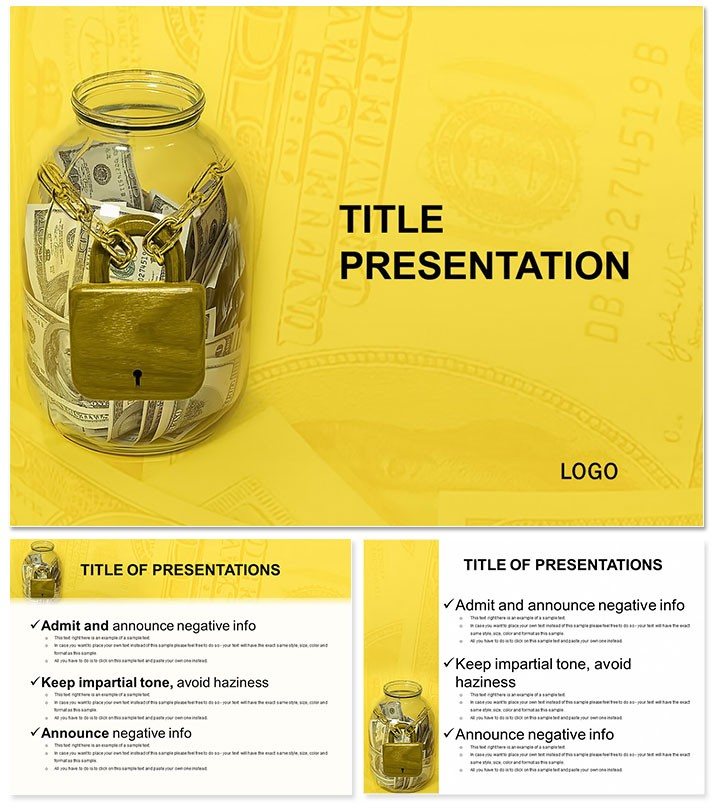
Access the Money Storage Finance PowerPoint Template with 28 custom diagrams and 7 color schemes in POTX and JPG formats. Instant download for finance and accounting presentations. Visualize money storage concepts professionally for $10 at ImagineLayout.
What's Included
The Money Storage Finance PowerPoint Template includes a POTX file with 28 custom diagrams plus JPG previews. Priced at $10 with product ID 4854, it is categorized under Finance - Accounting. Instant digital download provides immediate access after purchase. The package focuses on money storage visuals with support for 7 color schemes. This collection stands alone for comprehensive accounting presentations without needing supplementary files. The tags confirm Where Money Store PowerPoint Templates alignment for targeted finance use.
Key Features
Key features encompass 28 custom diagrams specifically for money storage finance topics along with 7 color scheme options for quick adaptation. The design supports full editing of all elements in PowerPoint. It differentiates through volume and variety from simpler related templates like Gold Coins Savings or Money Wallet. The combination of POTX and JPG ensures flexibility for both template application and reference. Commercial use is enabled immediately upon download.
Comparison Table
| Aspect | This Template | Building from Scratch |
|---|
| Diagrams | 28 custom ready | None |
| Color Schemes | 7 included | Manual creation |
| Time to Use | Minutes | Days |
| Finance Focus | Money storage specific | Generic |
| Formats | POTX + JPG | None |
| Value | $11.99 | High time cost |
Professional Use Cases
An accounting manager at a regional bank employed the Money Storage Finance PowerPoint Template with its 28 diagrams to present vault and reserve management strategies to the risk committee. Selecting appropriate color schemes highlighted storage categories effectively. The variety allowed covering multiple scenarios in one deck. A financial controller in retail used selected diagrams to demonstrate cash handling procedures during an audit training session, resulting in clearer staff understanding of storage protocols. The template's depth supported detailed yet organized delivery.
How to Customize
Download the POTX file and open in PowerPoint to access all 28 diagrams. Choose from 7 color schemes then edit text, icons, and charts for your data. The process allows swapping entire diagrams or combining them. Save custom versions for repeated use. This enables tailoring to specific accounting needs while keeping the money storage finance theme consistent.
Why Choose This Template
This template excels with its 28 custom diagrams and 7 color schemes dedicated to money storage finance, unlike related options such as Global Money Flow or How to Make Money that cover narrower topics. The volume provides unmatched variety for accounting presentations at a low price of $11.99. Instant download and dual formats add convenience. It solves the problem of sourcing multiple separate visuals by offering everything in one cohesive set.
Add this comprehensive set to your accounting resources today.
How do I edit the Money Storage Finance PowerPoint Template?
Open the POTX file in PowerPoint to unlock the 28 custom diagrams. Switch between 7 color schemes with one click then update text, data charts, and storage icons as needed. You can duplicate, reorder, or delete diagrams to fit your exact presentation. All elements respond to standard PowerPoint tools for resizing and recoloring. The full set remains organized after edits, enabling rapid preparation of finance accounting decks in under 30 minutes.
Which PowerPoint versions are compatible?
Compatibility covers PowerPoint 2013 and newer including Microsoft 365 on Windows and Mac. The POTX format loads all 28 diagrams and color schemes correctly. PowerPoint Online supports viewing and basic edits while desktop versions allow full customization. Earlier versions may open the file but some advanced diagram features could require updating. The JPG previews provide fallback reference regardless of software.
What use cases fit the 28 diagrams best?
The diagrams suit finance and accounting presentations covering cash reserves, vault management, savings tracking, and secure storage processes. Banking professionals use them for compliance training while corporate controllers apply them in budget defense meetings. The variety supports both overview and deep-dive slides within one file. Retail and logistics teams adapt storage visuals for inventory cash flow discussions. The finance-accounting category confirms relevance across these scenarios.
How much customization is possible?
Every one of the 28 diagrams is fully editable including data values, icons, labels, and layout positions. Color schemes can be applied globally or per diagram. You can add your company logo across slides or merge diagrams into custom layouts. No elements are locked, supporting unlimited modifications for branding or data accuracy. This depth exceeds most single-topic templates while keeping the money storage theme intact.
What licensing and download details apply?
Commercial and personal use licensing activates upon download of the POTX and JPG files. You may use modified versions in client work but not redistribute the source files. Instant delivery occurs through secure account access. The dual formats provide both editable template and static reference. Full policy details appear on the product page at checkout.