28 Diagrams Across 7 Color Schemes
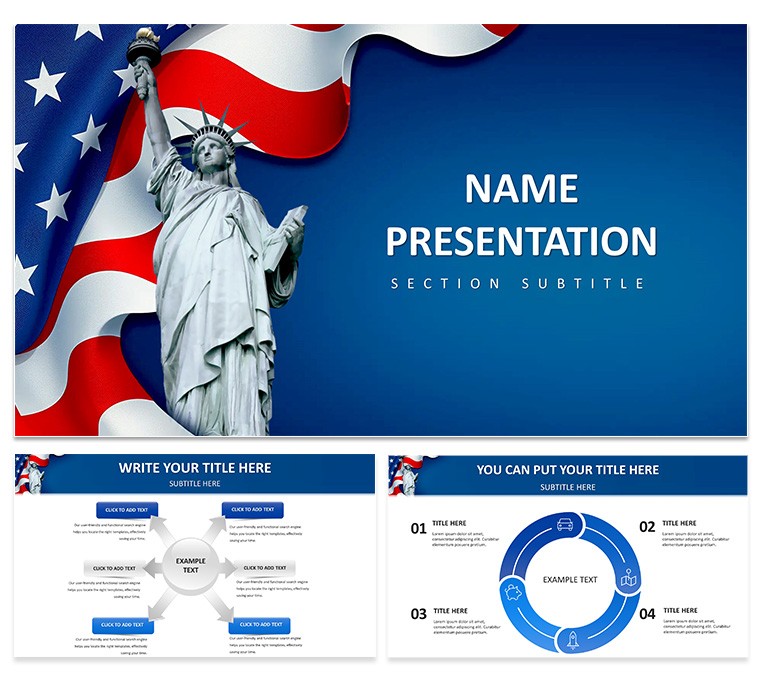
28 diagrams across 7 color schemes power this PowerPoint diagram template for American dream topics.
All vector. The full file opens instantly.
PowerPoint formats ensure compatibility with PowerPoint 2016 and above while the design uses flat icons with consistent stroke weight to highlight symbols of freedom.
This PowerPoint diagram template - a collection of editable vector visuals for data and concept presentation - lets you switch palettes through the slide master in under two minutes.
Policy analysts preparing global issue decks will find it suits their task.
Short edits. Vector elements resize independently without quality loss. The long process of building custom diagrams from scratch disappears when you reuse the same file across multiple client reports on freedom symbols.
See similar options in the Patriotic American PowerPoint Template or browse the Business Global PowerPoint templates category.
| Feature | Details |
|---|
| Slides / diagrams | 28 diagrams |
| File format | PowerPoint formats |
| Software version | PowerPoint 2016+ |
| Color schemes | 7, switch via slide master |
| Editable elements | All diagrams resize and recolor independently |
| Aspect ratio | 16:9 |
| Free vs Paid | Full set included |
| Masters / Backgrounds | Single master for consistent edits |
Download and start editing immediately
How do I change colors via the slide master?
Open your presentation in PowerPoint and go to the View tab. Select Slide Master to access the master layouts. Modify the color scheme on the master slide and all 28 diagrams update automatically across the deck. This method saves hours compared to editing each slide individually. Save the file after changes. Test the new palette in normal view to confirm consistency.
Can I use this template for client work?
The license permits use in client presentations and reports. You may deliver the edited deck to your clients as part of your service. Note that the original template files cannot be resold or shared as is with others. This applies to commercial projects. Always retain the license proof for your records.
What is the difference between free and paid versions?
The page does not specify a free version. The full template includes all 28 diagrams and 7 color schemes in the listed formats. It is available as a complete download for your use.
What are the refund conditions?
Digital products such as this PowerPoint diagram template are non-refundable after purchase. Make sure to review all preview images and specifications before completing the transaction. Reach out to support if you encounter any download or compatibility issues post purchase. Refunds are not offered for change of mind. Technical support is available instead.
How do I apply the template to an existing presentation?
Copy the slides from your existing presentation into this template file. Alternatively paste the diagrams into your current deck and adjust as needed. The master slide ensures style consistency after import.