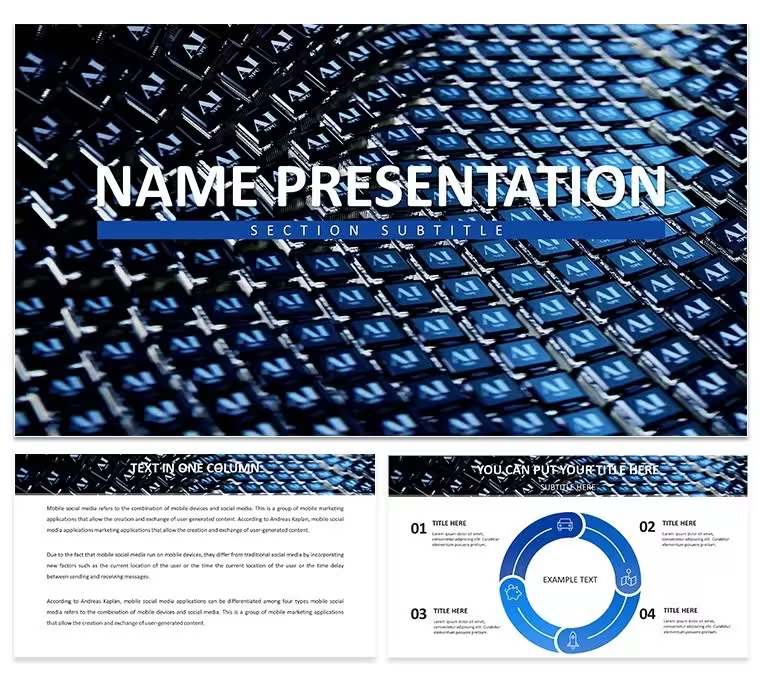
 Click to zoom
Neural Network PowerPoint Template for AI - Fully Editable | Instant Download | ImagineLayout
| Format | .pptx |
| Slides | 3 unique layouts |
| Aspect ratio | 16:9 |
| Compatibility | PowerPoint |
| Animated | No |
| Language | English |
| License | Commercial |
| File size | — |
| Version | v1.0 |
| Last updated | March 2026 |
What's inside
Free neural network PowerPoint template for AI presentations. 28 editable tech diagrams in 7 color schemes ideal for machine learning explanations and stakeholder updates. Instant download at ImagineLayout.
What's Included
The neural network PowerPoint template provides 28 specialized diagrams illustrating layers, nodes, activation functions, training flows, and model architectures. The package includes the full PPTX file, POT template, and JPG previews. All elements are vector-based and fully editable so technical teams can highlight specific model components without starting from scratch. Seven color schemes ensure compatibility with corporate tech branding or academic presentation standards.
Engineers and data scientists appreciate the clean node-link visuals that simplify complex concepts for non-technical audiences while retaining scientific accuracy.
Key Features
Designed for clarity in technical storytelling, the template features layered node groups that can be selectively highlighted, animated connection lines, and comparison blocks for model versions. The color schemes were selected to maintain contrast when projected in conference rooms or shared online.
FeatureBenefit28 AI-specific diagramsCover training to deployment7 professional schemesCorporate or research readySelectable node layersFocus on any architecture partVector connectionsAnimate data flow easilyComparison matricesModel A vs Model BHigh-contrast textAudience accessibilityProfessional Use Cases
Internal AI Team Updates
An ML engineer at a fintech startup used the neural network diagrams to explain a new recommendation model to product stakeholders. Highlighting specific layers with color accents helped non-technical executives understand the value proposition, leading to faster feature approval and development funding.
Conference Presentations
Researchers presenting at AI summits replace placeholder text with their model specifications and training results. The consistent visual language across 28 diagrams keeps audiences engaged through 45-minute technical talks.
How to Customize
Open the PPTX file, select any node group, and update labels or data values. Change connection line styles or colors to emphasize different flows. Apply one of the 7 schemes globally or per-slide. Add your company logo via the slide master. Export as PDF for sharing or keep as editable POT for team reuse. Typical customization for a 20-slide deck takes 10-15 minutes.
Why Choose This Template
Creating accurate neural network visuals from scratch requires hours of diagramming software work. This template provides publication-ready quality instantly while remaining fully editable. It differentiates from general networking templates by focusing specifically on AI architectures. The free download and instant access make it the go-to choice for time-pressed tech professionals.
Can I animate the neural network layers?Yes. All connection lines and node groups are separate objects that support PowerPoint entrance and emphasis animations. You can build the network layer by layer during your presentation to explain data flow step by step - a technique used successfully in technical webinars and investor meetings.
Is the template suitable for academic papers?Absolutely. The clean vector diagrams meet most conference and journal visual standards. Researchers simply replace placeholder text with their model equations and results, then export slides or individual diagrams as high-resolution images for inclusion in LaTeX or Word documents.
Does it work with Microsoft 365 online?Yes. The neural network PowerPoint template opens and edits perfectly in the web version of PowerPoint. All 28 diagrams and 7 color schemes remain fully functional, allowing remote teams to collaborate in real time without desktop software.
Are custom icons supported?Yes. You can replace any of the included tech icons with your own SVG or PNG files while keeping the same layout structure. This is especially useful when presenting proprietary model components or industry-specific neural network applications.
How quickly can I start using it?Instantly. The download link delivers the complete package seconds after clicking. Open the PPTX file and begin editing your first neural network slide immediately - no account creation or additional steps required.
Good for
- Project roadmaps and sprint plans
- Product launch timelines
- Quarterly or annual review decks
- Company history and milestone summaries
Licence
reviews
The radial relationship layouts made the product ecosystem map easy to understand and the flat-style design kept it from looking too busy.
Used the hub-and-spoke configuration for a business development presentation and the connector paths were already set so I just replaced labels.
Good for stakeholder mapping but I wish I could change all node colors at once instead of one by one.
The .key file worked fine on my system but a colleague couldn't open it so maybe compatibility is spotty.
Saved me time but not a game-changer and I probably could have built similar diagrams myself if I had an extra hour.
FAQ
Will it work in Google Slides?
Are fonts embedded?
Can I use this for client work?
What's the refund policy?
Do you update the template after purchase?
Similar templates
See all PowerPoint Templates →



All 1 slides