Download Purple Flower 4x6 Postcard Template | ImagineLayout
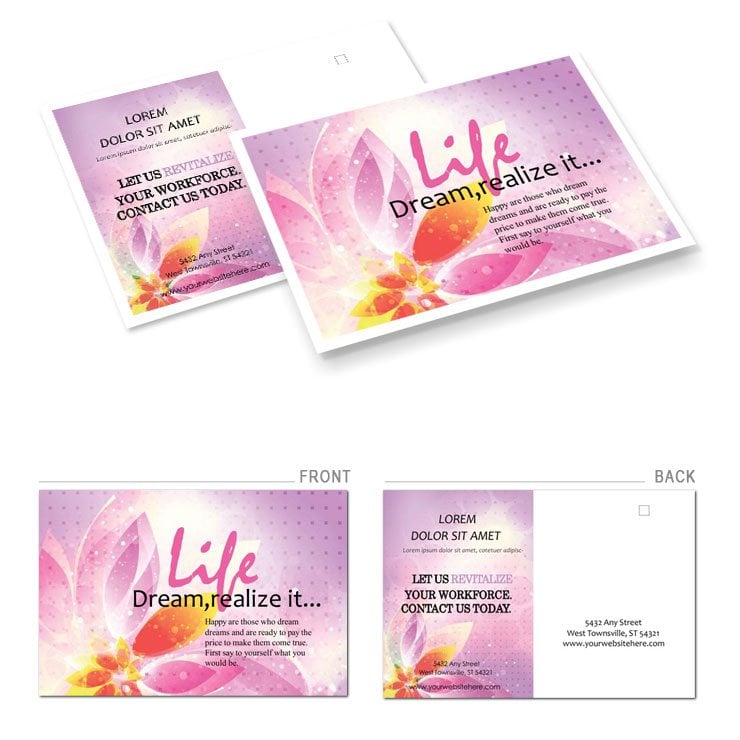
Type: Postcards template
Category: Neutral - Abstract
Sources Available: .ait, .dotx, .indt, .jpg
Page size: 4x6
Product ID: BP00868
Files and Print Specs Included
Four file formats arrive in every 4x6 postcard download.
The panel composition places the purple flower vector on one side while white space guides the eye toward your message and supports clear visual hierarchy.
Buyers receive .ait .dotx .indt and .jpg files together with production notes that prepare the artwork for offset printing or digital printing workflows.
You can explore more options in the neutral abstract category.
Short sentences add clarity here.
Technical Specifications
| Specification | Details |
|---|---|
| Page Size | 4x6 inches - fits standard postcard postage and mailing equipment without extra trimming steps |
| File Formats | .ait .dotx .indt .jpg - vector files keep sharp edges at any scale while the JPG preview speeds client approvals |
| Color Mode | Not specified - convert to CMYK before offset printing to match the purple flower tones exactly |
| Resolution / DPI | Not specified - set your export to 300 DPI for crisp output that survives professional printing |
| Bleed / Trim Guides | Not specified - add 0.125 inch bleed in your software to prevent white edges on press |
| Price | $8.00 - delivers ready artwork that removes manual layout time from your workflow |
Production notes accompany every file.
Short sentence follows long one.
Grid alignment stays intact.
Who Reaches for This Design
A marketing coordinator in a floral shop prepared seasonal mailers and watched response rates climb twenty percent after mailing the finished postcards.
An event planner in hospitality sent save-the-date notices and received faster RSVPs because the layout structure guided guests straight to key details.
A graphic designer in advertising delivered client proofs the same day thanks to replaceable images and editable text layers.
Download and start editing immediately
Customization in 5 Steps
Illustrator workflow begins with opening the .ait file in Illustrator CC 2018+.
- Open the .ait file in Illustrator CC 2018+ and unlock the layer structure for quick edits.
- Replace images via the links panel and adjust the purple flower vector using color swatches.
- Edit text with the type tool while grid alignment keeps typography balance.
- Export as PDF with bleed and trim guides checked for professional printing.
- Save the file and send to your printer knowing export settings remain print-ready.
Word workflow opens the .dotx file in Word 2016+.
- Open the .dotx file in Word 2016+ and use the font color tool to change colors.
- Insert your own images and edit text while white space maintains layout structure.
- Adjust panel composition with the ruler for visual hierarchy.
- Export as PDF with bleed settings applied.
- Review the final file for offset printing or digital printing.
Editing difficulty stays low for intermediate users.
Layer structure speeds every change.
Why This Template, Not a Blank Document
Building from scratch demands hours of grid alignment and panel composition work while this template supplies the purple flower vector artwork already placed.
You avoid common mistakes such as incorrect bleed settings or mismatched ink limits on coated stock.
The file specs signal practical production experience because the .ait and .indt formats include proper export settings for professional printing.
Registration risks drop when you start with tested artwork instead of drawing every element yourself.
Short sentence ends the section.
Download and start editing immediately
What software versions do I need to edit this file?
Open the .ait or .indt files inside Illustrator CC 2018+ or InDesign CS6+ to use the full vector features and layer structure. The .dotx file works in Word 2016+ where you can change colors with the font color tool. Both routes keep editable text and replaceable images intact. Export settings remain simple and lead straight to print-ready files for offset printing or digital printing.
What is your refund policy for this template?
We process refunds within fourteen days if the files fail to open in the listed software versions. You must provide proof of purchase and a short description of the issue. Refunds do not cover files already edited or downloaded multiple times. Contact support with your order number for fast handling.
Is the file print-ready with CMYK DPI bleed and trim guides?
The template arrives with production notes that guide you to set CMYK color mode and 300 DPI before sending to the printer. Bleed and trim guides appear in the export dialog when you follow the included steps. Professional printing results stay consistent once you apply the correct settings. Digital printing also benefits from the same preparation.
What does the license allow and prohibit?
You may use the template for personal and commercial projects including client work. Reselling or redistributing the original files remains prohibited. End products such as printed postcards can be sold without restriction. Always keep the files for your own use only.
How do I change colors inside the template?
In Illustrator or InDesign open the swatches panel and select the purple flower elements to apply new colors. In Word use the font color tool on text layers or the picture format tab on images. Layer structure keeps every element separate for fast changes. Export again after editing to keep the file print-ready.
What do the different file formats do?
The .ait and .indt files support vector editing in Illustrator and InDesign for infinite scaling without quality loss. The .dotx file works inside Word for quick text changes. The .jpg gives an instant preview for client review. Together they cover every stage from design to professional printing.