
Medicine - Pharma Keynote Shapes
These templates deliver vector shapes and icons specifically for medicine and pharma topics in Keynote.
When a clinical research coordinator assembles the latest trial results for an executive review, the shapes let the team skip custom illustration work and focus on the data narrative.
The collection centers on presentation structure so the visual flow supports the argument from the first slide.
Browse the options and download the pack for your project.
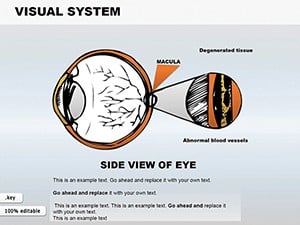 (586)
(586) Visual System Keynote Shapes: Detailed Eye Anatomy VisualsID: #KS00026$18.00
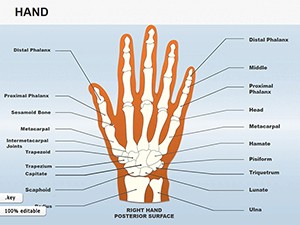 (1108)
Hand Shapes Keynote Icons - 25 Medical Slides | ImagineLayoutID: #KS00025$18.00
(1108)
Hand Shapes Keynote Icons - 25 Medical Slides | ImagineLayoutID: #KS00025$18.00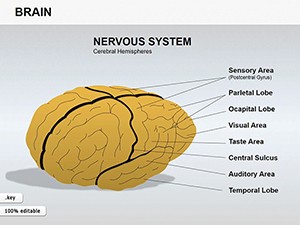 (851)
(851) Medicine Brain Shapes Template: Innovate Your Keynote PresentationsID: #KS00024$15.00
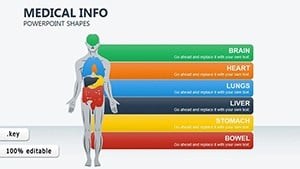 (1048)
 Medical Info-Charts Keynote Template: Visualize Insights with ClarityID: #KS00023$20.00
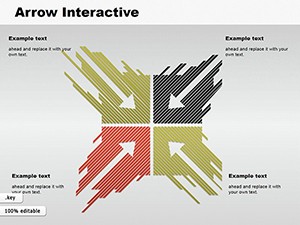 (263)
Interactive Arrows Keynote Template: Direct Your Pharma NarrativesID: #KS00022$16.99
(263)
Interactive Arrows Keynote Template: Direct Your Pharma NarrativesID: #KS00022$16.99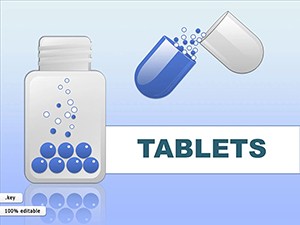 (211)
Medicine Pills Keynote Shapes for Pharma ProsID: #KS00015$20.00
(211)
Medicine Pills Keynote Shapes for Pharma ProsID: #KS00015$20.00 (1078)
 Skin Structure Keynote Template: Layering Clarity in Medical PresentationsID: #KS00010$24.00
 (1111)
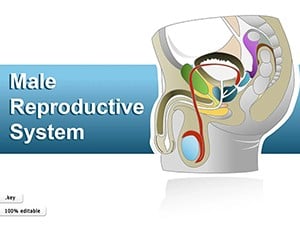
Male Reproductive System Keynote Shapes - Instant Download | ImagineLayoutID: #KS00009$15.00
(1111)
Male Reproductive System Keynote Shapes - Instant Download | ImagineLayoutID: #KS00009$15.00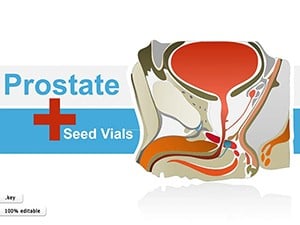 (292)
Prostate Anatomy Keynote Shapes - Instant Download | ImagineLayoutID: #KS00008$15.00
(292)
Prostate Anatomy Keynote Shapes - Instant Download | ImagineLayoutID: #KS00008$15.00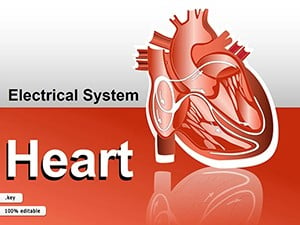 (116)
System Heart Keynote Shapes Template - Download Now!ID: #KS00007$18.00
(116)
System Heart Keynote Shapes Template - Download Now!ID: #KS00007$18.00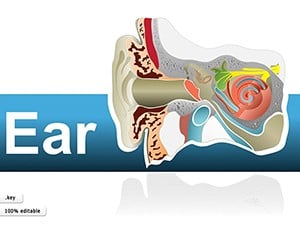 (895)
Human Ear Keynote Shapes: Illustrate Anatomy with PrecisionID: #KS00006$25.00
(895)
Human Ear Keynote Shapes: Illustrate Anatomy with PrecisionID: #KS00006$25.00
How these shapes simplify medical presentations in Keynote
The shapes allow direct insertion of organ visuals or molecule structures without redrawing each time. This keeps the focus on the story rather than alignment adjustments across slides.
Compatibility considerations for your Keynote setup
Check your app version before purchase. The files perform best with current releases where vector editing tools handle the grouped elements without extra steps.
Real-world use cases in healthcare and pharma
A pharmaceutical researcher with a tight deadline for the investor meeting uses the pill shapes to illustrate dosing schedules. The team finishes the deck in hours instead of days, and the investors follow the development pipeline without confusion.
An HR director at a hospital prepares the new policy rollout for staff training. The flow shapes map the approval process clearly, and the session runs smoother because employees see the steps at a glance.
A medical educator updates lecture materials for the semester. The anatomy shapes allow quick color coding for different systems, saving weeks of preparation time across multiple classes.
A biotech marketing lead creates the product launch presentation for a conference. The arrow shapes guide the audience through the innovation timeline, making the pitch more persuasive.
What you lose by building shapes from scratch
Manual creation requires deciding font stacks for labels, column widths for data, and color palettes for consistency. In a project timeline, those choices pull attention away from the core message and risk misalignment when slides are shared across teams.
Workflow for recurring medical reporting
The slide master setup in these files ensures every new deck starts with the same visual language. Departments can update only the content while the structure stays intact for quarterly reviews.
Non-obvious editing guidance
Use the replace shape feature in Keynote to swap entire icon sets across the deck. This keeps branding consistent without individual adjustments on each slide.
Technical detail for Keynote users
The shapes respond to aspect ratio changes in the presentation settings. Switching between 16:9 and 4:3 preserves the visual integrity, and PDF export maintains crisp lines for printed handouts.
Why this collection works for corporate medical storytelling
The designs avoid unnecessary decoration and emphasize hierarchy that guides the audience through the argument. Each element is intended for real business contexts where clarity drives decisions.
If your needs extend beyond shapes, our Keynote templates provide full presentation decks. For diagram work in other formats, see PowerPoint diagram templates. Pair with Keynote chart templates for data-heavy slides.
Ready to streamline your medical deck? The full collection is listed below.
Additional guidance on shape integration
Teams that use these regularly report fewer revisions because the structure supports the message from the start. The absence of clip art overload keeps the focus on the content that matters.
Choose the template pack that matches your upcoming deliverable and download to begin editing.
Are these templates compatible with my Keynote version?
The templates are compatible with Keynote 10 and newer versions. In earlier releases, some vector grouping may require manual adjustment after import, but the core shapes and colors remain usable. Always test the file in your version to confirm scaling for your chosen aspect ratio before the presentation date.
How does the download process work for paid templates?
The purchase gives immediate access through your account dashboard. The .key file downloads directly, and you can open it in Keynote right away. No additional software is required beyond the app itself.
Can I share these shapes with my team?
Yes, the license allows sharing within your organization for internal use and client presentations. Each user can edit copies independently as long as the original file is not redistributed outside the company.
What license terms apply to commercial use?
The terms permit unlimited edits and use in paid client work or internal corporate storytelling. The only restriction is against selling the shapes as standalone products or including them in resale template packs.
Do the shapes support animation in Keynote?
The vectors are animation-ready. You can apply entrance or emphasis effects to individual parts of grouped shapes without quality loss. The master slide setup preserves the animation settings when you duplicate slides for multi-part explanations.


