Edible Mushrooms Autumn Letterhead - 8.5x11 Floral | ImagineLayout
Type: Letterheads template
Category: Agriculture & Animals
Sources Available: .ait, .dotx, .indt, .jpg
Page size: 8.5x11
Product ID: LT00852
Layout, Formats and Fold: Full Contents
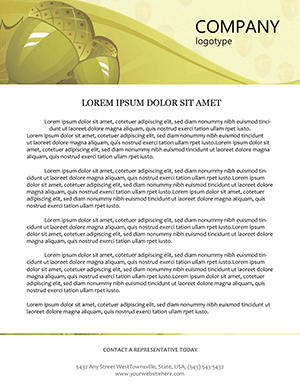
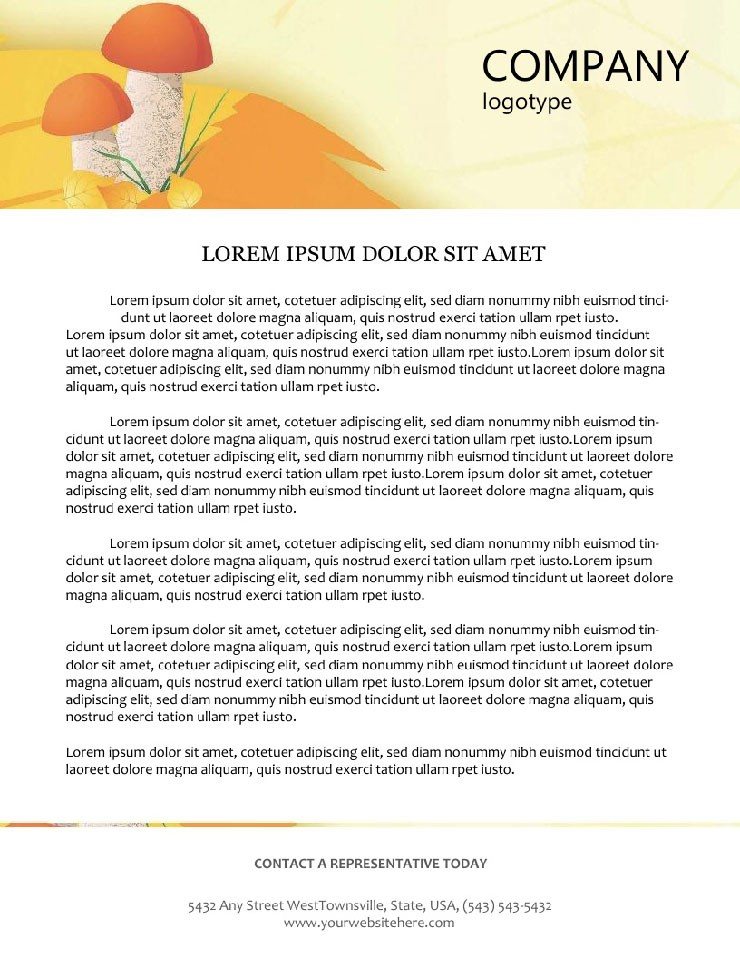
Four file formats ship in one download: .ait for Illustrator, .dotx for Word, .indt for InDesign, and .jpg as a layout preview. The central design element is a hand-drawn mushroom and leaf illustration set against a warm yellow canvas on a standard 8.5x11 sheet. Vector paths in the .ait and .indt files allow the mushroom and foliage elements to scale cleanly - no pixel edge degradation appears when the artwork is enlarged for recipe card printing or reduced for a digital newsletter header.
The panel composition places the illustration in the header zone, centering the mushroom and leaf motif with generous margins on both sides. That white space acts as a natural boundary between the decorative element and the body copy area below, maintaining visual hierarchy without a dividing rule or border. Buyers working on field reports, recipe correspondence, or mycology grant proposals can populate the body zone with dense text and the header stays visually stable regardless of content length.
The .dotx targets Word 2016 and later. The .indt supports InDesign CS6 and later. The .ait file covers Illustrator CC 2018 and later. Each of the three editable formats includes logo placeholder zones and text fields ready for replacement. The .jpg provides a reference image for confirming the yellow-toned composition before any editing begins.
File Formats and Print Specs
| Specification | Details |
|---|---|
| Page size | 8.5 x 11 inches - US letter, suits desktop printers and commercial digital print runs for documents, field reports, and recipe correspondence. |
| File formats | .ait (Illustrator), .dotx (Word), .indt (InDesign), .jpg (preview). All four included in a single download package. |
| Illustration style | Hand-drawn mushroom and leaf motif. Vector-based paths allow resizing without pixel loss - scales from business letter size to large recipe card formats. |
| Color palette | Warm yellow base with earthy greens and browns. Palette evokes autumn harvest tones - editable in all three source formats. |
| Color mode | Not specified on the product page. Verify CMYK mode in your editing application before sending to a commercial printer. |
| Resolution / DPI | Not specified. Vector elements scale without pixel degradation; confirm DPI requirements with your print provider for raster exports. |
| Bleed / trim guides | Not specified on the product page. Confirm bleed values with your commercial print provider before final submission. |
| Software versions | Illustrator CC 2018+, InDesign CS6+, Word 2016+. Older versions may open files with reduced effect fidelity. |
| Price | $7.00 - one-time purchase with lifetime use rights under the standard ImagineLayout license. |
| Product ID | LT00852 - reference this when contacting ImagineLayout support about this file. |
How Nature Practitioners Use This Layout
A mycologist at a university field research station sends grant application support letters to conservation funding bodies. Plain institutional letterheads add no visual signal about the subject matter. The mushroom and leaf motif in the header immediately establishes the thematic context - reviewers reading a proposal about forest ecology encounter a design language that matches the content rather than contradicting it with a generic corporate layout. Typography balance between the illustration and the address block keeps the document reading as formal correspondence rather than promotional material.
A professional chef who runs specialty mushroom foraging workshops uses the letterhead for supplier correspondence and participant welcome packets. The warm yellow base with earthy tones pairs naturally with photography of fresh fungi, and the hand-drawn style signals artisan production values. Physical printed letters on this stationery accompany workshop booking confirmations, where the design choice reinforces the premium positioning of the experience before the guest arrives.
A secondary school biology teacher distributes printed lab handouts and field trip permission slips using this layout. The illustration appeals to student interest in a way that a plain header does not, and the generous body copy zone accommodates detailed lab instructions or checklist formats. The Agriculture & Animals letterhead category holds additional nature-themed designs for seasonal or topic-specific alternatives. The Acorns Autumn Agriculture Letterhead covers a complementary seasonal theme for organizations that maintain a consistent autumn visual palette across multiple document types.
Download and start editing immediately.
From Download to Print-Ready File
Illustrator Workflow (.ait - Illustrator CC 2018+)
- Open the .ait file in Illustrator CC 2018 or later. Illustrator creates a new unsaved document, keeping the source template intact. Save immediately under a project name.
- Unlock the header illustration layer if needed. In the Layers panel, check whether the mushroom and leaf paths are on a locked layer. Unlock to recolor or reposition; lock again after adjustments to prevent accidental edits during text work.
- Place your logo in the header placeholder zone. File > Place, then scale proportionally with Shift held. Position within the designated placeholder area alongside the illustration.
- Replace address and contact text. Type tool, click into each text frame, and overwrite placeholder copy with live information.
- Adjust palette colors via the Swatches panel. Double-click any swatch to open the color editor and enter CMYK values. Confirm document color mode is CMYK before export.
- Export to PDF with Press Quality for print. For digital use, Export As JPG or PNG at 150 DPI minimum. Editing difficulty: intermediate.
Word Workflow (.dotx - Word 2016+)
- Open the .dotx in Word 2016 or later. Word opens a new document from the template. Save before making any changes.
- Enter header editing mode. Double-click the header and replace the logo placeholder using Insert > Pictures.
- Update all text placeholders. Click into each field and enter your organization name, contact details, and any tagline.
- Adjust text or element colors via the Font Color tool. Select any colored element, open Font Color, and choose More Colors for a precise value entry.
- Export to PDF or print directly. File > Save As > PDF for digital delivery; File > Print for physical output. Editing difficulty: low.
What You'd Need to Set This Up Yourself
Drawing a hand-rendered mushroom and leaf illustration in vector from scratch requires either illustration skills in Illustrator or sourcing licensed botanical artwork and integrating it into an 8.5x11 artboard. Either path typically adds two to four hours before the first text is placed. Then the layout grid must be established - the yellow base color needs to be tested against earthy green and brown accent elements to confirm they read correctly both on screen and in print. A warm yellow field is a known risk on coated stock, where the yellow can shift toward orange depending on ink saturation and press calibration.
Color mode is the specific risk point for this palette. Warm yellows built in RGB translate unpredictably to CMYK when sent to press - the yellow base can arrive at the printer as a noticeably different hue than the screen preview showed. Color mode and bleed specifications are not listed on this product page, so verify both in your editing application before submitting to a commercial printer. The Floral Orange Letterhead covers a thematically related warm-palette option for buyers who need a floral alternative with a different tonal base. Buying a pre-built template eliminates the illustration sourcing, grid construction, and initial color calibration steps entirely.
Download and start editing immediately.
Which software versions are required to edit this autumn letterhead?
Illustrator CC 2018 or later provides full access to the vector paths, layer structure, and Swatches panel in the .ait file. InDesign CS6 or later handles the .indt file with complete paragraph style and layer support. Word 2016 or later opens the .dotx and enables full header and placeholder editing. Older software versions may display the file but rendering of certain effects - particularly transparency on the illustration elements - may differ from the intended appearance. Testing in the target software version before starting a final production file is the safest approach.
What are the refund terms for this $7 template?
ImagineLayout reviews each refund request individually. Download failures should be reported within 14 days of purchase. Technical defects preventing normal file use must be reported within 72 hours of purchase. If the delivered product does not match its page description, that case is also reviewed. Refunds are not issued after extended download and use, or when no specific reason accompanies the request. The full refund policy terms are available on the ImagineLayout refund policy page.
Is this letterhead ready for professional printing?
The page dimensions are 8.5x11 inches, which is the US letter standard for desktop printing and commercial digital print equipment. Color mode and bleed specifications are not listed on the product page, so both should be confirmed in your editing application before sending to a commercial print provider. The warm yellow base color is a known variable on coated stock - confirm CMYK values and test on your target paper stock if color accuracy is critical. Vector illustration elements scale cleanly at any output size without pixel degradation, which supports both standard letter printing and larger-format reproduction for recipe cards or event materials.
What does the license permit for personal and commercial use?
The standard ImagineLayout license covers personal and commercial use of the customized letterhead in your own documents, client deliverables, printed materials, and business correspondence. The source files cannot be resold or redistributed as standalone template products through any marketplace or channel. One purchaser holds the license and may apply the design across unlimited projects within their own business or practice. This suits mycologists, chefs, educators, and other specialists who reuse the same branded document template across multiple ongoing communications.
How do I change the yellow base color and earthy accent tones?
In Illustrator, open the Swatches panel and locate the named swatches for the yellow background and earthy accent colors. Double-click any swatch to open the color editor, enter replacement CMYK values, and click OK - all objects using that swatch update throughout the document automatically. In InDesign, the same Swatches panel approach applies. In Word, select any colored element and use the Font Color tool for text or Shape Fill for backgrounds, then choose More Colors to enter a precise value. When adjusting the yellow background specifically, confirm the CMYK equivalent of your chosen value with your print provider - warm yellows vary between screen preview and press output.
Are fonts embedded or do they require separate installation?
Font handling details are not specified on the product page. When opening the .ait or .indt file, Illustrator and InDesign will display a missing-font alert if any typeface in the template is not installed on your system. Resolve this by installing the flagged font before editing, or substitute it using the Find Font dialog in either application. When exporting to PDF for print or digital delivery, embed fonts in the export settings to ensure the output matches the on-screen layout regardless of which fonts are installed on the recipient's device.